


Switching from Fitbod? Gript reads Fitbod's CSV export directly, so your training history — every set, warm-ups and timed work included — transfers in a few minutes.
Step 1: export your data from Fitbod#
- In Fitbod, open the Log tab and tap the gear icon in the top-right corner.
- Scroll down and tap Export Workout Data.
- Save the CSV file to Files, or share it to yourself via email or cloud storage.
Step 2: import into Gript#
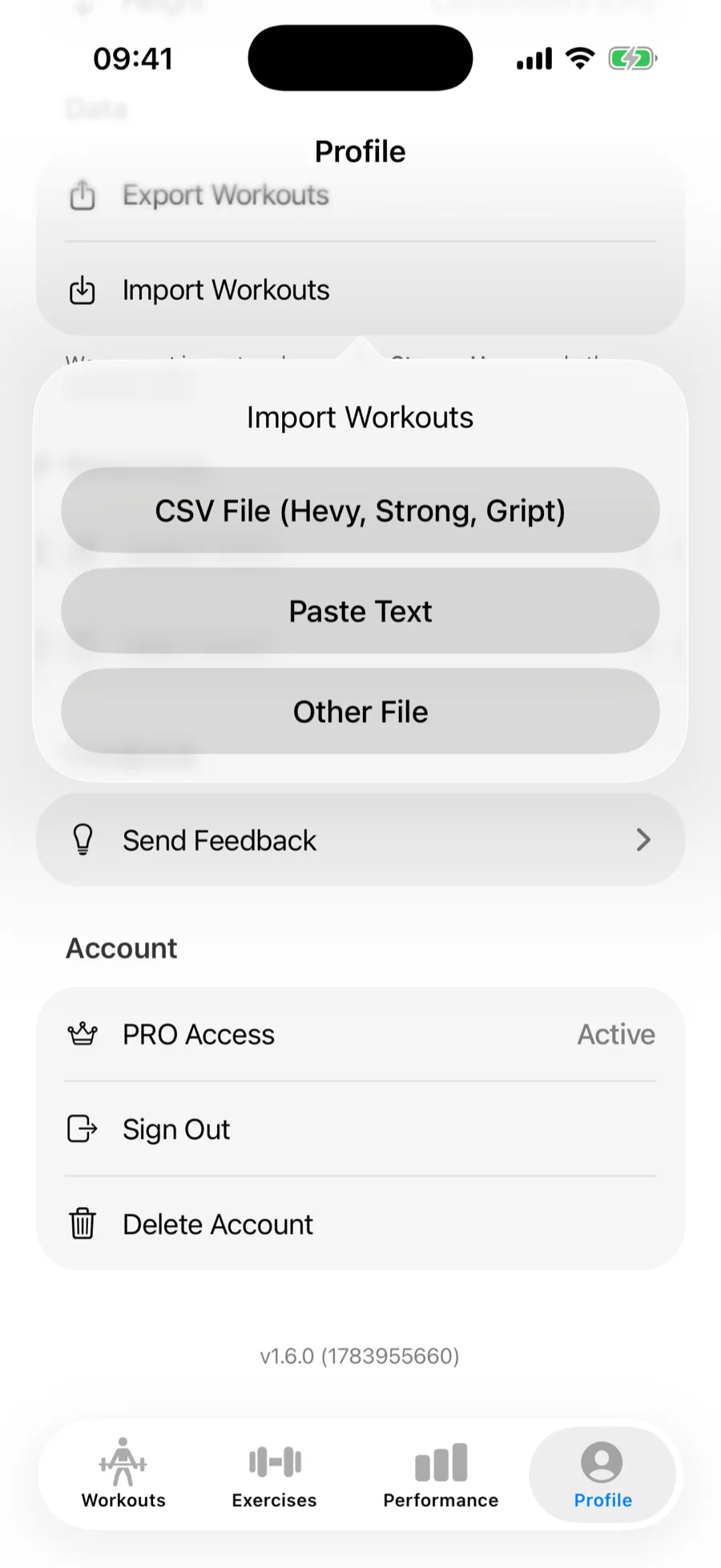
- In Gript, open Profile → Import Workouts.
- Choose CSV File (Hevy, Strong, Gript) and pick the exported file. Fitbod exports are recognized automatically.
Step 3: match exercises and confirm#
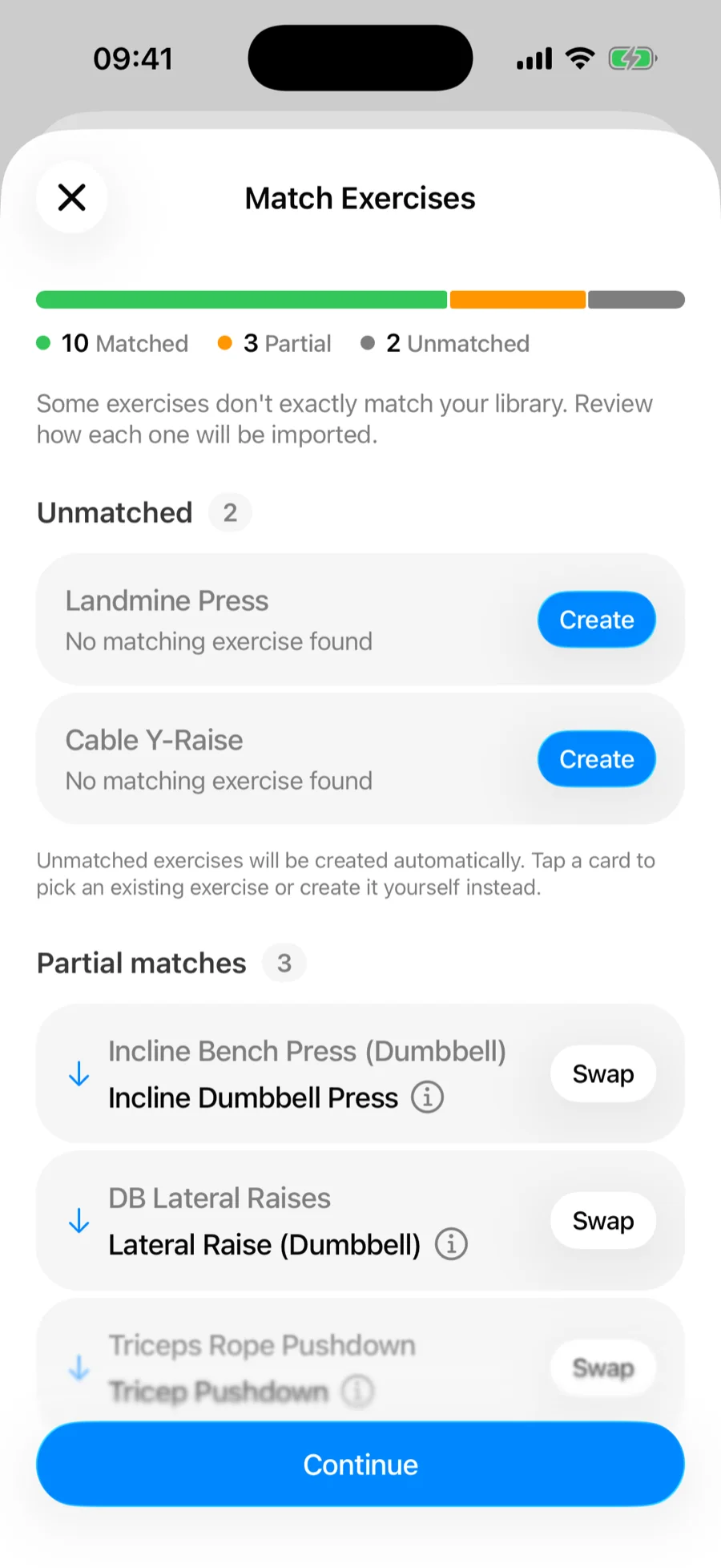
Gript matches Fitbod's exercise names to its own library on the Match Exercises screen — accept the suggested matches, remap anything it got wrong, and let unmatched movements be created as custom exercises. See how import matching works for the full details.
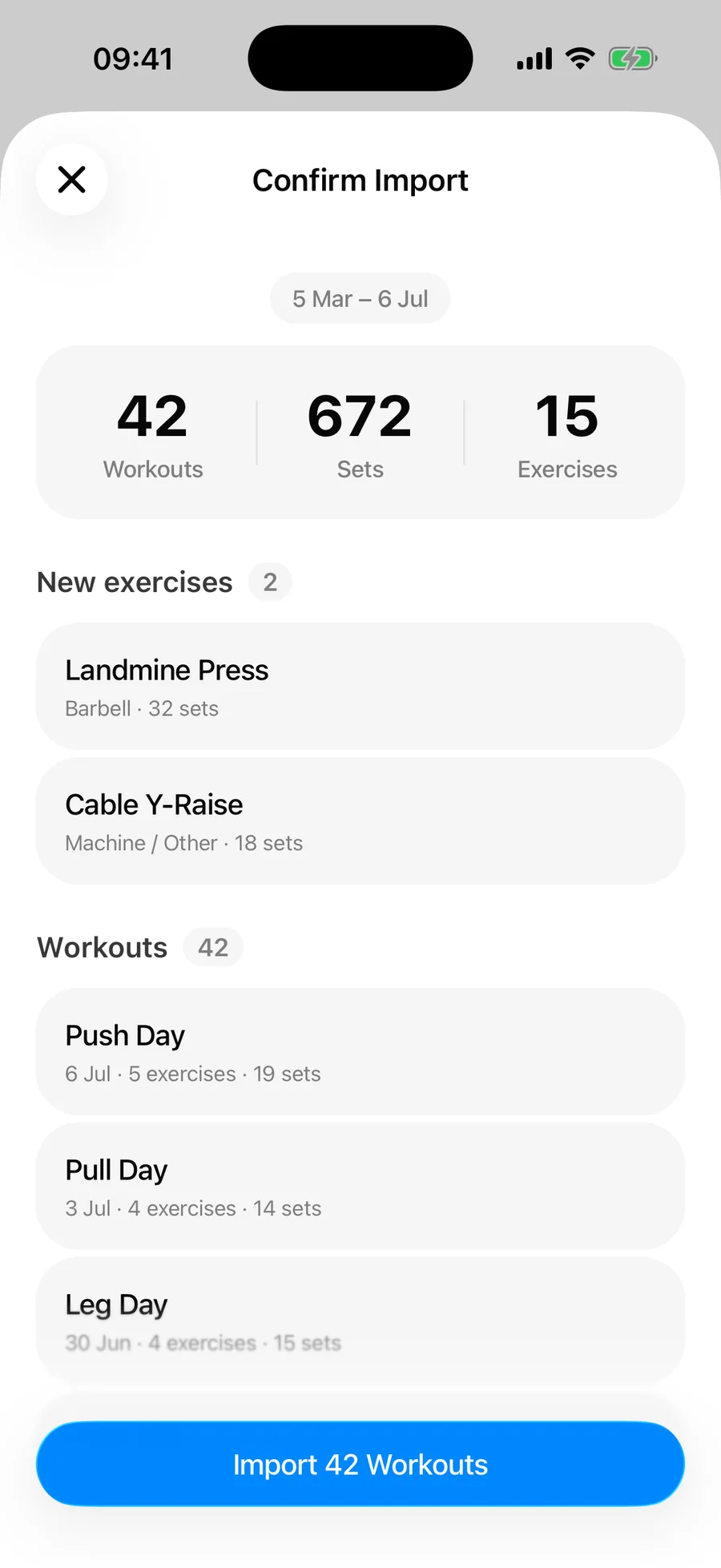
Then review the summary and confirm. Duplicate workouts already in your history are skipped automatically.
What transfers and what doesn't#
- Per-set weights and reps for every logged session, grouped into workouts by date
- Warm-up sets, kept as warm-ups so they don't skew your working volume
- Timed sets — planks and holds logged with durations come across as timed sets
- Exercise notes
- Your weight unit — the export is in kg or lbs depending on your Fitbod settings
Fitbod doesn't name workout sessions, so imported workouts arrive without names — your charts, records, and history work the same either way. Cardio-specific fields like distance, incline, and resistance don't transfer, and Fitbod's generated routines aren't part of the export, so those get rebuilt in Gript.
Common problems#
A Fitbod share link doesn't import#
Fitbod's share links — the go.fitbod.link URLs you get from sharing a workout or a guest pass — carry no workout data, so there is nothing for Gript to read. Paste one into the import screen and Gript points you back to the export above: open the Log tab in Fitbod, tap the gear icon, choose Export Workout Data, and import that CSV instead.
Gript doesn't recognise the file#
The format is detected from the header row, so a CSV that a spreadsheet app has re-saved may no longer carry the columns Gript looks for. Import the original file from Fitbod's export rather than an edited copy.
Some rows didn't import#
The confirmation summary separates skipped duplicates from unreadable rows, so read it before assuming anything was lost — sessions already in your Gript history are skipped deliberately. See how import matching and duplicates work.