


Moving from Hevy? Your whole training history — workouts, exercises, sets — comes with you. The import takes a few minutes.
Step 1: export your data from Hevy#
- In Hevy, open Settings → Export & Import Data → Export Data and tap Export Workouts.
- Hevy generates a CSV of your full workout history and opens the share sheet.
- Save the CSV where you can find it — Files, email, or cloud storage — or pick Gript in the share sheet to import it right away and skip Step 2.
Not sure where the export lives in Hevy? Follow the step-by-step guide with screenshots: how to export your workouts from Hevy.
Step 2: import into Gript#
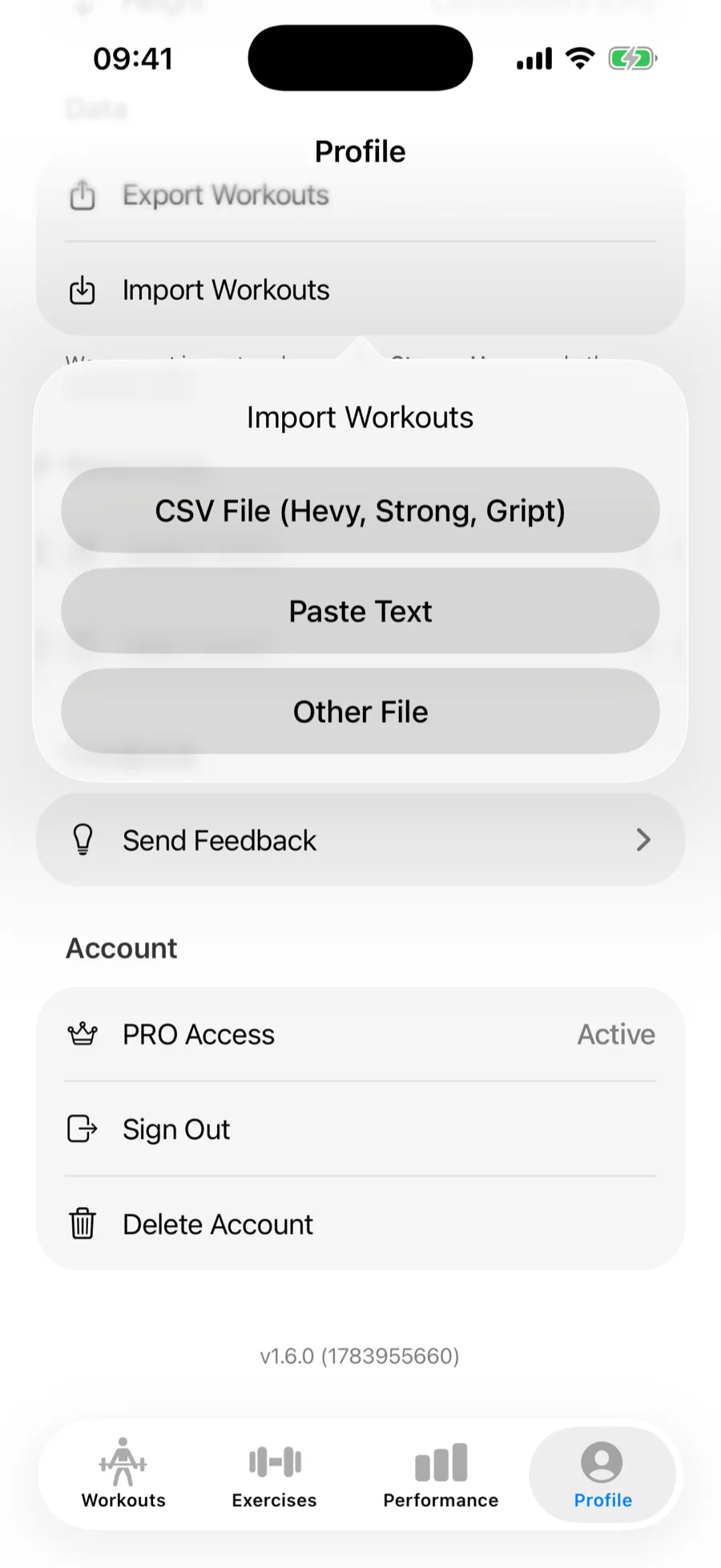
- In Gript, open Profile → Import Workouts.
- Choose CSV File (Hevy, Strong, Gript) and pick your exported file.
Step 3: match exercises#
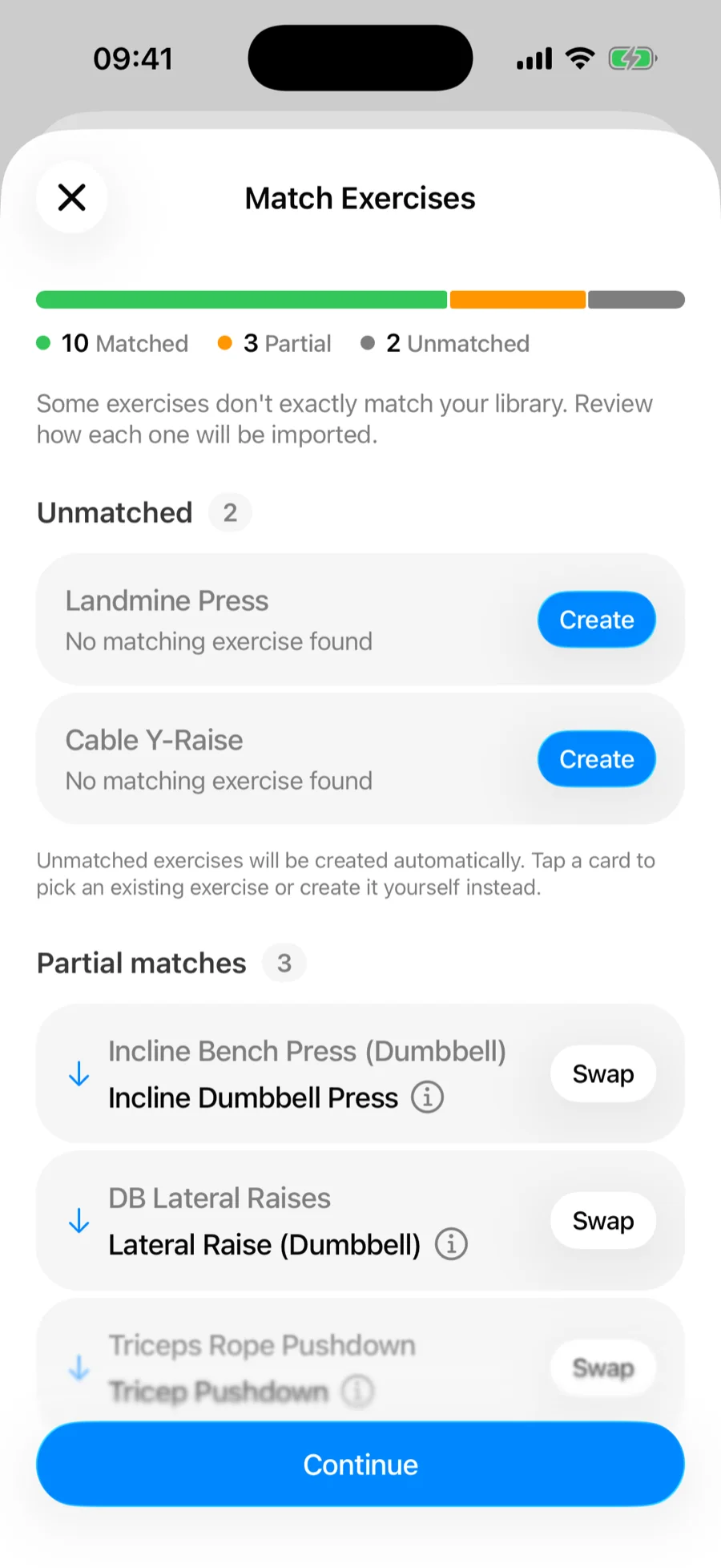
Gript matches Hevy exercise names against its library. Exact matches import automatically; the Match Exercises screen shows the rest:
- Partial matches — Gript suggests the closest library exercise; accept it or pick another.
- Unmatched — created automatically as custom exercises, or tap a card to map them to an existing exercise instead.
Curious what happens behind the scenes? See how import matching and duplicates work.
Step 4: confirm#
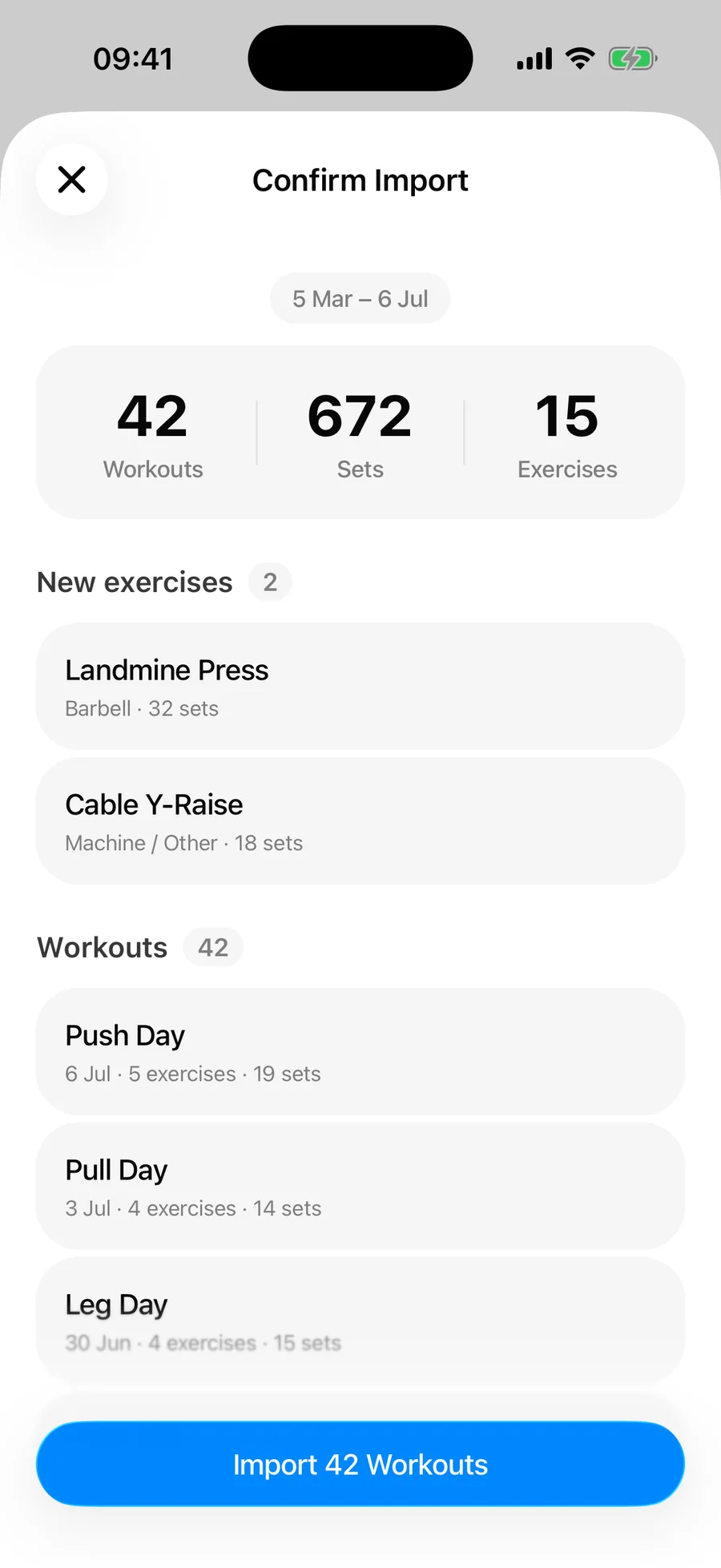
Review the summary — workout count, total sets, new exercises — and tap Import. Workouts already in your history are detected as duplicates and skipped, so importing twice never doubles your data.
What transfers and what doesn't#
Everything that makes your history worth keeping comes across:
- Per-set weights, reps, and durations for timed sets
- Set types — warm-up, failure, drop set, and cool down
- Workout names, dates, and session durations
- RPE values, wherever you logged them
- Superset grouping and per-exercise notes
What doesn't come across is anything Hevy's workout CSV leaves out: your saved routines and templates, progress photos, and profile details. Routines are quick to rebuild, and doing it by hand is a decent opportunity to drop the ones you stopped running. Body measurements are a separate Hevy export file and import separately — see importing body measurements.
In practice each field in the export has a direct counterpart in Gript rather than being flattened into a summary:
| From Hevy | In Gript after the import |
|---|---|
| Weight and reps per set | The logged set, converted to your unit setting, feeding volume and 1RM charts |
| Warm-up, failure, drop set, cool down | The matching Gript set type, so warm-ups stay out of your working volume |
| RPE | Per-set effort, displayed as RPE or RIR depending on your preference |
| Superset ID | A real superset group in the imported workout |
| Duration in seconds | Timed sets for planks, holds, and carries |
| Exercise notes | Notes kept with that exercise on that day |
How long it takes#
Reading the file is quick even for years of training. The part that takes real time is the Match Exercises screen, and that depends entirely on how many custom exercise names you accumulated in Hevy — a library of stock exercises matches almost entirely on its own, while a pile of personally-named variations needs a pass by hand. Budget a few minutes and do it once, properly.
What to check afterwards#
Open a heavy lift you remember well and confirm the numbers look right. That single check catches the two things worth catching: a kilograms and pounds mix-up, and dates landing in the wrong order. If the weights are out by roughly 2.2x, or a session shows up months from where it belongs, you almost certainly imported a copy that a spreadsheet app had rewritten — re-export from Hevy and import the untouched original.
Can you import workouts into Hevy too?#
Worth knowing if you are comparing apps rather than committing to one. Hevy has an Import Data option in the same Settings → Export & Import Data screen you exported from, and it reads a Strong-format CSV. Gript exports your history in Gript, Strong, or Hevy format from Profile → Export Workouts, so the data can travel in either direction — see exporting your workout data.
The one thing Hevy will not do is read its own export back in, which its export screen states outright. That is a Hevy limitation rather than a file problem: the same CSV imports into Gript with set types, RPE, supersets, and notes intact.
Do you have to delete Hevy?#
No, and there is no reason to rush it. Nothing about the import touches your Hevy account, so leaving the app installed for a few weeks while you settle in costs nothing. Because Gript skips duplicates on completion time and name, you can also re-import a fresh export later to pick up any sessions you logged in Hevy in the meantime, without doubling anything you already have.
Common problems#
Gript doesn't recognise the file#
The format is detected from the header row, so a file that has been opened and re-saved by a spreadsheet app may no longer have the columns Gript looks for. Import the original CSV straight from Hevy's share sheet rather than a version you edited.
Some workouts are missing#
Check the confirmation summary before assuming — it reports skipped duplicates and unreadable rows separately, so the count tells you which happened. Workouts already in your Gript history are skipped by design.
The same exercise appears twice in my library#
An unmatched Hevy name was created as a custom exercise alongside the library equivalent. On the Match Exercises screen you can map names onto existing exercises instead of creating new ones, which is the moment to catch this — see how import matching works.
Have older logs that never made it into Hevy — notebooks, spreadsheets, photos? Bring those in too with AI import.
For the wider picture — why people move, what the migration looks like end to end, and what Gript does with the history once it lands — read switching from Hevy to Gript. If some of your training also lives in Strong, importing from Strong covers that file too, and both can be imported into the same account.