


A superset groups two or more exercises so you alternate between them — one set of the first, one set of the second, then back. In Gript, supersets are visually linked with a colored line so you never lose your place.
Create a superset#
- In your workout, open the menu on the first exercise (the three-dot button).
- Tap Add to Superset.
- Choose the exercise to pair it with, or add a new one.
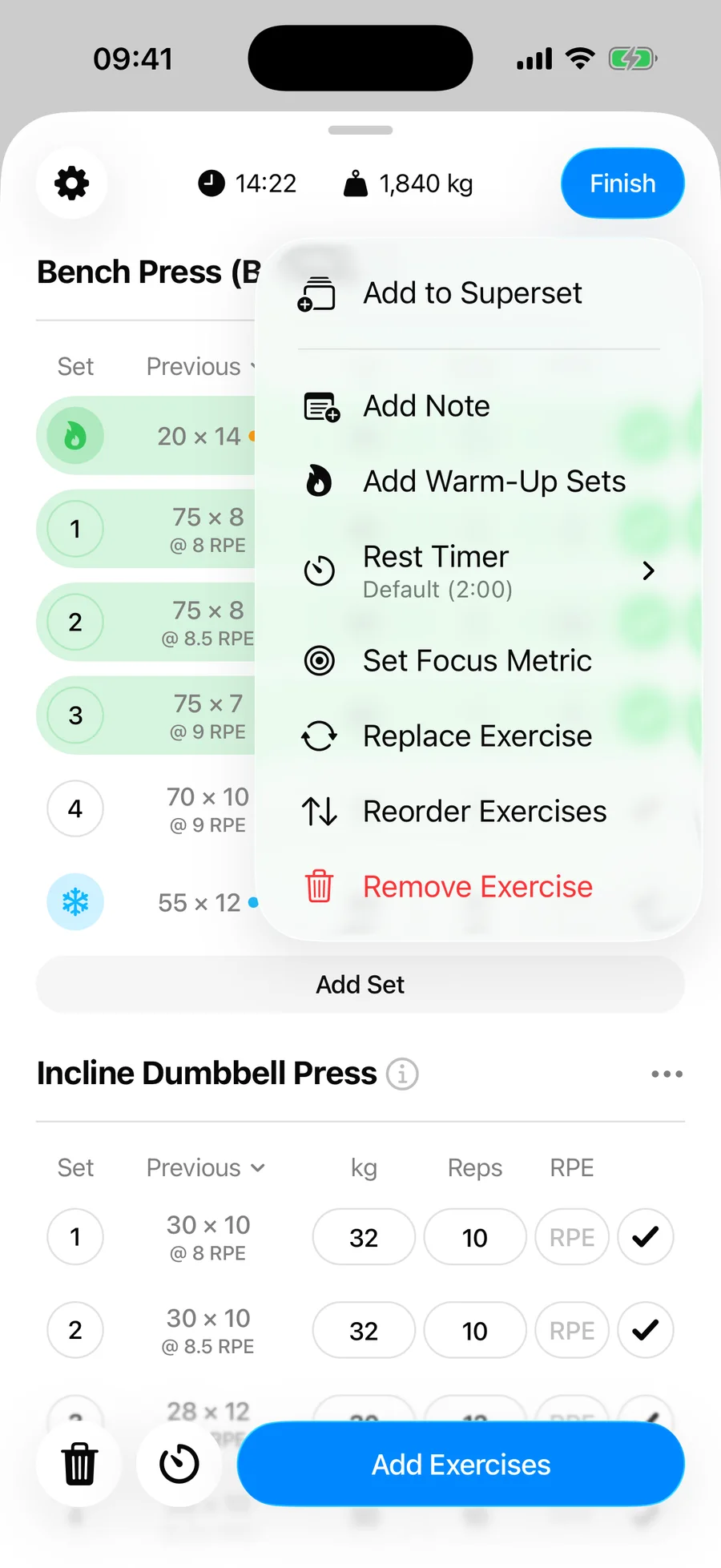
The grouped exercises are now marked as a superset and stay together in your workout.
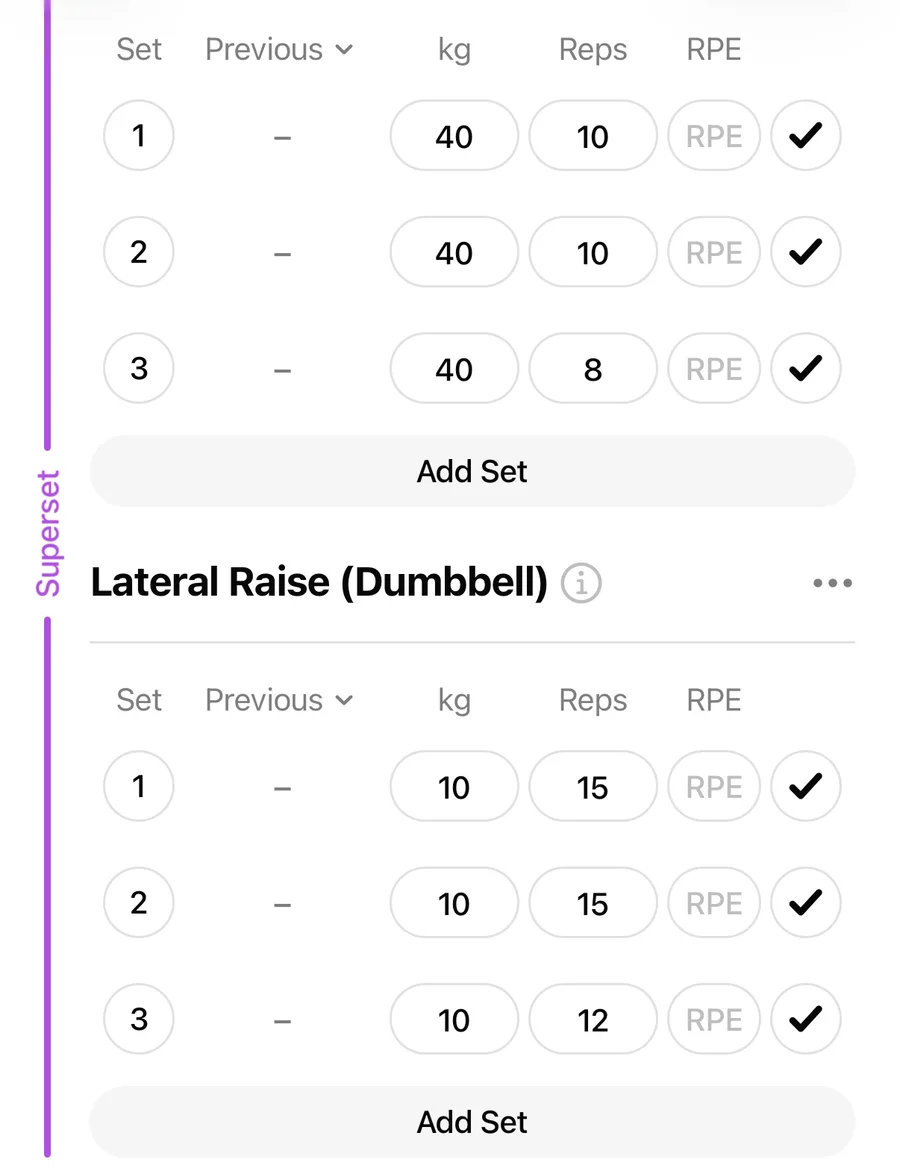
Logging a superset#
Gript understands that you alternate between the exercises, so it moves with you. When you check off a set while the keyboard is open, the cursor jumps straight to the matching set of the next exercise in the superset — first exercise, set 1, then second exercise, set 1, then back for set 2, and so on. Completed sets are skipped, so you always land on the next set you actually need to do.
Set counts stay in step#
Adding a set to one exercise in a superset adds one to its partners too, so every exercise ends up with the same number of working sets — that is the whole point of a superset. Warm-up and cool-down sets are ignored here; only working sets are matched.
Removing a set only affects that one exercise. If you drop the last set of one movement because you are spent, Gript will not delete anything from the others — and the auto-advance simply skips the shorter exercise on later rounds.
Supersets in routines#
Supersets you set up in a routine carry over every time you start that routine, and they are preserved when you share a routine.