


A routine is a reusable workout template: exercises, set counts, and target weights, ready to start with one tap on training day.
Create a routine from scratch#
- Open the Workouts tab with Routines selected at the top — the section next to History and Explore.
- Tap the + button beside My Routines — or Create Routine on a brand-new account, where the tab starts empty. The + on a folder header creates the routine inside that folder instead.
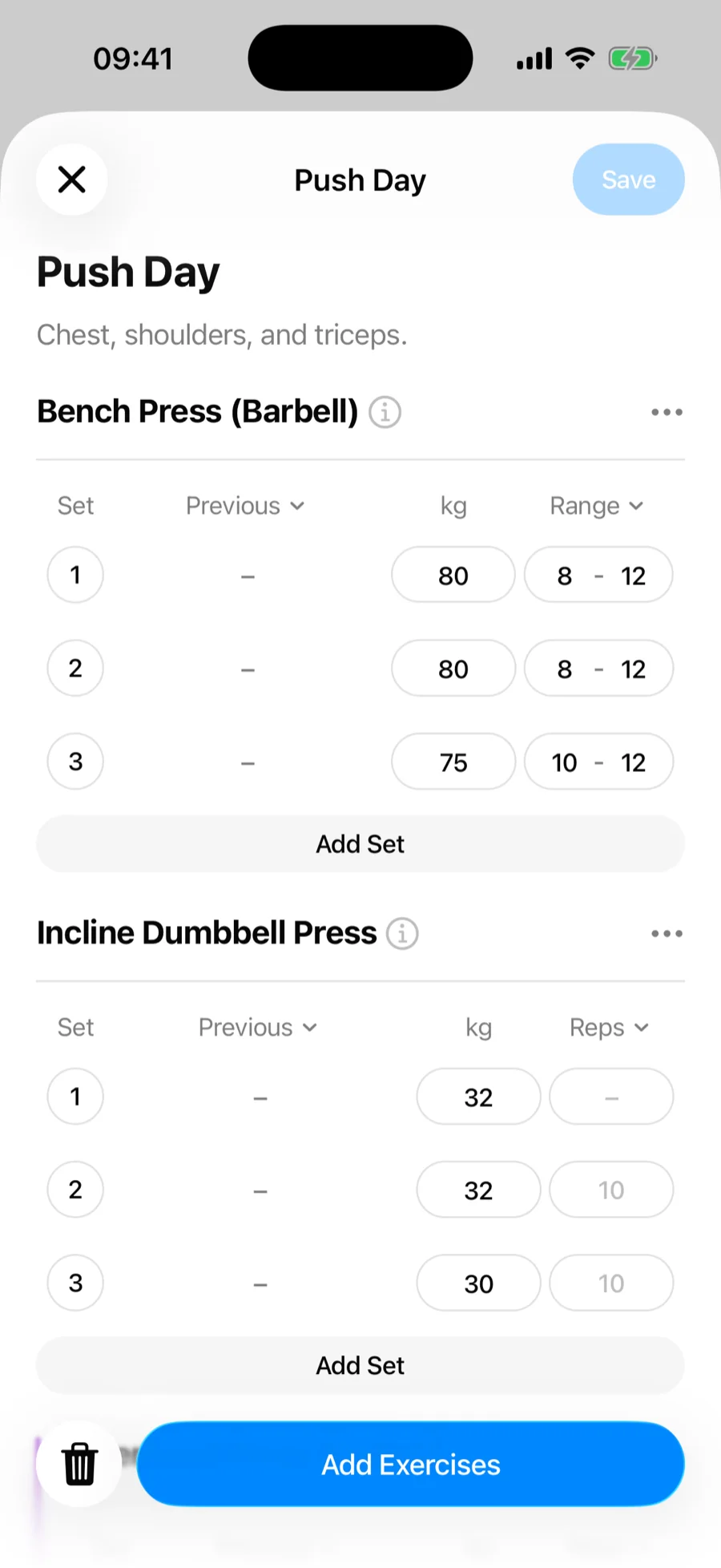
- Give it a name (for example, "Push Day") and an optional description.
- Tap Add Exercises and build the workout: exercises, sets, target weights and reps, rep ranges, effort targets (RPE/RIR), and supersets.
- Save.
Create a routine from a finished workout#
Already logged a session worth repeating? Open it under History on the Workouts tab and choose Save as Routine — the whole structure becomes a template.
Start from a ready-made routine instead#
You do not have to build anything from scratch. The Explore section of the Workouts tab holds featured programs and routines: preview one, tap Save, and it becomes your routine — edit the exercises and target weights from there like any other. Saving a whole program files all of its routines into a new folder named after it.
Keep your routines organized#
Everything you have not filed sits under My Routines. Once you are running more than one block, folders group routines by training block, gym, or program, and collapse so only the block you are on takes up the screen.
Start a routine#
Tap the routine's card on the Workouts tab. The first time you run a routine, every set comes pre-filled with the target weights from your plan. From then on, Gript suggests the numbers from your last session of that routine instead — they show in the Previous column and as greyed-out values in the inputs, so completing a set without typing logs them as-is. If you make changes during the workout, Gript can update the routine afterwards.