


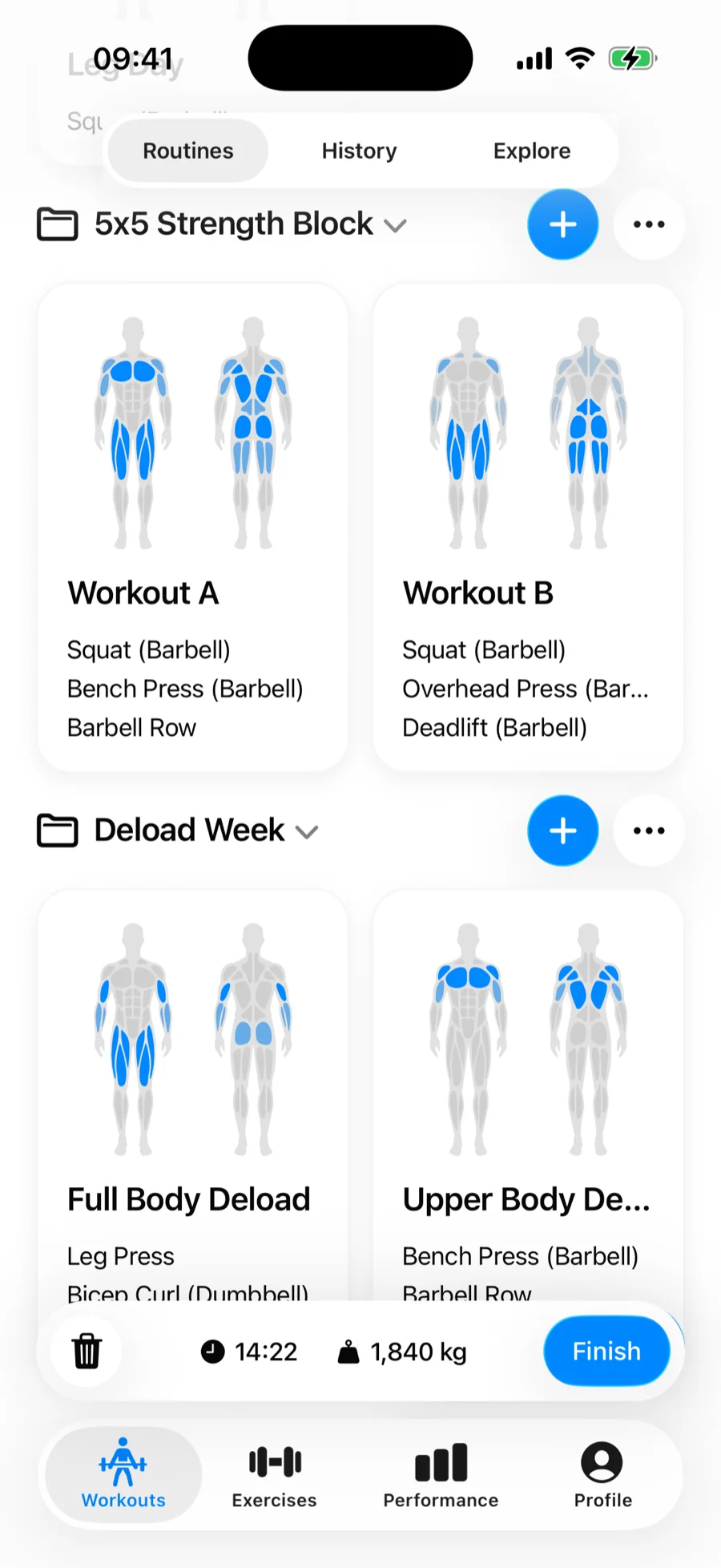
Folders group your routines on the Workouts tab — a training block, a program, a gym, a deload week. Everything you have not filed sits in My Routines at the top, and each folder below it can be collapsed so only the block you are running takes up the screen.
Create a folder#
- Open the Workouts tab with Routines selected at the top.
- Tap the … button beside My Routines (or beside any folder) and choose New Folder.
- Type a name and tap Save. The folder appears right away, empty.
Move routines between folders#
Open the … menu on a routine card and choose Move to Folder. The list shows No Folder, every folder you have with its routine count, and New Folder if you want to file it somewhere that does not exist yet. A routine lives in one folder at a time, and moving it never touches its exercises or your logged workouts.
To take a routine out of a folder without deleting it, move it to No Folder — it goes back to My Routines.
Add a routine straight into a folder#
Each folder header has a + button. Tapping it opens the routine editor and files the routine in that folder as soon as you save, which saves a trip through Move to Folder.
Rename, reorder, delete#
The … menu on a folder header holds the rest:
- Rename — changes the folder name only; the routines inside are untouched.
- Reorder Routines — appears once the folder holds more than one routine, and lets you drag them into the order you train them.
- Reorder Folders — appears once you have more than one folder, and drags whole folders up and down the tab.
- Delete — removes the folder, after asking what to do with its contents.
Tap a folder's name to collapse or expand it. Gript remembers which folders you left collapsed, so a long list stays as tidy as you set it up.
Deleting a folder#
If the folder still holds routines, Delete Folder? gives you two ways out: Keep Routines moves them back to My Routines and deletes only the folder, and Delete Routines deletes the folder along with everything in it. Empty folders are deleted immediately after a confirmation. Either way your workout history is never affected — deleting routines only removes the templates.