


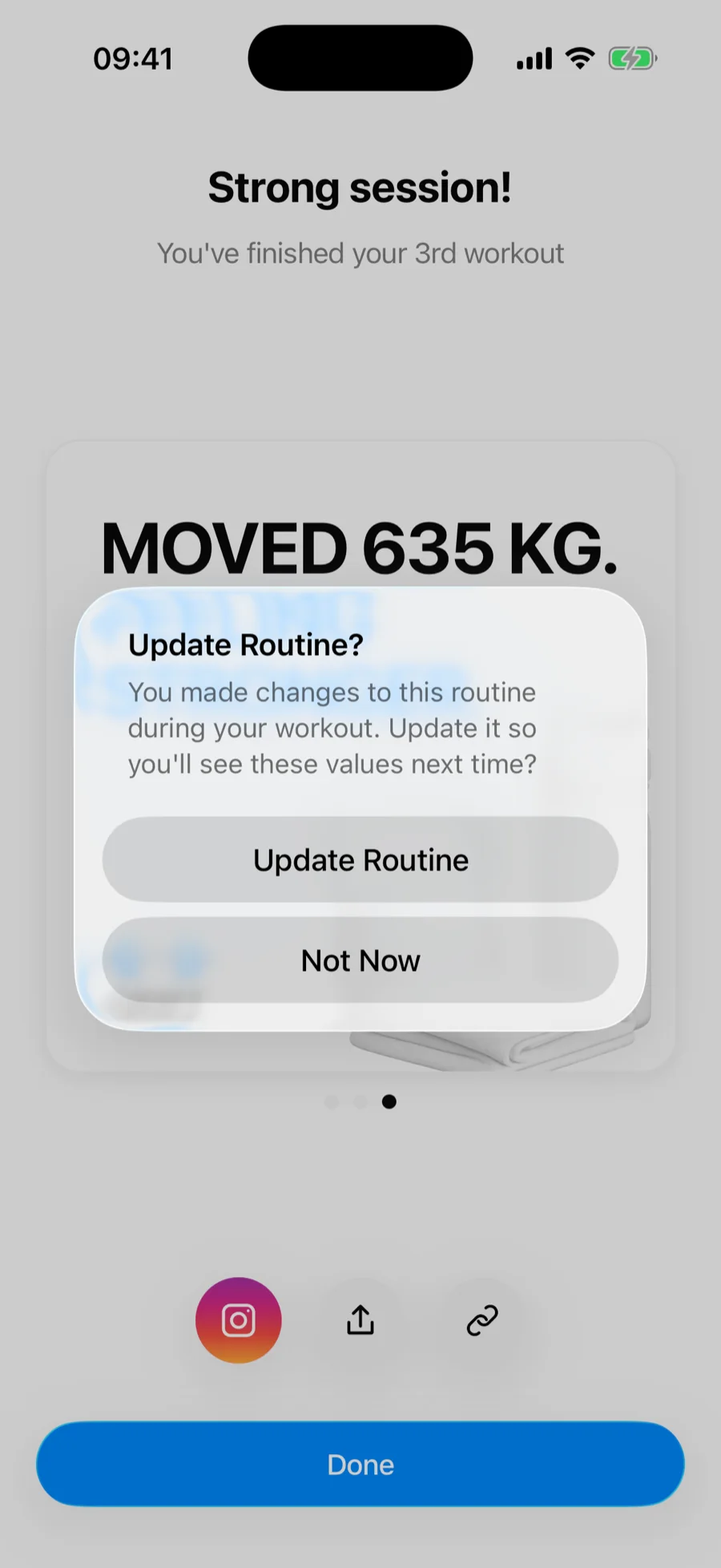
When you start a routine and change its structure during the workout — an extra set, a replaced exercise, a dropped exercise, new rep targets — the completion screen shows a Routine out of date row that lists what differs.
Your two options#
- Update — the routine is rewritten to match the exercises, sets and rep targets you actually did. Choose this when the change is permanent: a new exercise, an added set, a swap you want to keep.
- Leave it — tap Done, or open the row and choose Keep as is. The routine stays exactly as it was. Choose this when today was an exception: the machine was taken or you were short on time.
Tap the row to see every change before you decide.
Heavier weights do not need an update#
Weights and reps carry over on their own. The next time you start the routine, each set is pre-filled with what you lifted last time, whether or not you updated the routine. Updating only changes the routine's shape: which exercises, how many sets, and the rep targets.
Either way, your workout is saved#
This choice only affects the template. The completed workout is recorded in your history exactly as performed, and your charts and records reflect it — regardless of which option you pick.
Changed your mind later?#
You can always edit the routine by hand, or open the completed workout and choose Save as Routine to capture it as a new template.