


Switching from Strong? Gript imports Strong's CSV export directly, so years of training history transfer in a few minutes.
Step 1: export your data from Strong#
- In Strong, open Settings and tap Export Workouts under Data Management.
- Save the CSV file somewhere accessible — Files, email, or cloud storage — or pick Gript in the share sheet to import it right away and skip Step 2.
Not sure where the export lives in Strong? Follow the step-by-step guide with screenshots: how to export your workouts from Strong.
Step 2: import into Gript#
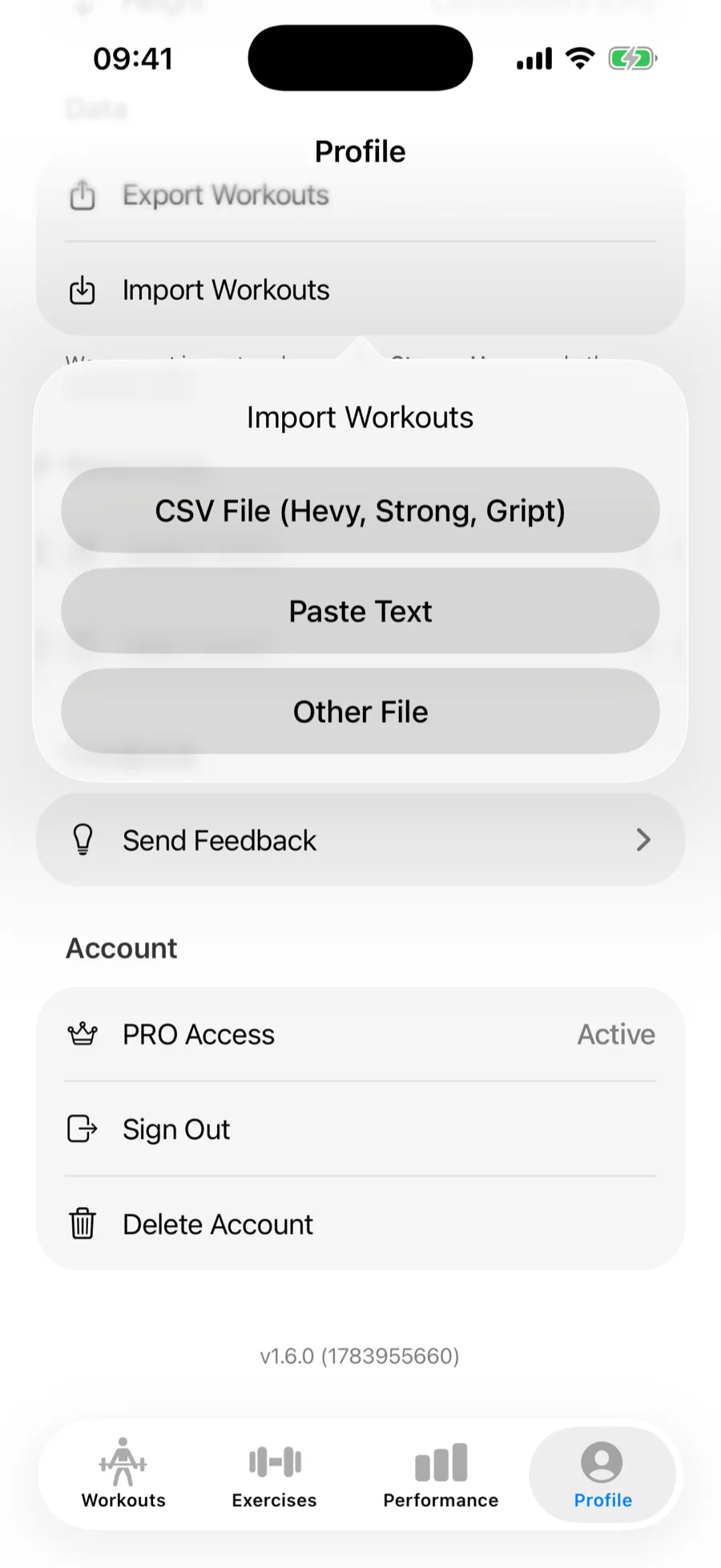
- In Gript, open Profile → Import Workouts.
- Choose CSV File (Hevy, Strong, Gript) and pick the exported file.
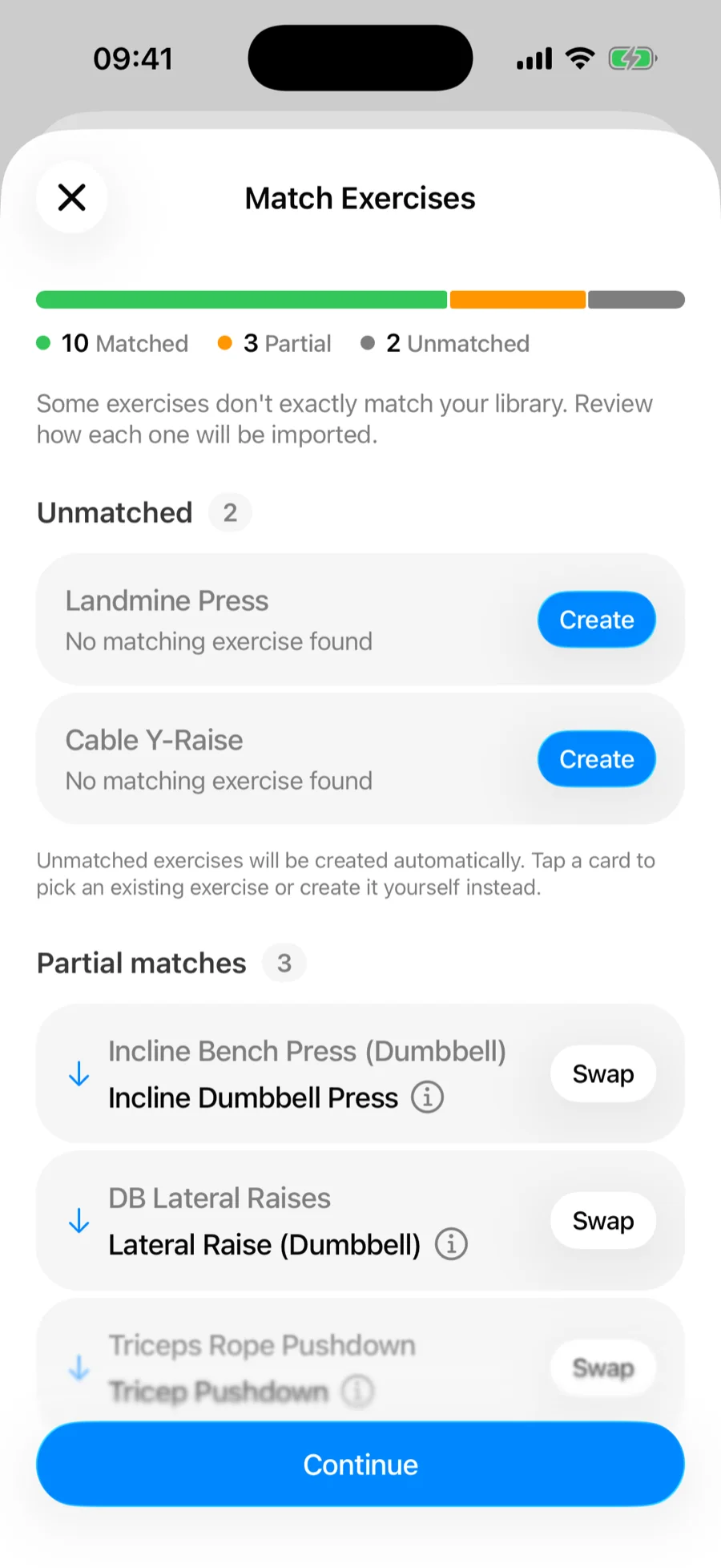
Step 3: match exercises and confirm#
Gript matches Strong's exercise names to its own library on the Match Exercises screen — accept the suggested matches, remap anything it got wrong, and let unmatched movements be created as custom exercises. See how import matching works for the full details.
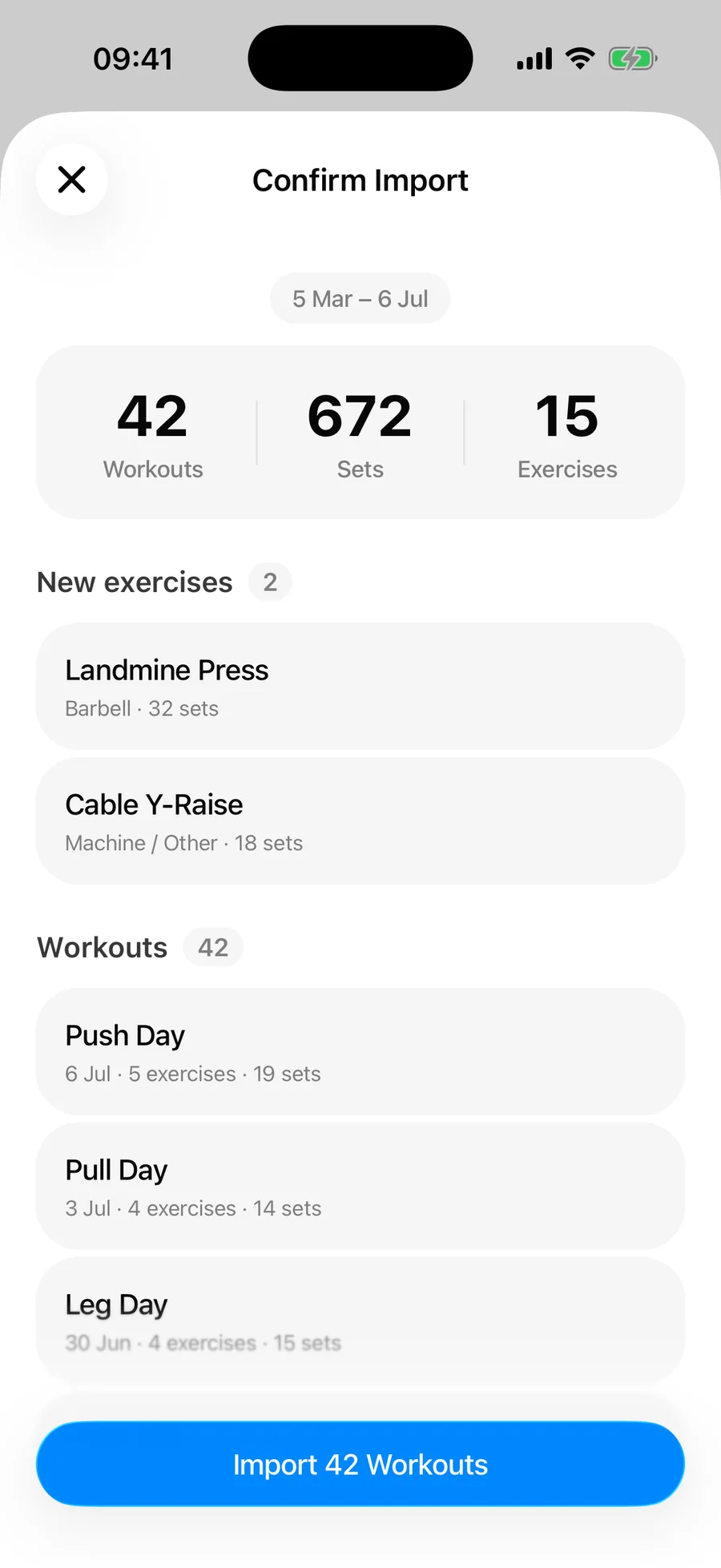
Then review the summary and confirm. Duplicate workouts already in your history are skipped automatically.
What transfers and what doesn't#
- Per-set weights, reps, and durations for timed sets
- Set types — warm-up, drop set, and failure, read from the W, D, and F markers in Strong's Set Order column
- Workout names, dates, and session durations
- RPE values, wherever you logged them
- Exercise and workout notes, if you exported with notes included
Your saved Strong routines and templates aren't in the workout CSV — only the sessions you performed — so those get rebuilt in Gript. Body measurements are a separate Strong export file and import separately — see importing body measurements.
Field by field, this is where a Strong export ends up:
| Strong CSV column | Where it lands in Gript |
|---|---|
| Date, Workout Name, Duration | The session in your workout history, with its real length |
| Exercise Name | Matched to the Gript exercise library, or created as a custom exercise |
| Set Order | Set position, and the set type where Strong marks a set W (warm-up), D (drop set), or F (failure). Rows Strong labels Rest Timer are skipped rather than imported as empty timed sets |
| Weight, Reps | The logged set — check the unit, since the file does not record it |
| Seconds | Timed sets for planks, holds, and carries |
| RPE | Per-set effort, shown as RPE or RIR |
| Notes, Workout Notes | Exercise notes and the workout's own note |
Check the unit on the confirmation screen#
This matters more with Strong than with other apps: Strong's CSV stores the weight number but not the unit, so nothing in the file states whether 100 means kilograms or pounds. The confirmation screen therefore asks which unit the file uses. Gript preselects your own unit, or pounds when the numbers carry the tell-tale decimals of a kg-to-lbs conversion — check the selection before you tap Import. If a finished import reads out by roughly 2.2x, that is the unit and not lost data.
Do you have to delete Strong?#
No. The import never touches your Strong account, so keep it installed as long as you like. Duplicate detection works on completion time and workout name, which means you can import a fresh export again later to pick up anything you logged in Strong in the meantime without doubling what you already have.
Common problems#
Gript doesn't recognise the file#
The format is detected from the header row, so a CSV that a spreadsheet app has re-saved may no longer carry the columns Gript looks for. Import the original file from Strong's share sheet rather than an edited copy.
The dates are scrambled#
Same cause: a spreadsheet rewrote the timestamps into its own display format. Gript works out day-first versus month-first from the original export, so re-exporting from Strong and importing that file directly resolves it.
Some workouts didn't import#
The confirmation summary separates skipped duplicates from unreadable rows, so read it before assuming anything was lost — sessions already in your Gript history are skipped deliberately. See how import matching and duplicates work.
Training history that predates Strong — notes, spreadsheets, or photos of a logbook — can come in through AI import as well.
For the wider picture — why people move, what the migration looks like end to end, and what Gript does with the history once it lands — read switching from Strong to Gript.
Moved through more than one tracker over the years? A Strong export and a Hevy export can both be imported into the same Gript account, and duplicate detection keeps the overlap between them from doubling up. If Hevy is where most of your training lives, switching from Hevy to Gript covers that migration end to end.