
Strong App Review (2026): Is It Worth It?
The Strong app is still the simplest gym notebook on iPhone and Android. What is free, what PRO unlocks for $29.99 a year, and where it has stood still.
Updated September 8, 2026 · Facts checked September 8, 2026


Comparing Strong app review
The Strong app has been on the App Store since 2011, older than most of the apps it is compared against. It has 109,000 US ratings at 4.9, a fully featured Apple Watch app, and an Android version, and its pitch has not changed in fifteen years: think less, lift more. Gript is the second column because it is ours. Here is an honest look at it, with facts taken from each app’s own help center and App Store listing.
What sets Strong app review apart
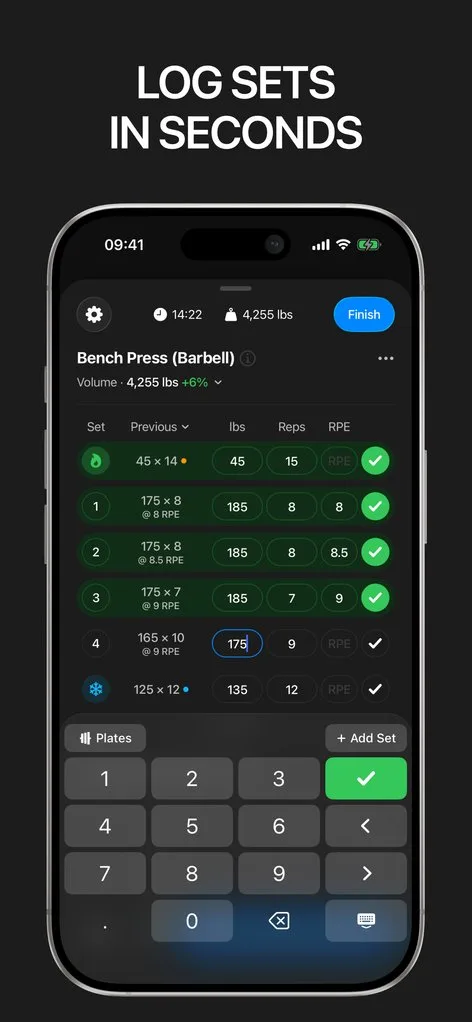
Strong is a notebook for lifters who already have a program. You build a template, start it, see last time’s weight and reps in each field, enter the numbers, and the rest timer starts. It does not tell you what to lift: no generator, no coach, no progression, no community. Every exercise chart is PRO, and the free tier stops at three templates.
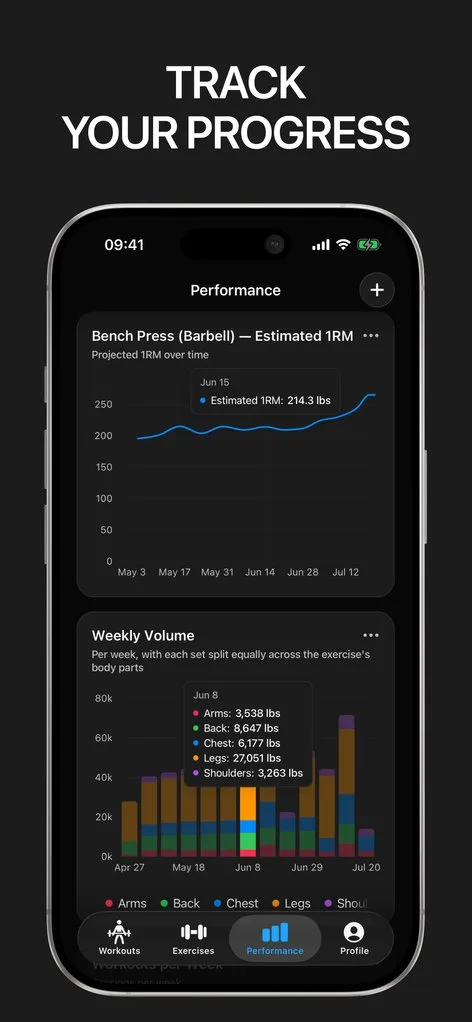
Gript keeps Strong’s pace and adds what Strong leaves out: nine chart types on 12 weeks of history free, a body map and muscle balance radar, body measurements free, one-tap RPE or RIR, and progression suggestions with the reason shown. It runs on iPhone, iPad, Apple Watch, and Android, with no lifetime price.
 How Strong stands out
If you want the least on screen between you and the next set, Strong provides:
- The fewest taps per set. Templates open with exercises and set counts in place, each set shows last session’s numbers, and the rest timer starts automatically, as a Live Activity on the lock screen and Dynamic Island since version 6.5.0.
- A Watch app that works without the phone. It needs watchOS 10 or later, logs sets with weight and rep editing and heart rate, and Live Sync mirrors the workout to the iPhone when both are open.
- Free, clean CSV export. Settings, Data Management, Export Workouts produces one row per set on any tier. The weight column has no unit, and Strong imports nothing, not even its own export. See how to export from Strong.
- PRO with a lifetime option. $4.99 a month, $29.99 a year, or $99.99 for Strong PRO Forever; a free trial may be offered. PRO adds unlimited templates, all charts, body part measurements, the plate and warm-up calculators, and themes.
 How Gript stands out
If you want Strong’s pace plus charts you do not pay for, Gript provides:
- Nine chart types on 12 weeks free. Volume, estimated 1RM, working weight range, and more per exercise, plus a body map and muscle balance radar. Strong shows free users no exercise graphs at all; longer ranges in Gript are Pro.
- Body measurements free for every body part. With goals and left and right comparison. Strong charts weight and body fat free and puts the other body parts behind PRO.
- Progression suggestions on any routine. The next weight and the reason it was chosen, on routines you built yourself (Pro). Strong leaves the arithmetic to you.
- Direct Strong import. The Strong CSV imports with exercise matching, warm-up sets kept separate from working sets, and a kilograms-or-pounds check. See import from Strong.
- No lifetime price. iPhone, iPad, Apple Watch, and Android. Pro is $4.99 a month or $29.99 a year with a trial, no lifetime option. The calculators are Pro like Strong’s, the Watch app is a companion, and there are no widgets; new PRs show on the completion screen rather than as a mid-set banner.
Common questions
Is the Strong app free?
Yes. The free version logs unlimited workouts with full history and includes the Apple Watch app, cloud sync, Apple Health, custom exercises, and CSV export, with no ads. The limits are three templates and no exercise charts; those, the calculators, body part measurements, and themes need Strong PRO.
How much is Strong PRO?
On the US App Store, Strong PRO is $4.99 a month, $29.99 a year, or $99.99 for Strong PRO Forever, a one-time purchase. The listing says a free trial period may be offered. Older SKUs at $23.99 a year and $79.99 forever still appear in the listing but are not what new buyers see.
Can I import Strong into another app?
Yes. Export a CSV from Settings, then import it into the new app. Hevy and Gript both read the Strong format directly. Check the weight unit afterwards, because the Strong CSV does not say whether the numbers are kilograms or pounds. See how to import from Strong into Gript.
Final verdict: which one should you choose?
- Choose Strong ifStrong
you know your program, want the fewest taps between the bar and the log, a Watch app that runs without the phone, free CSV export, and are happy to pay $29.99 a year for charts.
- Choose Gript ifGript
you want charts, body measurements, and a next-weight suggestion without giving up Strong’s speed, starting from your Strong history.
Strong is still the pick for lifters who know their program and want the least friction recording it: an honest free tier, the most independent Watch app in the category, and a clean export. Gript adds the charts and next-weight suggestions Strong leaves out; see switch from Strong.
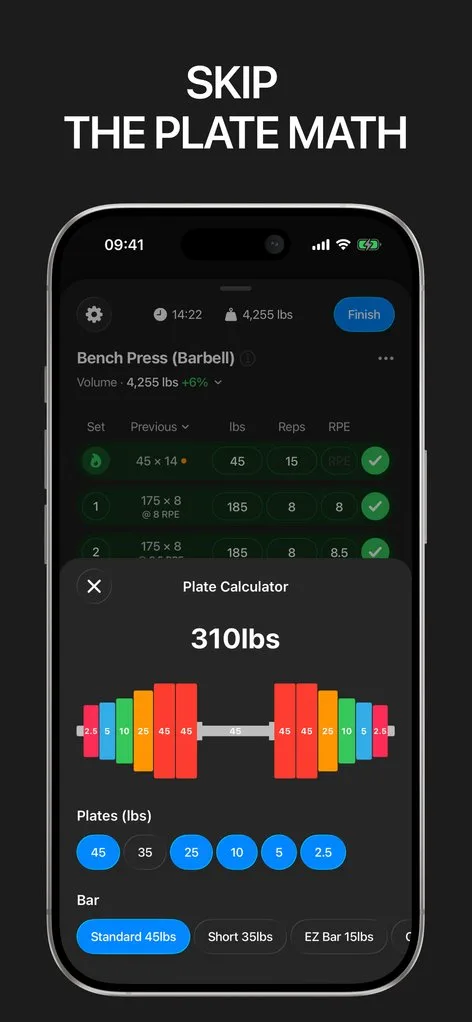
Download Gript free and bring your history with you. If it does not earn its place, your data exports in one tap.
I have tried pretty much every workout tracker out there — Hevy, Strong and many others — and Gript has quickly become my favorite. The UI and overall design are easily the best on the market.
You're already in Gript
Everything on this page is also available inside the app — this article opens from Help, and the calculators live under Tools.
Side by side
| Feature | Strong | Gript |
|---|---|---|
| Progress and charts | ||
| Per-exercise charts | Volume, 1RM, max weight | 9 chart types |
| Chart history on the free tier | None (exercise charts are Pro) | 12 weeks |
| Muscle balance / body map | Yes | Yes |
| Body measurements | Yes | Yes |
| Personal records | Yes | Yes |
| Your data | ||
| Import from other apps | No | 22 apps |
| CSV export | Yes | Yes |
| Health sync | Apple Health, Health Connect | Apple Health, Health Connect |
| Logging | ||
| Unlimited free logging | Yes | Yes |
| Set types | Warm-up, drop, failure | Warm-up, drop, failure, cool-down |
| RPE / RIR | RPE | RPE and RIR |
| Rest timer | Yes | Yes |
| Lock screen Live Activity | Yes | Yes |
| Previous sets inline | Yes | Yes |
| Plate calculator | Yes | Yes |
| Home screen widgets | Yes | Coming soon |
| Programs and coaching | ||
| Routines on the free tier | 3 | 3 |
| Program library | A few example templates | 6 programs, 24 routines |
| Progression suggestions | No | Yes |
| Workout generator | No | Yes |
| Human coaching | No | No |
| Exercise library | 200+ | 601 |
| Custom exercises | Free, cap not published | 10 free |
| Social | ||
| Feed, friends, leaderboards | No | No |
| Platforms | ||
| Apple Watch | Yes | Yes |
| Android | Yes | Yes |
| iPad | No | Yes |
| Web app | No | No |
| Price | ||
| Monthly | $4.99 | $4.99 |
| Yearly | $29.99 | $29.99 |
| Lifetime | $99.99 | No |
| Free trial | Yes | Yes |
Facts checked September 8, 2026. US App Store prices; other countries differ. Something wrong? Let us know.