
Hevy vs Strong vs Gript: Which Workout Tracker Is Best?
Hevy vs Strong, checked against both help centers in 2026: free tiers, charts, programs, social, platforms, and price. Gript is the third column, with its gaps named.
Updated September 27, 2026 · Facts checked September 8, 2026


Comparing Hevy vs Strong vs Gript
Hevy and Strong are the two workout trackers most lifters end up choosing between. Both log unlimited workouts for free, keep your full history whether or not you pay, and have an Apple Watch app. Gript is here as the third column because it is ours, and because many people searching for Hevy vs Strong are really asking whether there is a third option. Here is an honest look at all three, with facts taken from each app’s own help center and App Store listing.
What sets Hevy vs Strong vs Gript apart
Strong came first and built its reputation on getting a set into the log with as few taps as possible. The workout screen is a table of weight and reps with your previous numbers beside them, and that is deliberately all it is. Charts are PRO, there is no program library, and there is no social layer.
Hevy matched Strong’s logging and then kept adding around it: a social feed, a 26-program library, home screen widgets, a web app, and Android and Wear OS versions. Its free tier is the biggest of the three and its Pro price is the lowest.
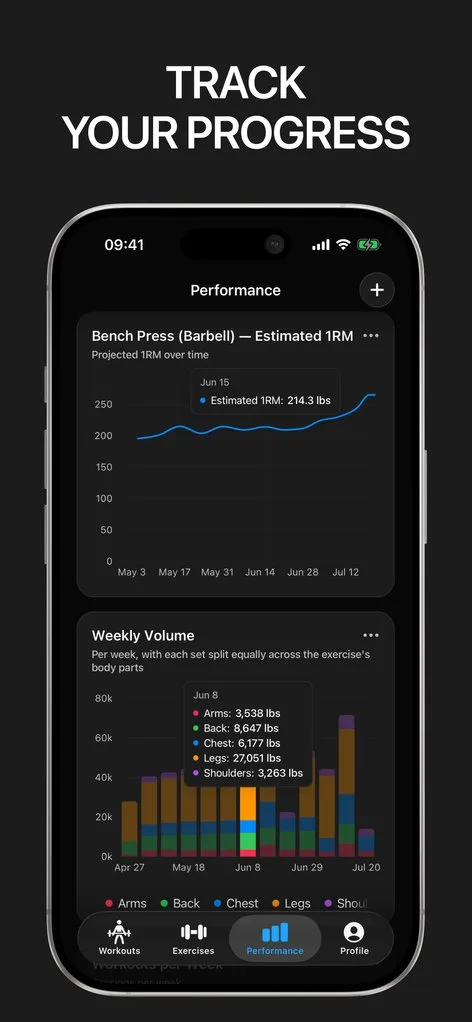
Gript is the newest and has a fraction of the ratings. It is built for a lifter who cares more about seeing progress than sharing it: 19 chart templates, body measurements free for every body part, and CSV import from 22 apps so you never start from an empty log. It has no web app and no social feed.
 How Strong stands out
If you want a notebook that stays out of the way, Strong provides:
- The barest workout screen. No feed on launch, no PR banner to dismiss, no prompt when you save. Set types, RPE, supersets, and an automatic rest timer are all one tap away.
- A standalone Apple Watch app. It runs a workout without the iPhone on watchOS 10 or later, so you can leave the phone in the locker.
- Free CSV export. Your history is never hostage to a subscription. Strong does not import anything, though, not even its own exports.
- A free trial on PRO. $4.99 a month, $29.99 a year, or $99.99 for PRO Forever. PRO is the difference between having charts and not having them.
 How Hevy stands out
If you want the most app for free and a community around it, Hevy provides:
- The biggest free tier. Four routines, three months of charts, the plate calculator, a monthly report, leaderboards, and the feed, all without paying.
- A social layer. A feed of workouts from people you follow, leaderboards on 38 exercises, shared routines, and one-way Strava sync. Neither Strong nor Gript has this.
- The largest program library. 26 programs by level and equipment, community routines, and Hevy Trainer (Pro) to generate a plan from a questionnaire.
- Every platform. iPhone, iPad, Apple Watch, Android, Wear OS, and a web app at hevy.com.
- The lowest price. $2.99 a month, $23.99 a year, or $74.99 for life. No free trial; the free tier is the trial.
 How Gript stands out
If you want to see progress rather than post it, and to keep the history you already have, Gript provides:
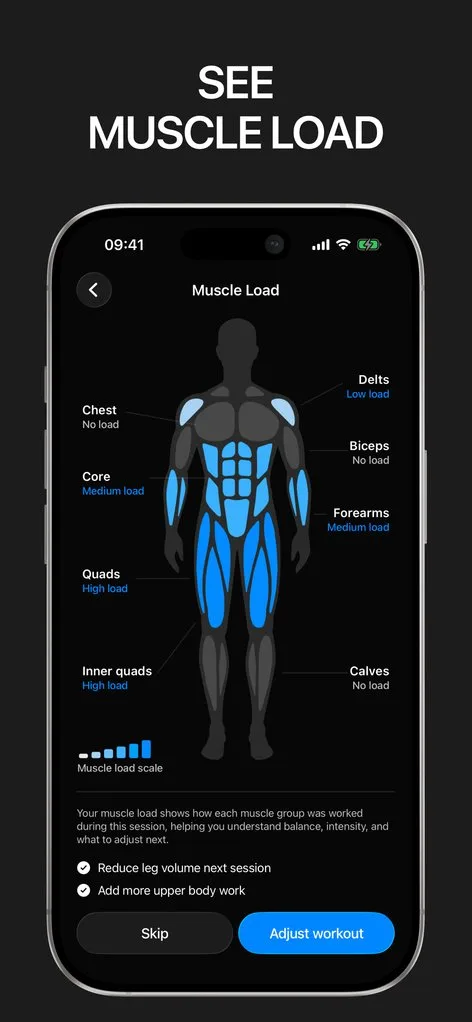
- 19 chart templates. Nine per exercise, including estimated 1RM and working weight range, plus a body map, a muscle balance radar, and a training load heatmap. Free accounts see 12 weeks; longer ranges are Pro. See chart types.
- Body measurements free for every body part. With goals, left and right comparison, and two-way Apple Health sync. Hevy and Strong gate this behind Pro.
- Import from 22 apps. Hevy and Strong CSV files import directly with an exercise matching step, and AI import reads a spreadsheet screenshot or pasted program. Hevy imports Strong only; Strong imports nothing.
- Progression suggestions on any routine. The next weight and the reason, on routines you built yourself (Pro). Hevy Trainer only does this inside its own programs.
- One-tap RPE or RIR and a set stopwatch. Your choice of effort scale on a custom keyboard, and timed sets for planks and carries, which neither competitor has.
Common questions
Is Hevy or Strong better for free?
Hevy. A free Strong user gets unlimited logging, three templates, a records table, and CSV export, but no exercise charts at all. A free Hevy user gets four routines, three months of charts, the plate calculator, the monthly report, and the whole social layer. Gript free sits between them with unlimited logging, three routines, 12 weeks of charts, and all body measurements.
Can I move my history between Hevy and Strong?
Strong to Hevy works: export a CSV from Strong (free) and use Import Strong CSV in Hevy, once per account, in English. Hevy to Strong does not work, because Strong has no import feature. Both export into Gript; see import from Hevy and import from Strong.
Which is better on Apple Watch?
Strong if you want to leave the phone behind, since its Watch app runs standalone. Hevy’s Watch app live-syncs with the iPhone and has complications. Gript’s is a companion with Digital Crown logging, calculators, complications, and an offline queue; see Gript on Apple Watch.
Final verdict: which one should you choose?
- Choose Strong ifStrong
you want the least on screen between you and the next set, a Watch app that works without the phone, and you are happy to pay for charts.
- Choose Hevy ifHevy
you want the biggest free tier, a social feed, an Android or web app, or the lowest price, including a lifetime plan.
- Choose Gript ifGript
you care more about charts and body measurements than about a feed, and want to start with your Hevy or Strong history instead of an empty log.
All three are good trackers with unlimited free logging. Hevy is the safe default with the most around the log, Strong is the quietest, and Gript is the one that shows you the most about your training. Whichever you pick, your history can move: see switch from Hevy or switch from Strong.
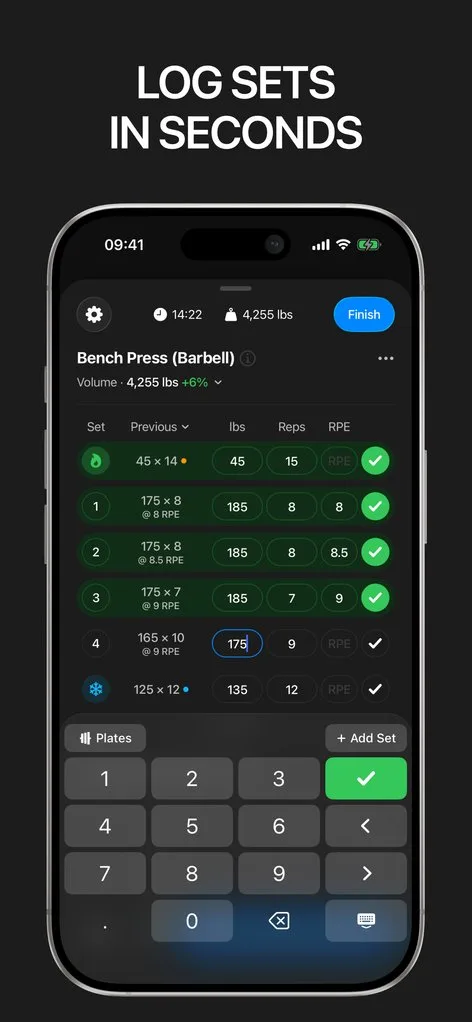
Download Gript free and bring your history with you. If it does not earn its place, your data exports in one tap.
I have tried pretty much every workout tracker out there — Hevy, Strong and many others — and Gript has quickly become my favorite. The UI and overall design are easily the best on the market.
You're already in Gript
Everything on this page is also available inside the app — this article opens from Help, and the calculators live under Tools.
Side by side
| Feature | Strong | Hevy | Gript |
|---|---|---|---|
| Progress and charts | |||
| Per-exercise charts | Volume, 1RM, max weight | Volume, best weight, reps, 1RM | 9 chart types |
| Chart history on the free tier | None (exercise charts are Pro) | 3 months | 12 weeks |
| Muscle balance / body map | Yes | Yes | Yes |
| Body measurements | Yes | Yes | Yes |
| Personal records | Yes | Yes | Yes |
| Your data | |||
| Import from other apps | No | Strong CSV | 22 apps |
| CSV export | Yes | Yes | Yes |
| Health sync | Apple Health, Health Connect | Apple Health, Health Connect, Strava | Apple Health, Health Connect |
| Logging | |||
| Unlimited free logging | Yes | Yes | Yes |
| Set types | Warm-up, drop, failure | Warm-up, drop, failure | Warm-up, drop, failure, cool-down |
| RPE / RIR | RPE | RPE | RPE and RIR |
| Rest timer | Yes | Yes | Yes |
| Lock screen Live Activity | Yes | Yes | Yes |
| Previous sets inline | Yes | Yes | Yes |
| Plate calculator | Yes | Yes | Yes |
| Home screen widgets | Yes | Yes | Coming soon |
| Programs and coaching | |||
| Routines on the free tier | 3 | 4 | 3 |
| Program library | A few example templates | 26 programs | 6 programs, 24 routines |
| Progression suggestions | No | Yes | Yes |
| Workout generator | No | Yes | Yes |
| Human coaching | No | No | No |
| Exercise library | 200+ | 400+ | 601 |
| Custom exercises | Free, cap not published | 7 free | 10 free |
| Social | |||
| Feed, friends, leaderboards | No | Yes | No |
| Platforms | |||
| Apple Watch | Yes | Yes | Yes |
| Android | Yes | Yes | Yes |
| iPad | No | Yes | Yes |
| Web app | No | Yes | No |
| Price | |||
| Monthly | $4.99 | $2.99 | $4.99 |
| Yearly | $29.99 | $23.99 | $29.99 |
| Lifetime | $99.99 | $74.99 | No |
| Free trial | Yes | No | Yes |
Facts checked September 8, 2026. US App Store prices; other countries differ. Something wrong? Let us know.