How to report a missing exercise

If a search comes up empty, you can report the missing exercise in a few taps — we review every report and add common movements to the library.

Report a missing exercise#

  1. Search for the exercise in the Exercises tab.
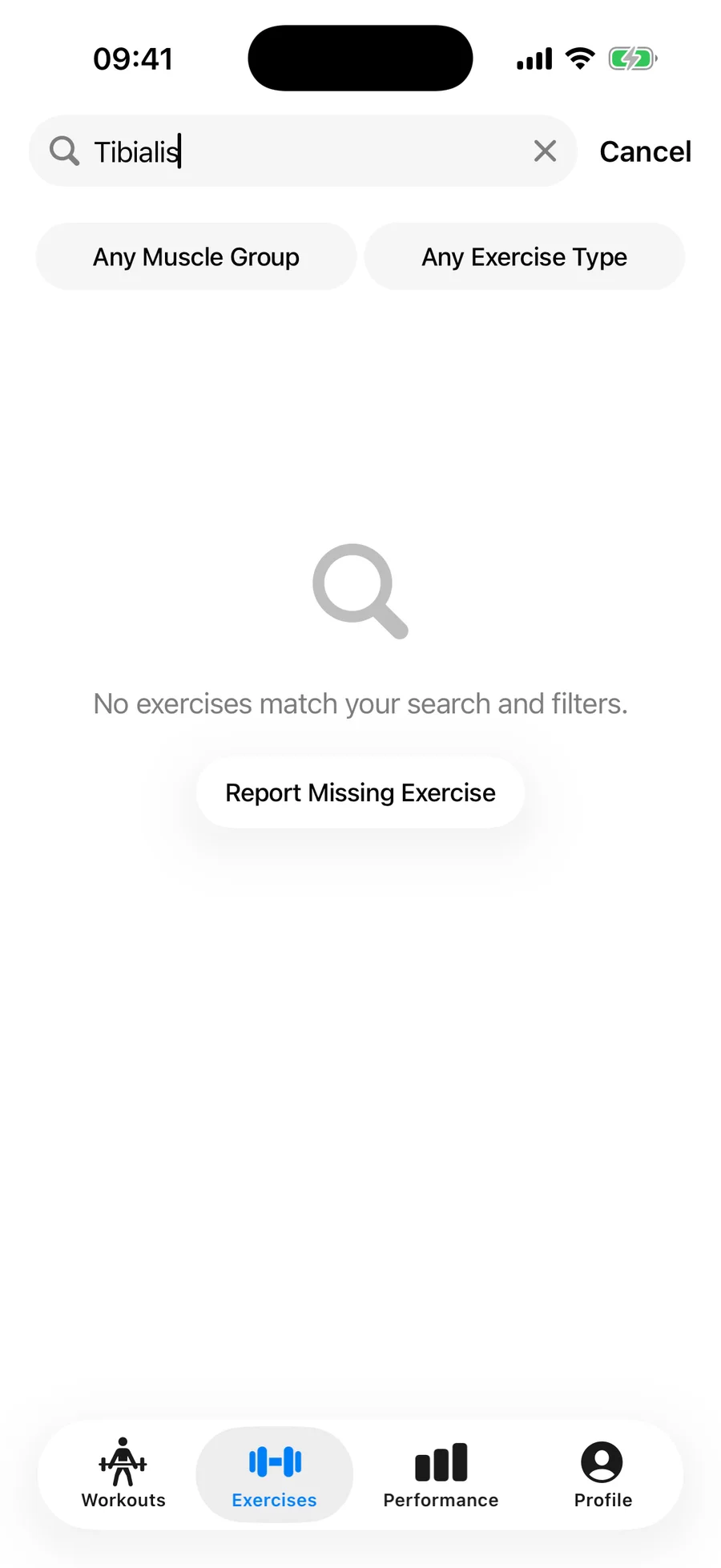
  2. On the empty result, tap Report Missing Exercise.
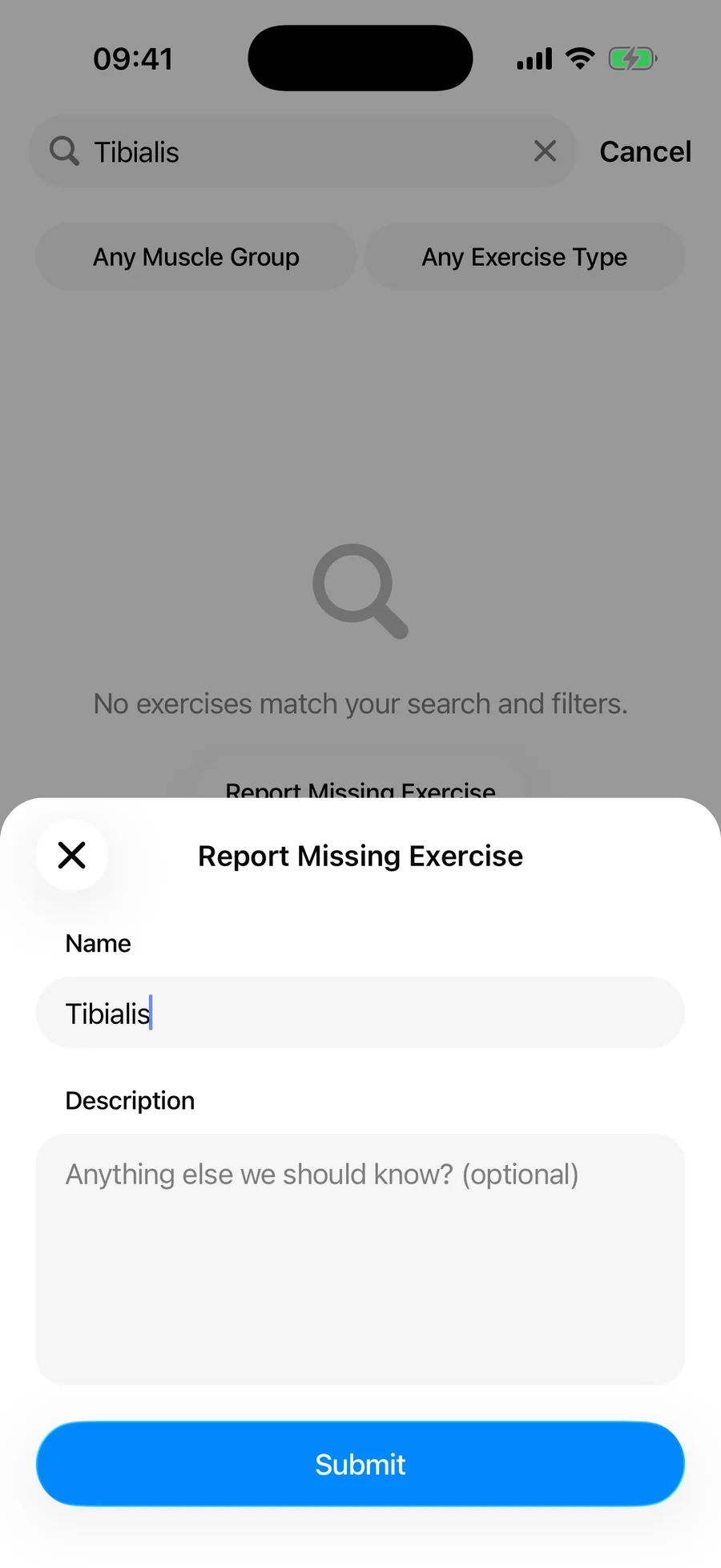
  3. Enter the exercise name and, optionally, a short description.
  4. Tap Submit.
An empty exercise search result in Gript with a Report Missing Exercise button
An empty search shows the Report Missing Exercise button.
Gript's Report Missing Exercise form with name and description fields
The report form — the name is pre-filled from your search.

Meanwhile, you don't have to wait: create it as a custom exercise and start logging today.

Something wrong with an existing exercise?#

If an exercise has the wrong video, muscle group, type, or instructions, open it and use the Report action to tell us what's off.

Did this answer your question?

Don't have Gript yet? Everything in this guide is free to try — download it and log your first workout in under a minute.

Download on the App StoreGet it on Google Play
I feel that every single time I open the app there is a new feature. Thanks for making it better every day.
Shoshana M. · App Store

You're already in Gript

Everything on this page is also available inside the app — this article opens from Help, and the calculators live under Tools.