


Day to day, progress is invisible. Put a photo from three months ago next to one from today and it is undeniable. Gript compares any two progress photos of the same pose — and turns the comparison into a card worth sharing.
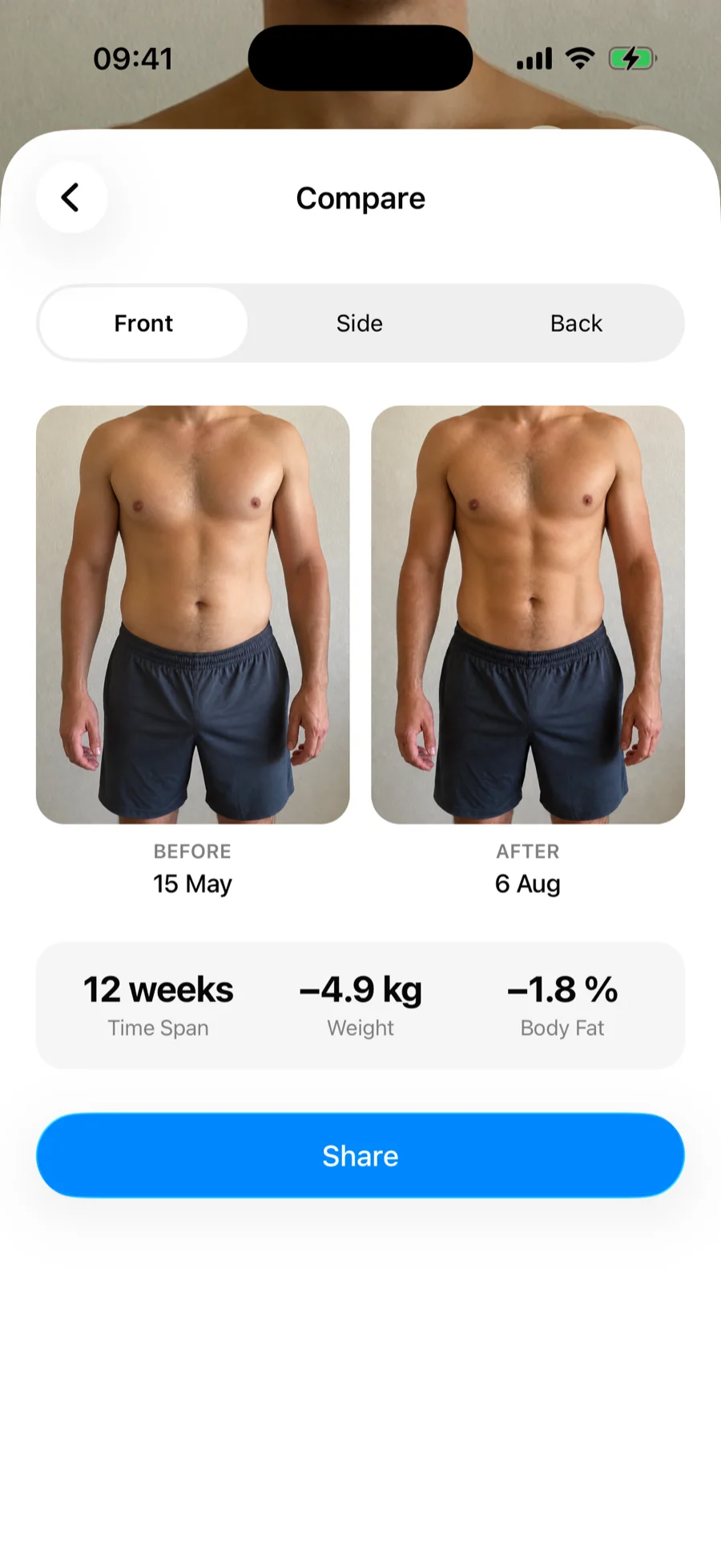
Compare two photos
- Open Profile → Progress Photos and tap the floating Compare button in the bottom-right corner. It appears once you have at least two photos of the same pose.
- Pick the pose. Gript starts with your oldest photo as Before and your newest as After.
- Tap either panel to pick a different photo by date.
You can also start from a specific photo: open it from the timeline and tap the compare icon in the top-right corner. The compare screen opens with that photo already in place — just pick the second one.
Between the photos you will see the time span and — if the photos have measurements attached — your weight and body fat change. The earlier photo always lands on the Before side, whichever order you pick them in.
Share a before/after card
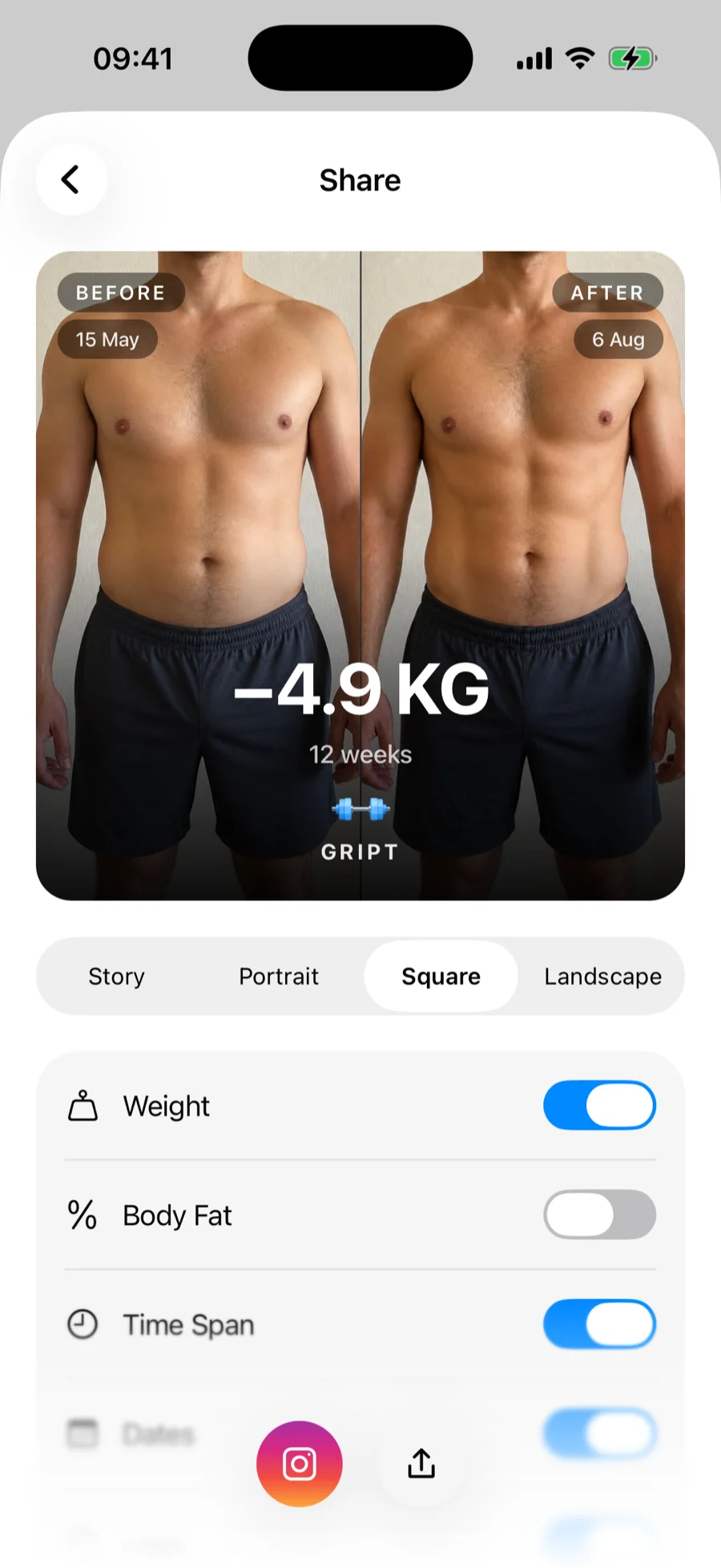
Tap Share on the compare screen and Gript builds a card from your two photos, ready for Instagram Stories or anywhere else:
- Format — Story (9:16), Portrait (4:5), Square (1:1), or Landscape (16:9).
- What the card shows — toggle your weight change, body fat change, time span, and photo dates on or off. Your choices are remembered for next time.
- Share targets — post straight to Instagram Stories, or use the system share sheet to send it anywhere.
Proud of a single workout too? You can also share workout summary cards the same way.