


On iPhone, Gript runs a Live Activity during your workout: your current exercise, set, and rest countdown stay visible on the lock screen and in the Dynamic Island, so you can keep your phone locked between sets.
What it shows#
- The current exercise, and which set you are on (for example, "Set 2 of 4").
- Up Next — the following exercise, so you can set up while you rest.
- The rest countdown after you complete a set, with a Skip button.
- The set timer on timed exercises.
- Workout paused with a frozen elapsed time and a Resume button, whenever you pause the workout from the app or your Apple Watch.
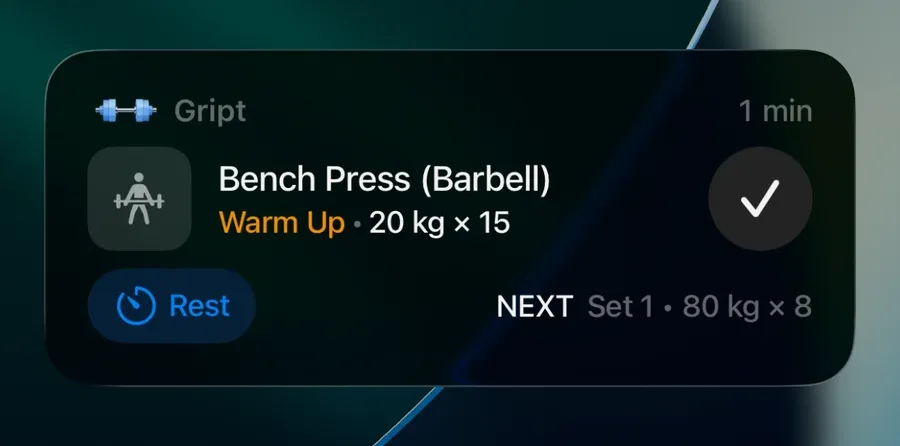
It is not just a display — you can control the whole workout from it.
Turn it on or off#
- During a workout, tap the gear button to open Workout Settings.
- Toggle Live Activity.