


The Gript Live Activity is fully interactive: for most of a workout, you never need to unlock your phone.
What you can do from the lock screen#
- Complete the current set — logs it with the planned weight and reps, and starts the rest timer.
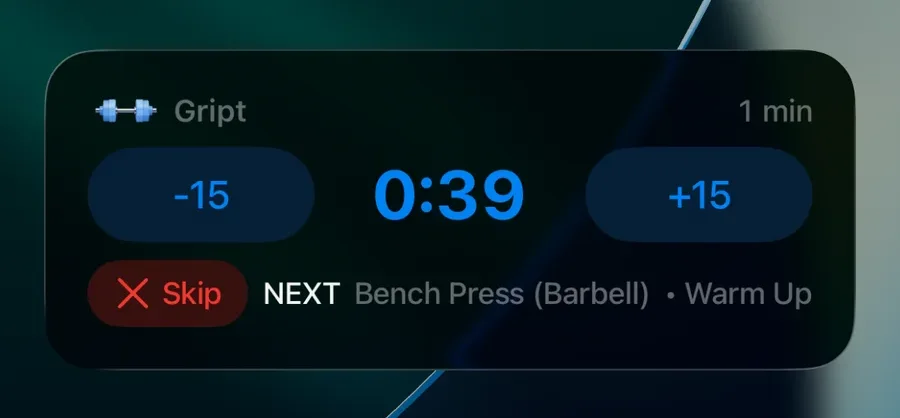
- Skip the rest — end the countdown early and move to the next set.
- Run the set timer — start, pause, and complete timed sets.
- Add exercises — if you finish everything planned, jump straight into adding more.
- Complete the workout — finish the session when the last set is done.
- Resume a paused workout — while the workout is paused, the lock screen shows Workout paused with the elapsed time frozen; tap Resume to pick up without unlocking.
A typical between-sets loop#
- Finish your reps and check the set off from the Dynamic Island.
- Watch the rest countdown on the lock screen while you breathe.
- See what's up next, load the bar, and go — phone still locked.