

The watch app is built to work without a connection. No Wi-Fi, no cellular, iPhone at home — you can still start, log, and finish complete workouts from your wrist.
What works offline#
- Starting an empty workout or any routine that has synced to the watch.
- Logging sets, editing values, set types, effort, supersets, notes — everything.
- Heart rate, calories, and activity ring credit save to Apple Health directly on the watch, instantly — they never wait for the iPhone.
Unsynced workouts#
Finish a workout while the iPhone is out of reach and the watch keeps it safe: the start screen shows an "Unsynced workouts" banner with a count until everything has landed on your iPhone. The queue survives restarting the watch app and even rebooting the watch.
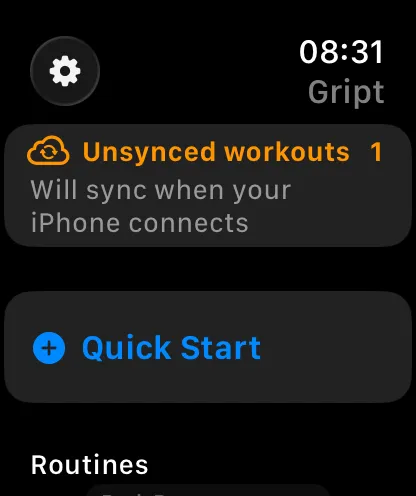
Syncing is automatic and needs no internet — the next time your watch and iPhone connect to each other, queued workouts transfer in the background, appear in your history, and sync to your account from there. You don't need to open the watch app again for this to happen.
Mid-workout connection drops#
If the connection drops mid-session, keep training — every action is queued in order and replayed when the devices reconnect, so the iPhone ends up with the identical workout. If the banner won't clear, see fixing Apple Watch sync issues.