


On iPhone, Gript can record every completed workout to Apple Health, so your strength training shows up in your activity rings, the Fitness app, and anything else that reads Health data.
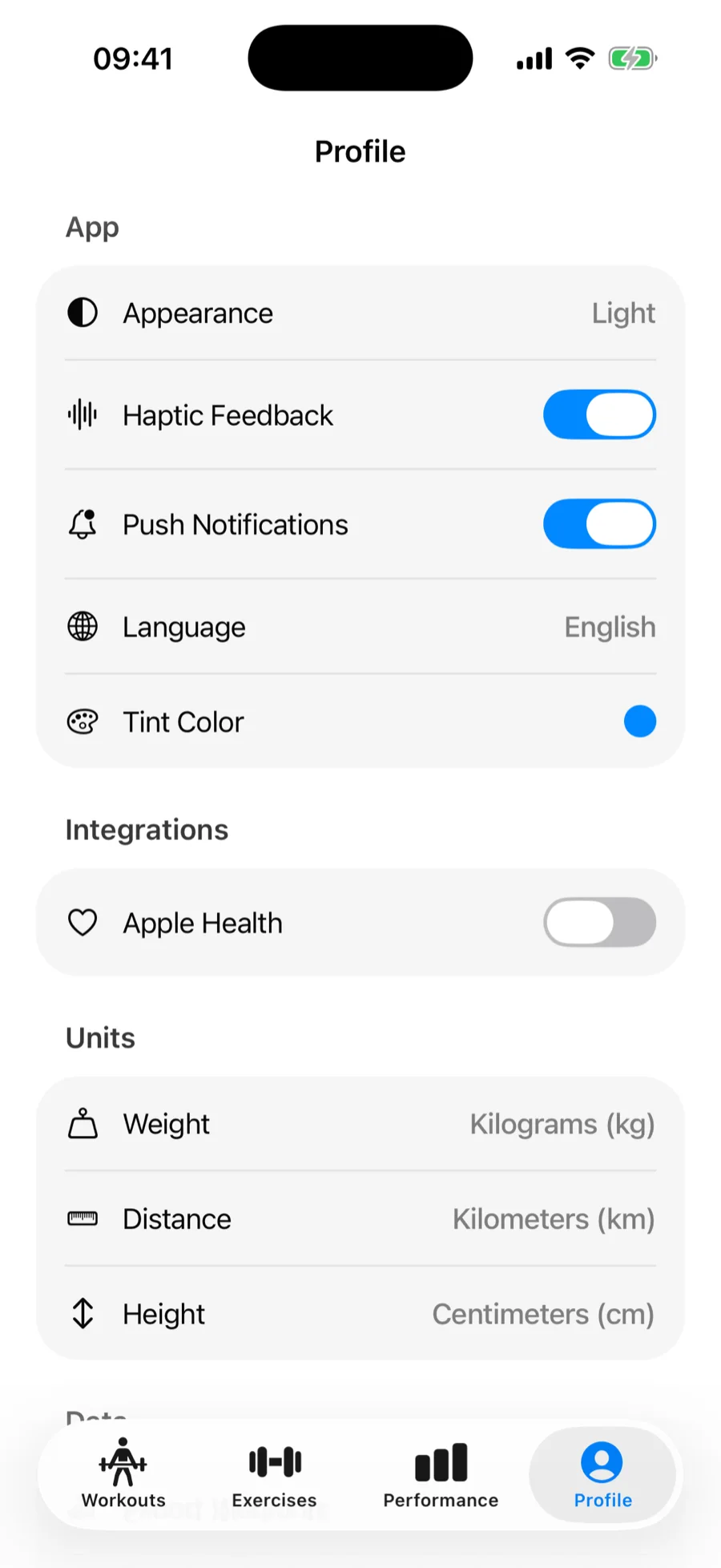
Turn Apple Health sync on#
When you finish your first workout, Gript asks for Health access — allow it and syncing is on from then on. You can also toggle it anytime:
Already allowed Health access on your Apple Watch? iPhone and Watch share that permission, so the next workout you finish on the phone saves to Health without asking again. If you had switched Apple Health off in Profile yourself, it stays off until you turn it back on.
- Open the Profile tab.
- Under Integrations, toggle Apple Health.
What gets synced#
- Each completed workout, recorded as strength training with its start time and duration.
- An estimate of calories burned, calculated from your workout duration and the body weight stored in Apple Health. Keep your weight up to date in Health for better estimates.
- With an Apple Watch, the watch records heart rate and calories for the whole session, even for workouts you started on the iPhone, and Health gets one workout with the watch data included instead of a separate phone copy.
If syncing stops working#
Health permissions live at the system level. If workouts stop appearing, open the Health app → profile picture → Apps → Gript and make sure workout sharing is allowed. When access is off, Gript shows a shortcut to these settings when you toggle Apple Health in Profile.
Gript can also sync your weight, body fat, and waist with Health — see how measurements sync with Apple Health. And also on iOS: control your whole workout from the lock screen with Live Activities.