


The warm-up calculator builds your ramp-up sets for you: enter your working weight and Gript suggests a sequence of warm-up sets, added to the exercise in one tap.
How to use it#
- Open the menu (three-dot button) on the exercise you are about to work up to.
- Tap Add Warm-Up Sets.
- Enter your Working Weight — the weight of your first working set.
- Review the suggested warm-up sets: weights ramp up while reps taper down.
- Tap Add Sets.
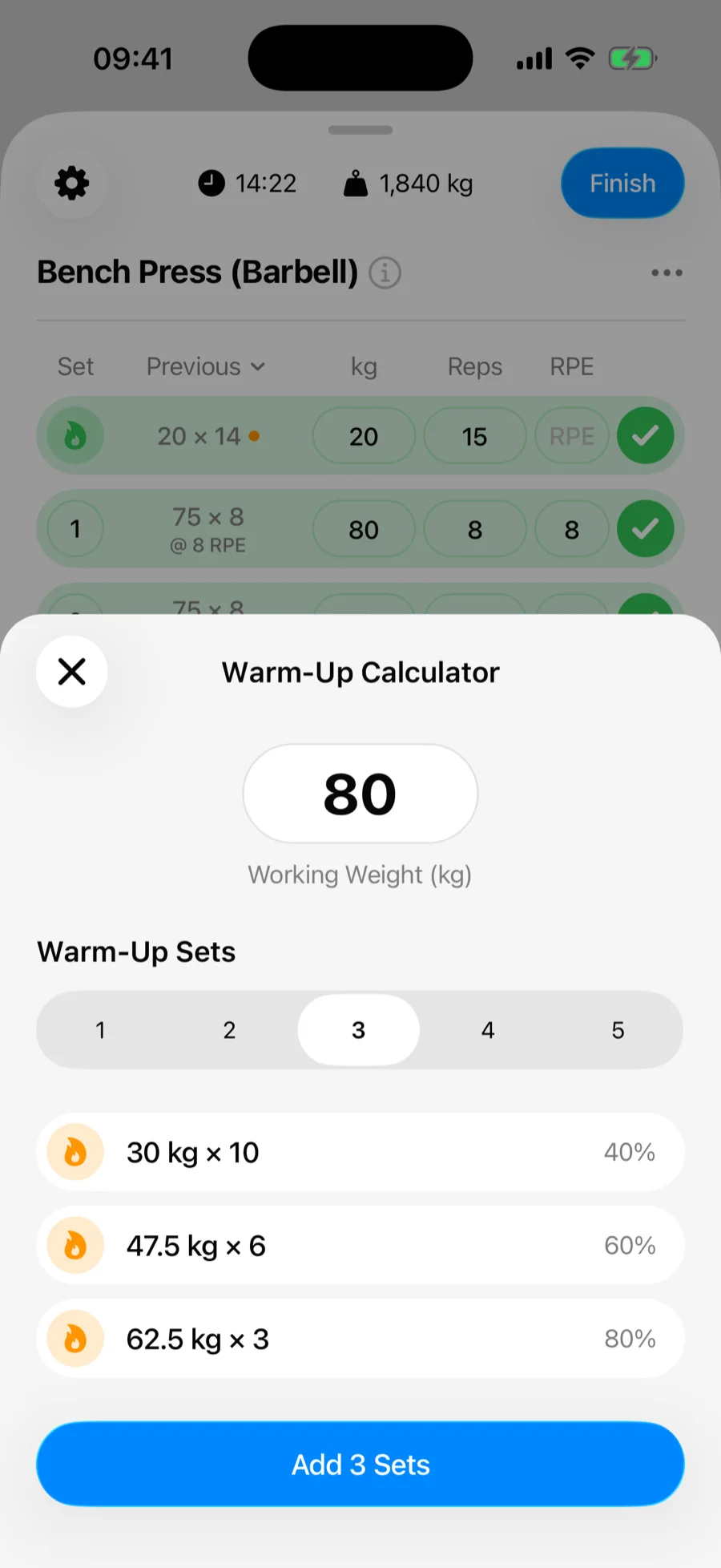
The sets are inserted at the top of the exercise, already marked with the Warm Up set type — so they are excluded from your volume automatically.