


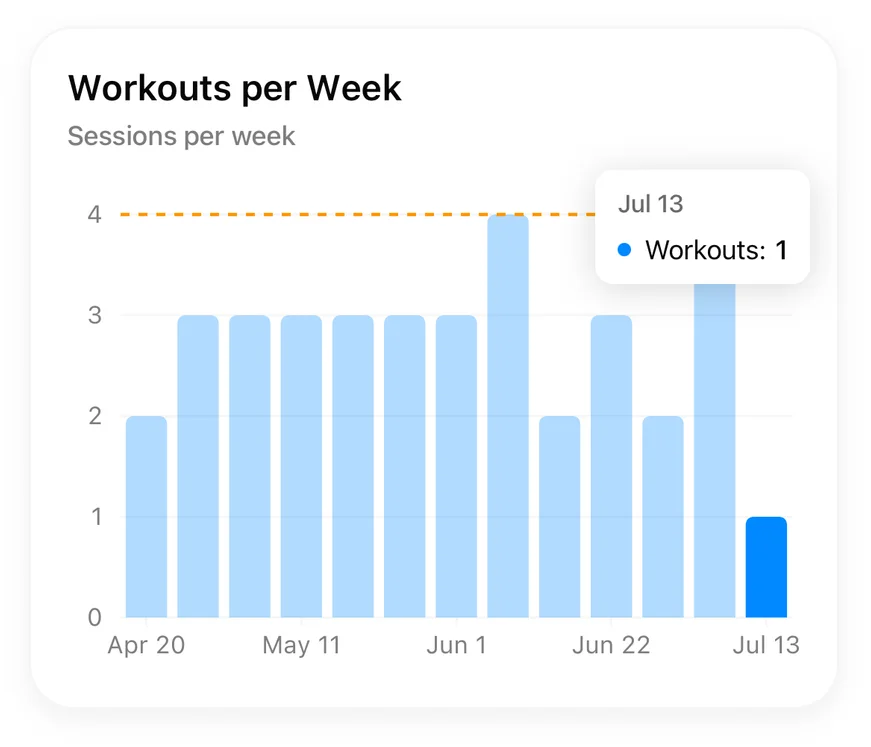
The Workouts per Week chart tracks your consistency — how many sessions you complete each week against a goal you set.
Set your weekly goal#
- Add the Workouts per Week chart on the Performance tab (or open it if you already have it).
- Tap Set Weekly Goal and pick your target — say, 4 workouts a week.
The chart shows each week's sessions against the goal line, making streaks (and slumps) impossible to miss.
Tracking volume week over week#
For progression rather than consistency, add the Weekly Volume chart (PRO) — total weight moved per week. Turn on Show by Muscle Group to see where that volume is going — each exercise's primary muscles get full credit and its secondary muscles half, so compound lifts feed more than one bar.
See all chart types for everything else you can track.