
The powerlifting app for squat, bench, and deadlift
Your total, tracked set by set — PRs, 1RM trends, and percentages without the spreadsheet.


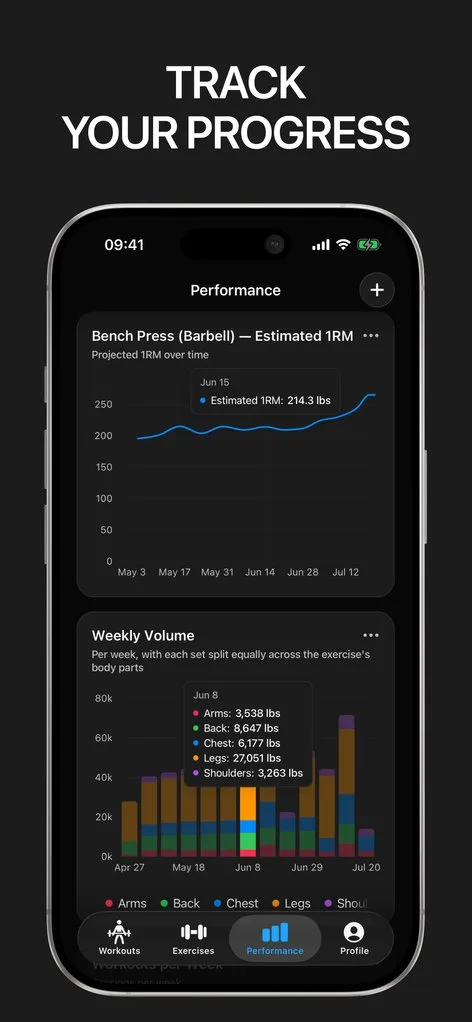
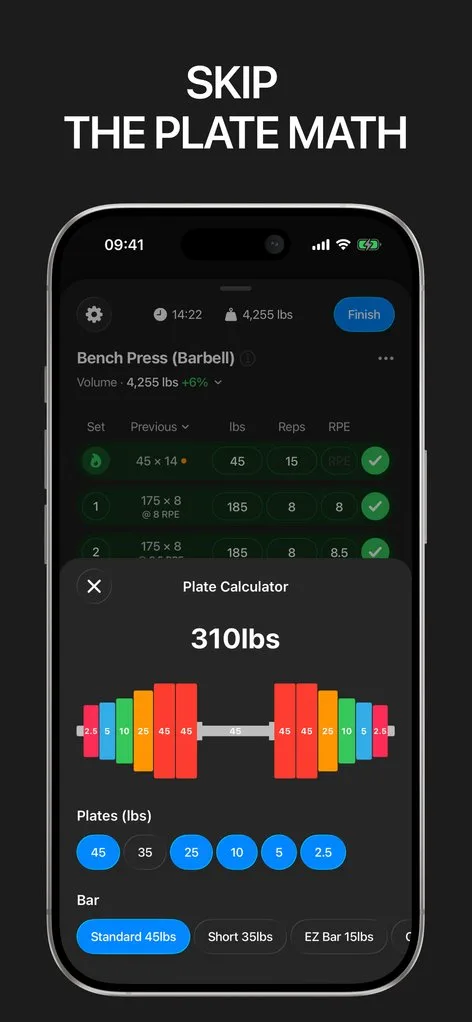
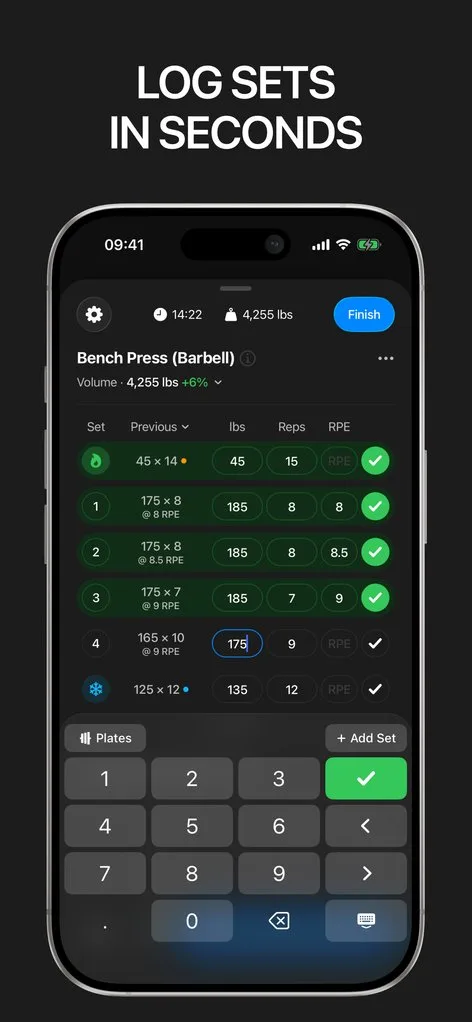
Powerlifting training runs on numbers: percentages of max, RPE targets, PRs across rep ranges, and the total. Most lifters end up maintaining a spreadsheet next to their tracking app to keep it all straight.
Gript replaces both. Squat, bench, and deadlift each carry an estimated 1RM that updates from every hard set, personal records are detected automatically across weights and rep maxes, and RPE logging is one tap on every set.
Percentages without arithmetic
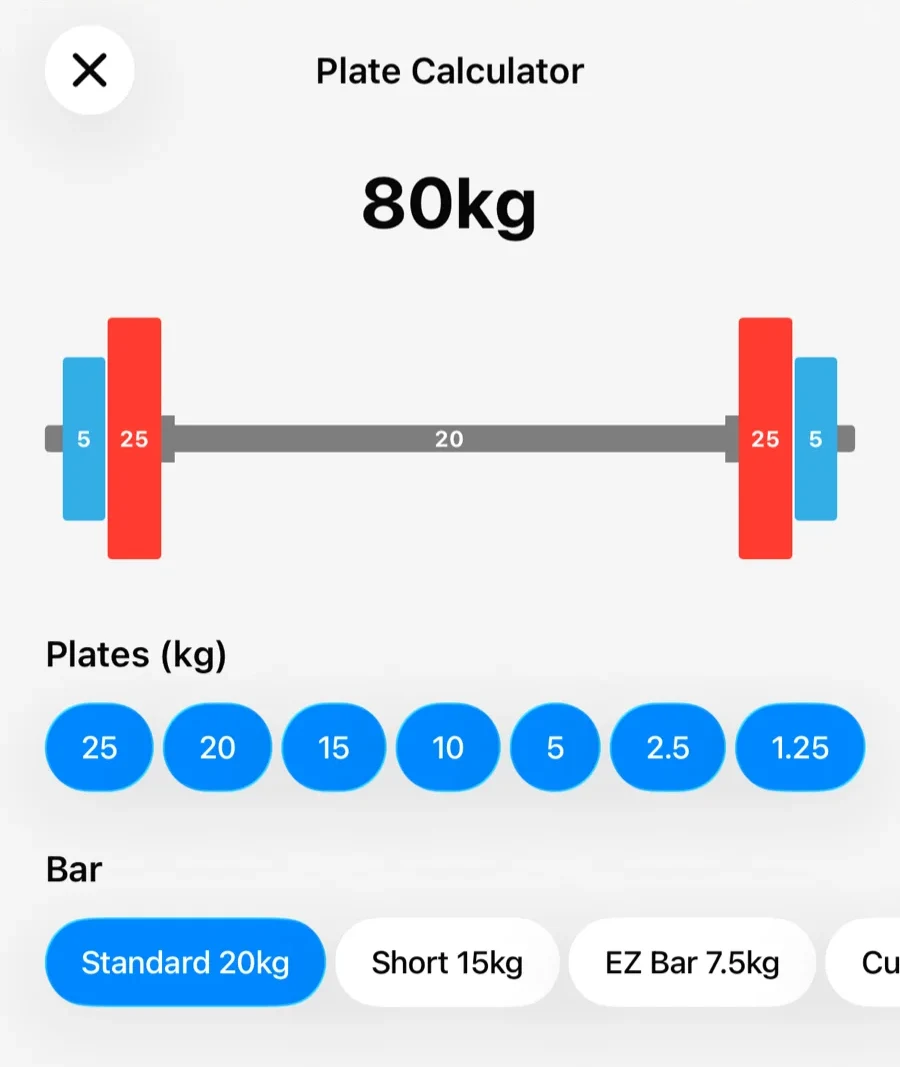
Programs prescribe 5×5 at 75% or triples at RPE 8 — Gript gives you the numbers to hit them. The free 1RM percentage chart turns your max into every training load, the plate calculator loads odd percentages exactly, and the warm-up calculator ramps you to the top set with sets already marked as warm-ups.
Heavy singles and everything between
Log RPE on every set and review how efforts trended into a heavy block. Set types keep warm-ups and failure sets honest in your history, rest timers per exercise handle five-minute squat rests next to two-minute accessories, and exercise notes remember cues — stance, grip, bar position — between sessions.
The total, scored
Your best lifts add up to a total; the free DOTS calculator and Wilks calculator score it against bodyweight so you can track relative strength as you move through weight classes. History from another tracker imports in minutes, so years of meet prep data come with you.
Lifters seem to like it
This app has so far the best interface and experience, everything is so clean and easy to navigate. I like it after trying many other apps.
The charts in this app are insane good!
I feel that every single time I open the app there is a new feature. Thanks for making it better every day.
Real reviews from the App Store.
Common questions
Does Gript track PRs for squat, bench, and deadlift automatically?
Yes. Every logged set is checked against your history — heaviest weight, best estimated 1RM, and rep maxes are recorded automatically for every exercise, including the competition lifts.
Can I run percentage-based programs in Gript?
Yes. Build the program as routines with your prescribed sets and rep ranges, use the 1RM percentage chart for loads, and log against it. Your estimated max updates as the block progresses, so the percentages stay honest.
Does Gript support RPE-based training?
Fully. RPE (or RIR) is logged with one tap on any set, shown next to your previous efforts while you lift, and kept in your history so you can see how effort trended across a training block.
What is a DOTS score and can Gript calculate it?
DOTS adjusts your total for bodyweight so lifters across weight classes can be compared. The free DOTS calculator on this site computes it (with Wilks alongside) from your total and bodyweight — use your logged PRs or estimated maxes.
Free tools to go with it
From the Help Center
Download Gript free and log your next workout with it. If it does not earn its place, your data exports in one tap.
You're already in Gript
Everything on this page is also available inside the app — this article opens from Help, and the calculators live under Tools.