
The strength training app built around progressive overload
Strength is a trend, not a feeling. Gript charts it lift by lift.


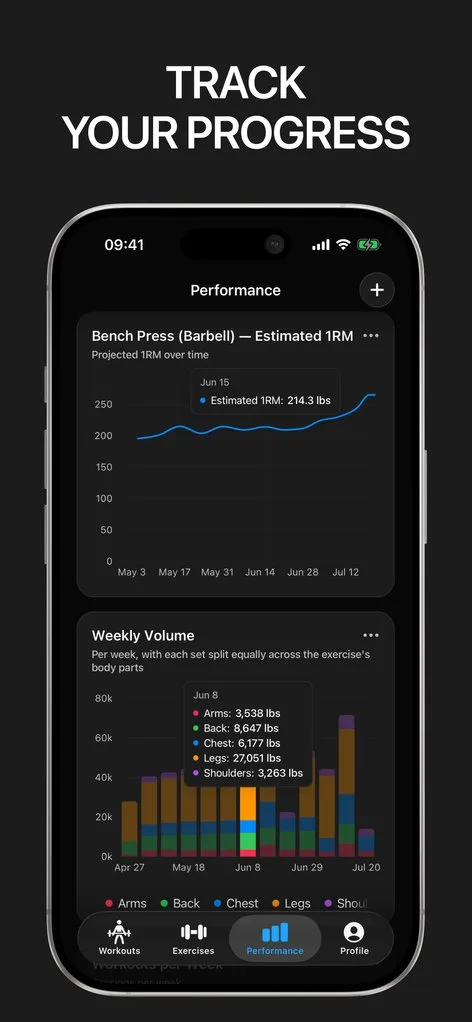
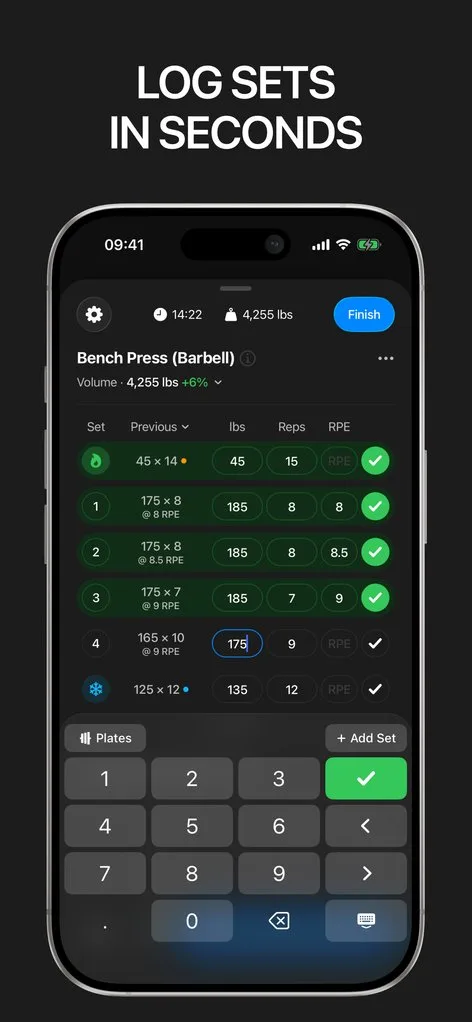
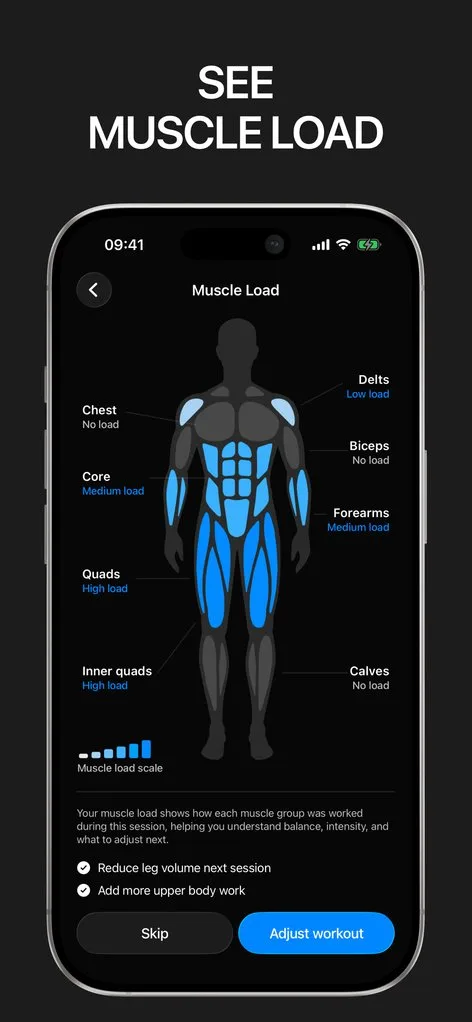
Getting stronger has one rule: do a little more over time. The hard part is knowing whether you actually are. Memory flatters, motivation fluctuates, and a stalled lift can hide for a month if nobody is counting.
Gript counts. Every set feeds per-lift charts of estimated 1RM, volume, and best sets, so progressive overload stops being a concept and becomes a line you can look at.
Progression with a plan
Set rep ranges on your routines and Gript suggests the next step — add a rep until you top the range, then add weight and repeat. Progression suggestions appear right where you log, based on what you actually did last time, and if you change the routine mid-session it updates in one tap from the completion screen.
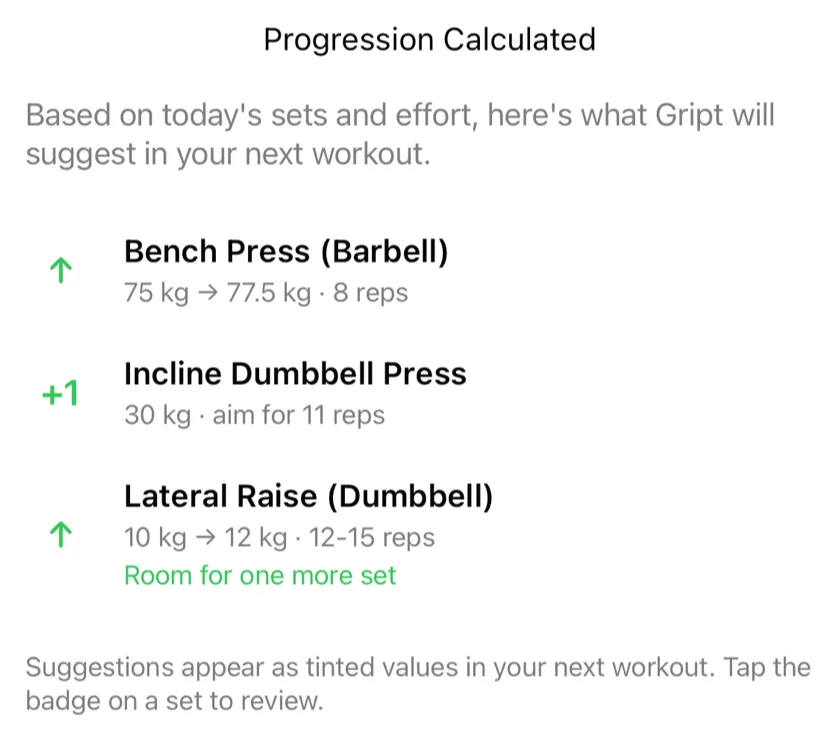
The signals behind the strength
Strength comes from accumulated hard work, so Gript tracks the inputs too: weekly volume per muscle group, muscle balance that flags what you keep skipping, a weekly goal for training frequency, and RPE/RIR so you know how hard those sets really were. When a lift stalls, the data usually explains why.
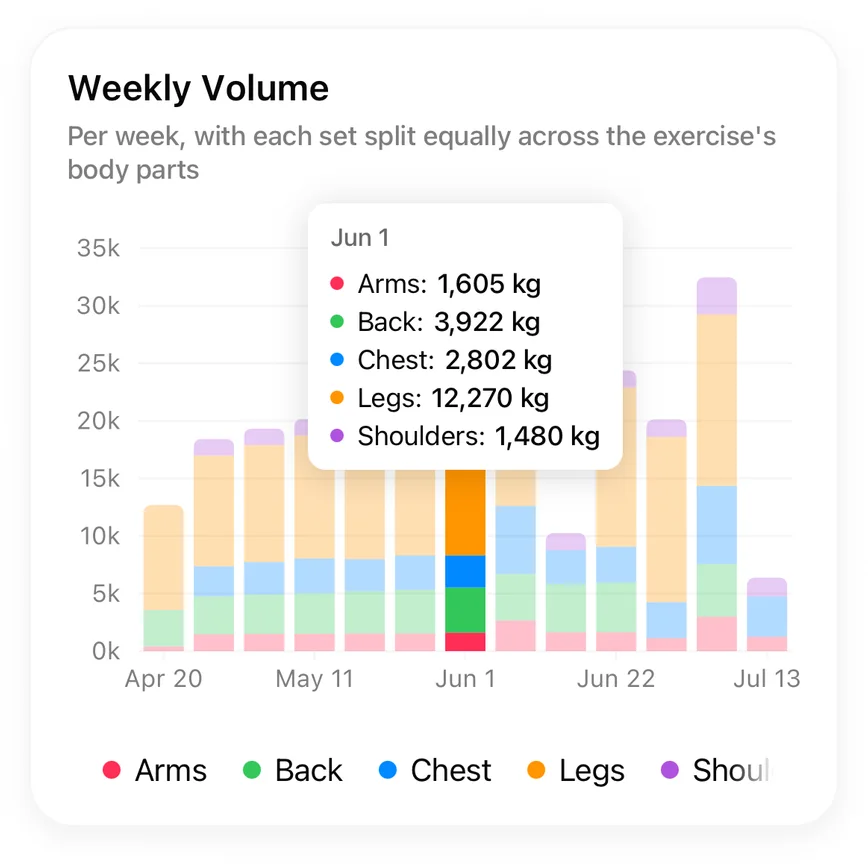
Tested against your own history
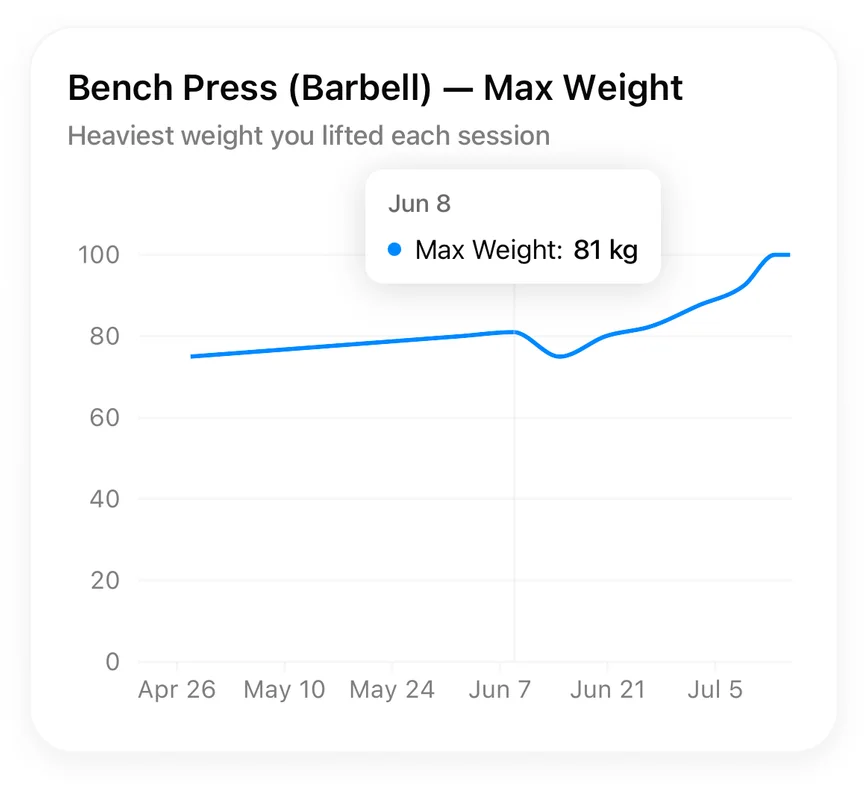
PRs are detected automatically across weight, reps, and estimated max — no manual flagging. Six months of consistent logging turns every session into a comparison against your own history, which is the only comparison that matters in strength training.
Lifters seem to like it
This app has so far the best interface and experience, everything is so clean and easy to navigate. I like it after trying many other apps.
The charts in this app are insane good!
I feel that every single time I open the app there is a new feature. Thanks for making it better every day.
Real reviews from the App Store.
Common questions
What is progressive overload and how does Gript help?
Progressive overload means gradually increasing what you lift — more weight, more reps, or more sets over time. Gript makes it operational: previous numbers next to every set, progression suggestions inside your rep ranges, and charts that show whether the trend is actually up.
Does Gript work for beginners?
Yes. Start with a simple routine, log what you lift, and follow the suggestions — add a rep, then add weight. The exercise library explains each movement, and the charts keep early progress visible, which is when motivation matters most.
Can Gript replace a coach or program?
Gript does not write multi-week programs — it tracks whatever program you run, whether that is 5×5, PPL, an upper/lower split, or a coach’s plan, and the progression suggestions work inside any routine you build. For a day without a plan, the workout generator builds a single session from your focus, time, equipment, and training history.
How do I know if I’m getting stronger?
Open any exercise and look at the estimated 1RM trend. It updates from every hard set, not just max attempts, so the line reflects your actual trajectory. Rising volume at the same RPE is the same story told a second way.
Free tools to go with it
From the Help Center
Download Gript free and log your next workout with it. If it does not earn its place, your data exports in one tap.
You're already in Gript
Everything on this page is also available inside the app — this article opens from Help, and the calculators live under Tools.