
The workout tracker that shows your progress clearly
Log every set in seconds. Watch the charts answer the only question that matters: am I progressing?


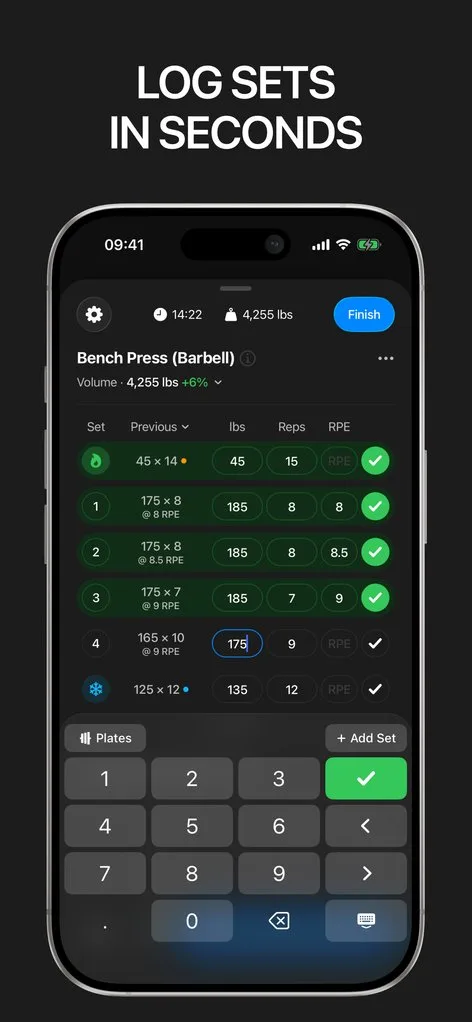
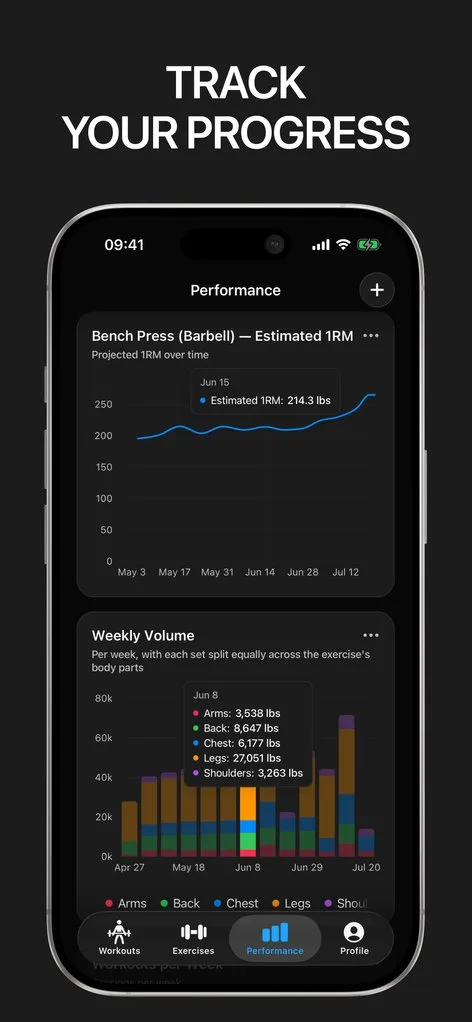
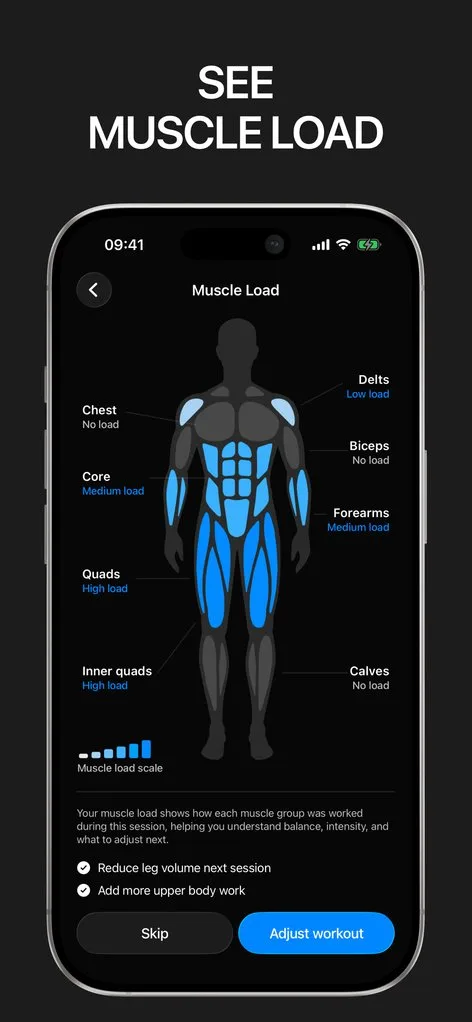
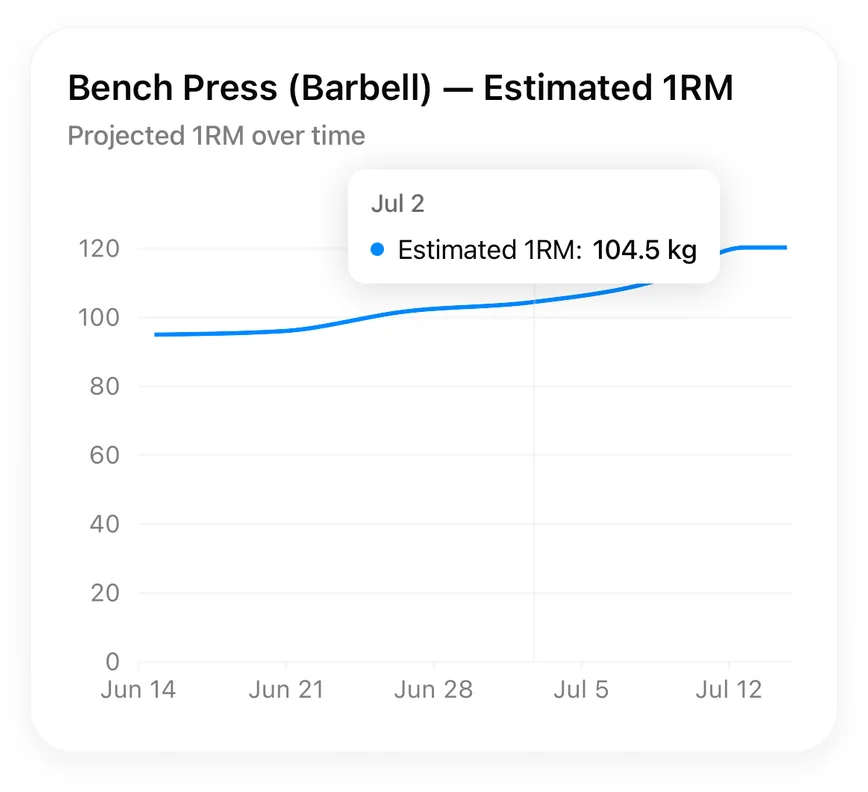
Most workout trackers are good at collecting your data and bad at giving it back. You log for months, and when you finally ask "is my bench actually going up?", the answer is buried in a list of past sessions. Gript was built in reverse: the charts came first, and the logging exists to feed them.
Every set you record — weight, reps, and effort — flows into per-exercise charts of estimated one-rep max, volume, and best sets, plus muscle balance across your week. No exports, no spreadsheet, no squinting.
Fast enough to use mid-workout
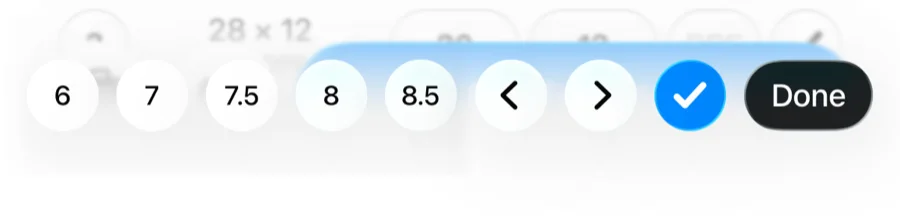
A tracker only works if logging takes less time than resting. Your previous numbers for every exercise sit right next to the set you are filling in, so you always know what to beat. The workout keyboard is built for plates and reps, the rest timer starts itself, and Live Activity keeps the workout on your lock screen so you never unlock the phone just to check the clock.
Charts that answer questions
Each exercise gets its own progress view: estimated 1RM trend, total volume, and best set over time, with several chart types to choose from. Weekly muscle balance shows which muscle groups you keep skipping, and a weekly goal keeps your frequency honest. Body weight and thirteen body measurements chart alongside training and sync with Apple Health.
Your history comes with you
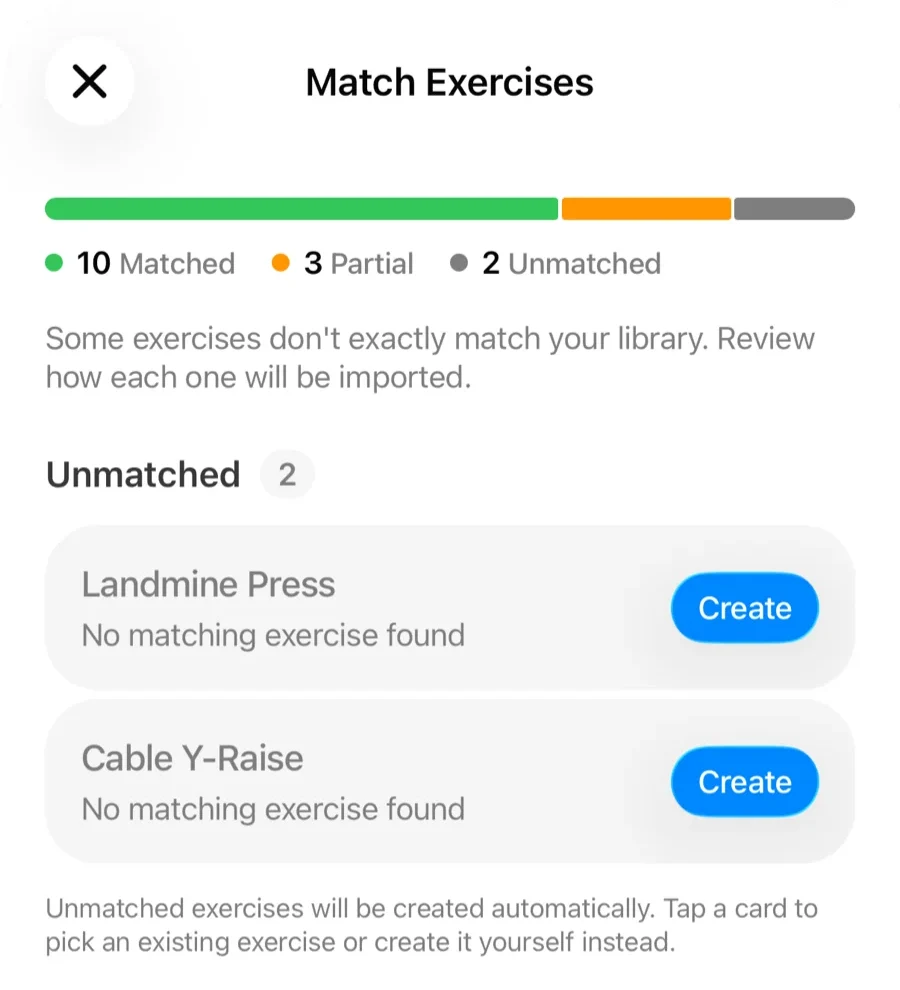
Already tracking somewhere else? Gript imports the CSV exports from Hevy, Strong, JEFIT, and five other apps — full history, per-set weights, reps, and RPE included. Coming from Hevy or Strong specifically, each has a full switching guide that walks through the migration end to end. You can even photograph a paper logbook and let Gript read it. And everything you log can be exported again anytime: your training history belongs to you.
Lifters seem to like it
This app has so far the best interface and experience, everything is so clean and easy to navigate. I like it after trying many other apps.
The charts in this app are insane good!
I feel that every single time I open the app there is a new feature. Thanks for making it better every day.
Real reviews from the App Store.
Common questions
Is Gript really free to use as a workout tracker?
Yes. Logging workouts, the exercise library, routines, charts, and import/export are all free with no workout limit. Gript PRO is an optional subscription that unlocks unlimited routines and custom exercises, advanced charts, and longer chart history.
What makes Gript different from other workout trackers?
The focus on readable progress. Most trackers store your workouts; Gript is built around turning them into charts you can act on — per-exercise strength trends, muscle balance, and weekly volume — with logging fast enough to happen between sets.
Can I track any type of workout?
Gript is built for resistance training: gym sessions, home workouts, free weights, machines, and bodyweight work. The exercise library covers strength, bodyweight, and timed exercises, and you can create custom exercises for anything missing.
Do I need an account to start?
No — you can log as a guest immediately. Signing in with Apple or Google adds cloud sync and backup, and a guest account can be linked later without losing any data.
Free tools to go with it
From the Help Center
Download Gript free and log your next workout with it. If it does not earn its place, your data exports in one tap.
You're already in Gript
Everything on this page is also available inside the app — this article opens from Help, and the calculators live under Tools.