
The weight lifting app for people who load barbells
Plate calculator above the keyboard, warm-up ramps in one tap, and a 1RM chart for every lift.


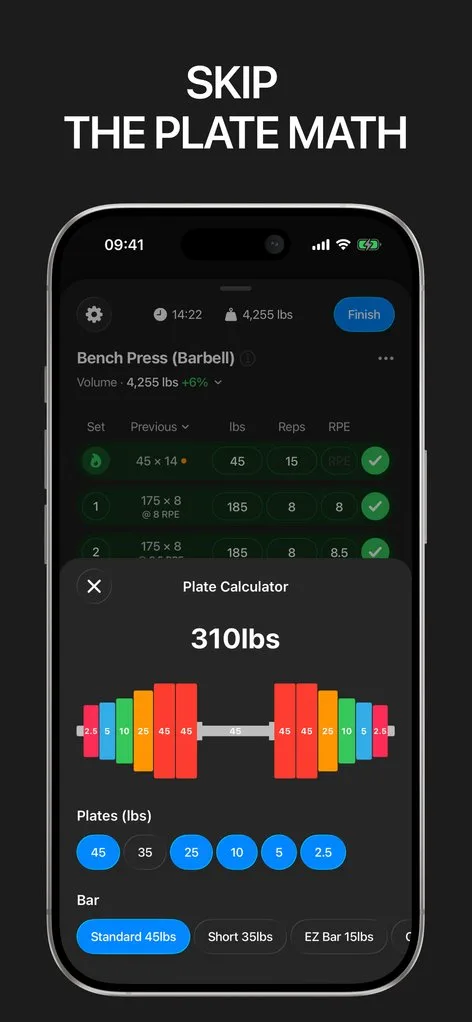
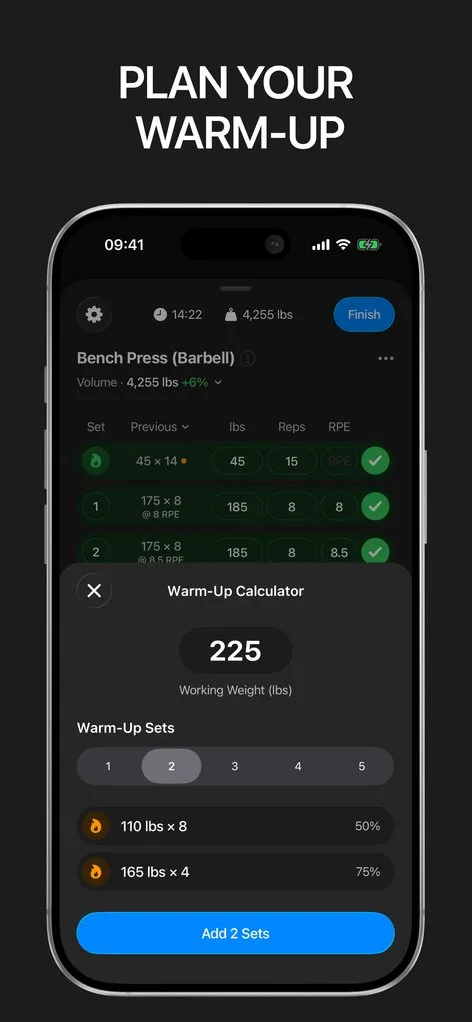
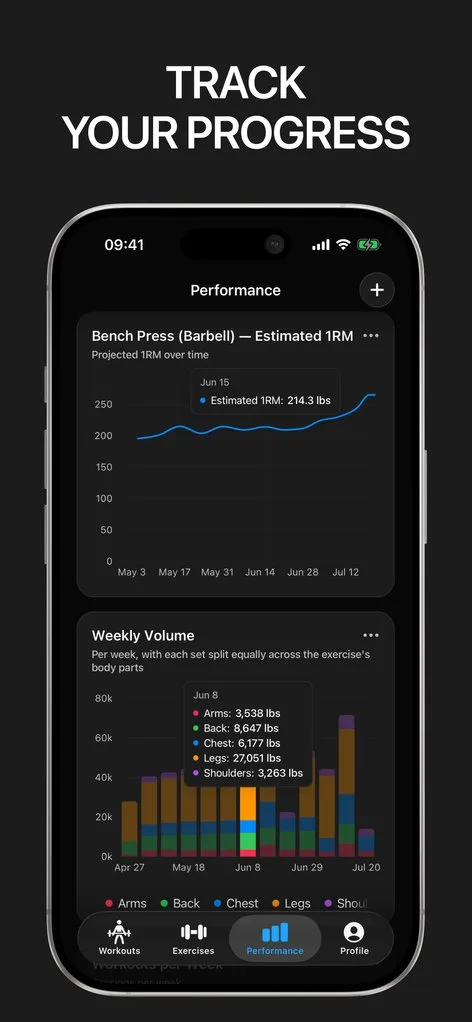
Lifting apps tend to treat a barbell session like a generic "workout". But lifters have specific problems: what plates make 142.5 kg, how to ramp up to a heavy top set, whether the estimated max is trending up, and what to do when the answer is no.
Gript solves the lifting problems specifically. The plate calculator lives one tap above the keyboard and knows your bar and available plates. The warm-up calculator builds a ramp to your working weight and inserts the sets — already marked as warm-ups so they never pollute your volume.
Strength you can see moving
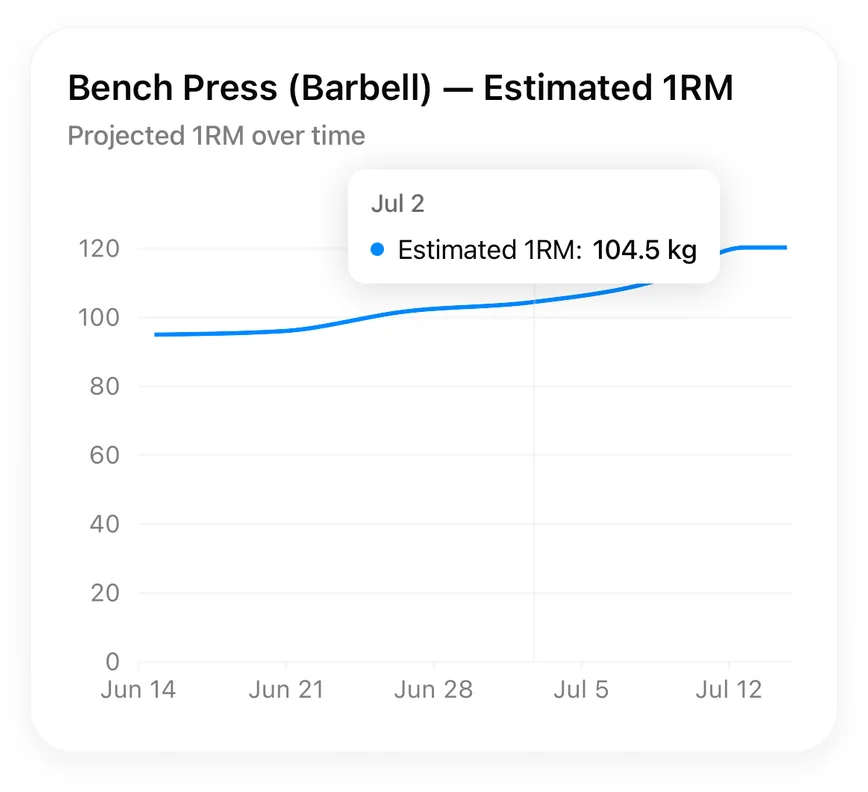
Every set updates an estimated one-rep max for that lift, charted over time next to volume and best sets. PRs are detected automatically — heaviest weight, best estimated max, most reps at a weight. When a lift stalls for three weeks, the chart says so before frustration does.
Progression built into your routines
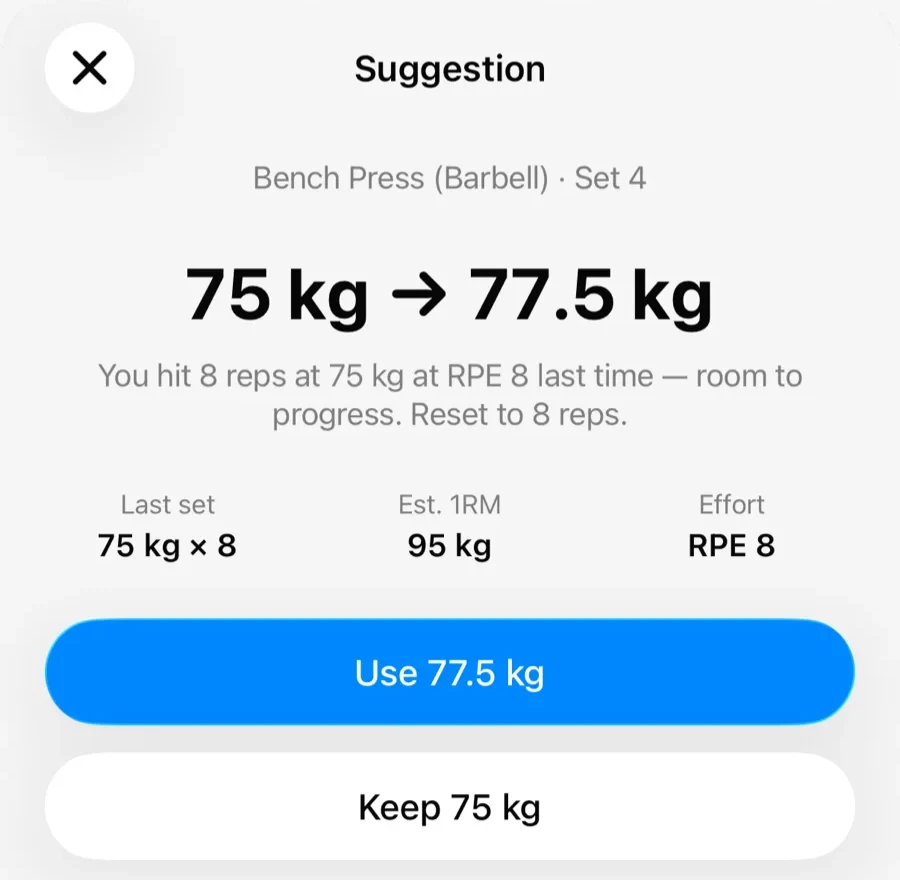
Build routines with rep ranges — say 3×8–10 — and Gript nudges you with progression suggestions: more reps inside the range, then more weight. Your numbers carry over to the next session on their own, and if you changed the routine's shape, updating it takes one tap.
Effort, tracked like a lifter
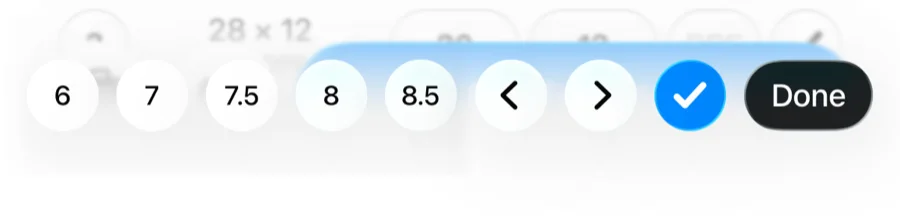
Hard sets drive progress, so Gript logs RPE or RIR on any set with one tap and shows past efforts next to past numbers. Combined with set types for warm-ups, drop sets, and failure, your log reflects how the session actually went — not a flattened version of it.
Lifters seem to like it
This app has so far the best interface and experience, everything is so clean and easy to navigate. I like it after trying many other apps.
The charts in this app are insane good!
I feel that every single time I open the app there is a new feature. Thanks for making it better every day.
Real reviews from the App Store.
Common questions
Does the plate calculator know my gym’s plates?
Yes. Set your bar weight and toggle the plates your gym actually has; the calculator loads the closest achievable weight and remembers your setup between sessions. It works standalone too, one tap above the keyboard mid-set.
How does Gript estimate my one-rep max?
From any hard set using validated formulas — no max testing needed. Every logged set refreshes the estimate, and the chart shows the trend so you can see strength moving between actual PR attempts.
Can I follow my own program?
Yes. Routines are fully yours: any exercises, any order, rep ranges per exercise, and per-exercise rest times. Gript suggests progression within your ranges but never forces a program on you.
Does Gript handle kilograms and pounds?
Both, switchable at any time — including per-exercise units if your gym mixes kg plates with lb dumbbells. History converts correctly either way.
Free tools to go with it
From the Help Center
Download Gript free and log your next workout with it. If it does not earn its place, your data exports in one tap.
You're already in Gript
Everything on this page is also available inside the app — this article opens from Help, and the calculators live under Tools.