
The app that runs your 5×5 program cleanly
Five sets of five, two alternating workouts, steady weight jumps — tracked without ceremony.


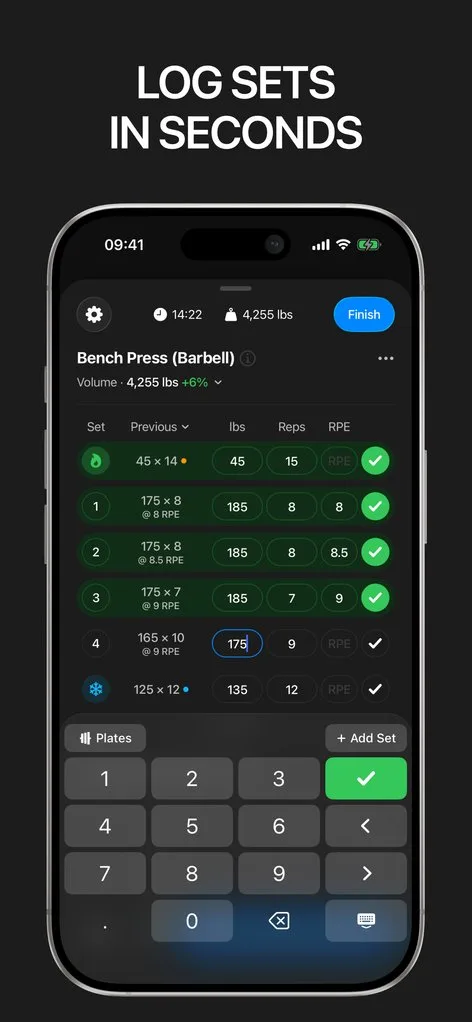
The appeal of 5×5 is its simplicity: two alternating full-body workouts, five sets of five, add weight every session. The app tracking it should be equally simple — and get the details right.
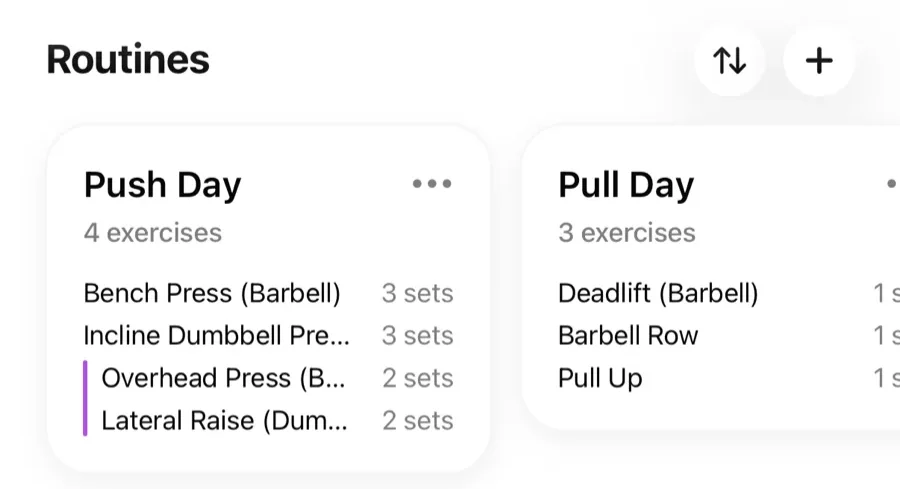
In Gript, the classic A/B split is two routines that take minutes to build. Your previous weights sit next to every set, so "add 2.5 kg" is a glance, not a lookup, and the new weight carries into the next session without touching the routine.
The 5×5 details, handled
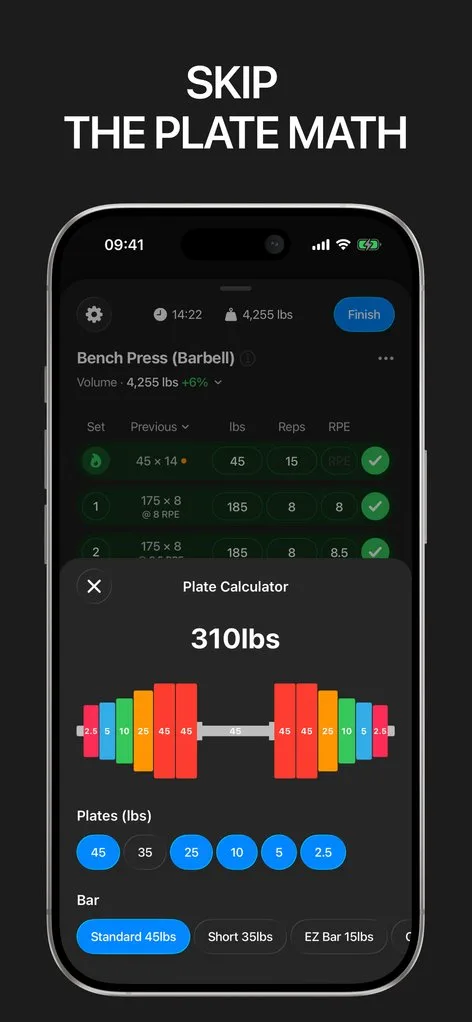
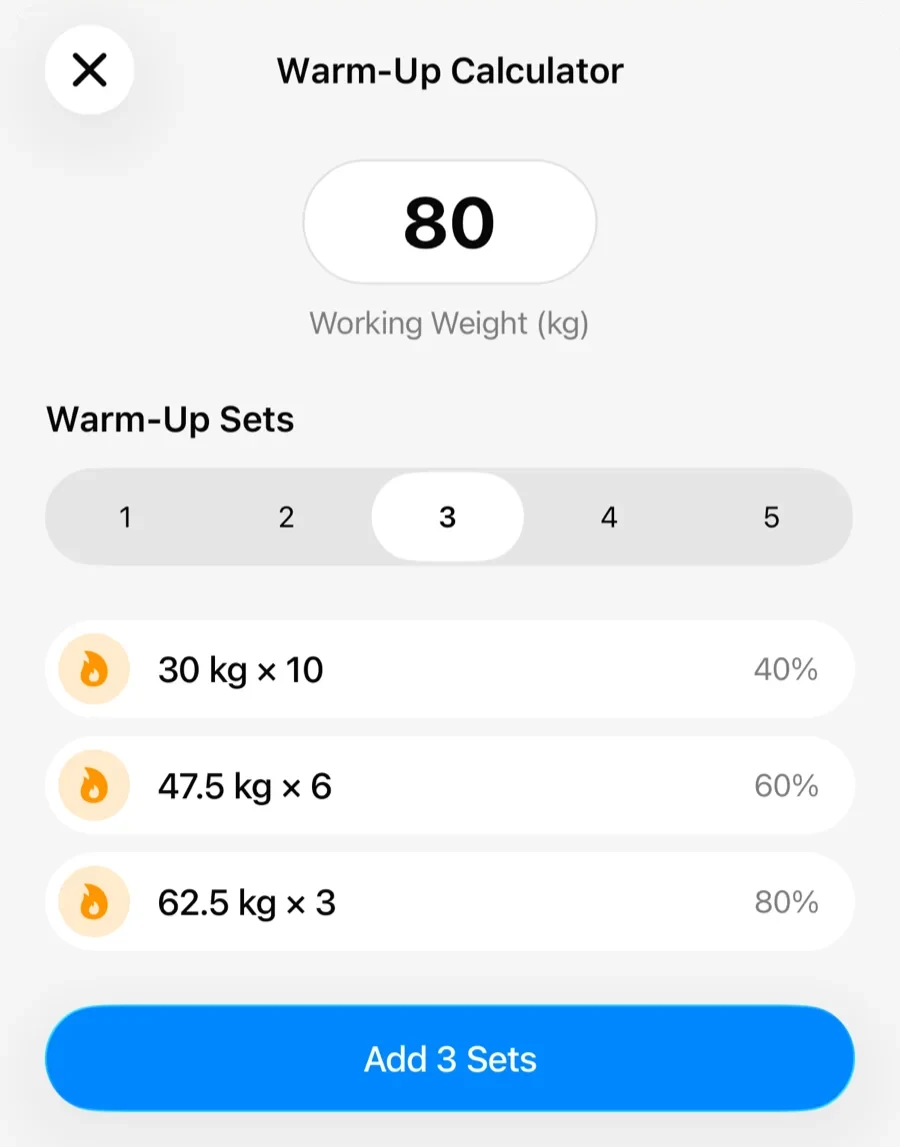
Squatting three times a week means a lot of bar loading: the plate calculator sits above the keyboard and knows your plates. The warm-up calculator builds the ramp to your work weight — essential once squats pass bodyweight — and the rest timer handles the program’s longer rests between heavy fives, visible on your lock screen via Live Activity.
When linear progress ends
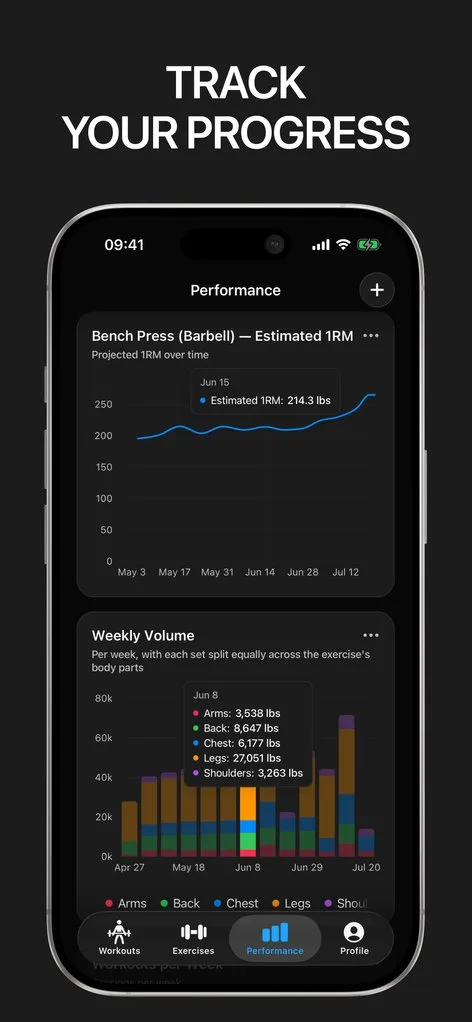
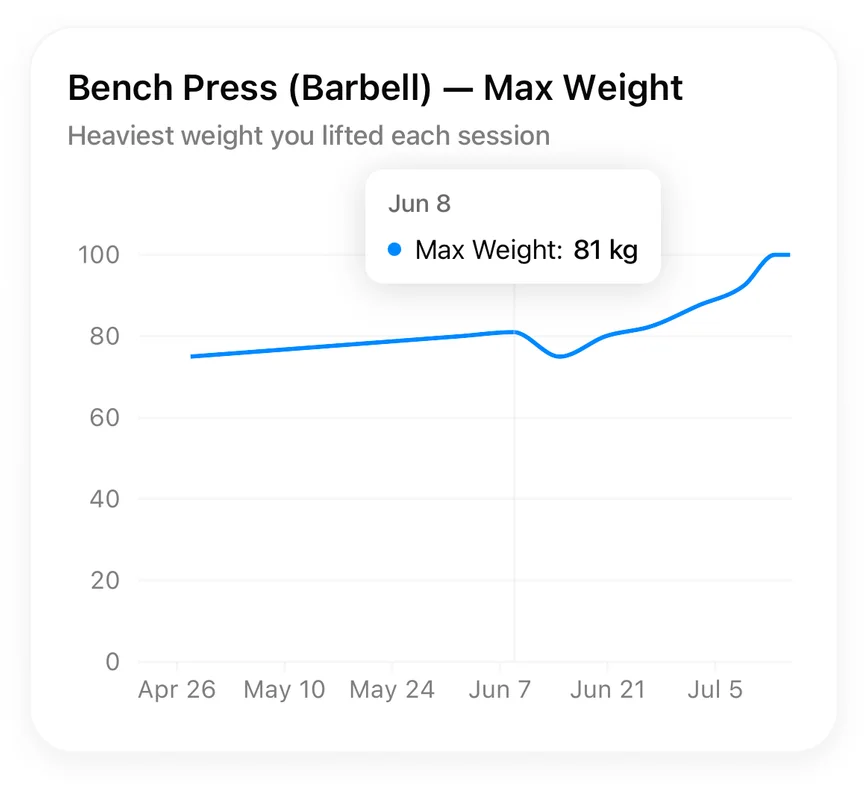
Every 5×5 run eventually stalls, and the right response depends on data: how many sessions the lift has been stuck, whether reps are slipping, how effort trended. Gript’s charts and RPE history make deload decisions obvious, and rep ranges let you transition the same routines toward 3×5, 5/3/1-style, or hypertrophy work without starting over.
Freedom the dedicated 5×5 apps lack
Single-program apps lock you into their template. Gript runs 5×5 as well as anything, but the same log carries your accessories, your future program hops, and your entire history in one place — with import from other trackers and full export always available. If your history is in the app that popularised the program, switching from StrongLifts covers exporting it and rebuilding the A/B routines here.
Lifters seem to like it
This app has so far the best interface and experience, everything is so clean and easy to navigate. I like it after trying many other apps.
The charts in this app are insane good!
I feel that every single time I open the app there is a new feature. Thanks for making it better every day.
Real reviews from the App Store.
Common questions
Can Gript run StrongLifts or Starting Strength style programs?
Yes. Build the A and B workouts as routines, alternate them, and add weight each session. Previous values and one-tap routine updates make linear progression frictionless, and the plate and warm-up calculators handle the bar math.
Does Gript add the weight automatically each session?
Gript shows your last session next to every set and suggests progression within your rep ranges; you confirm the jump. That one tap of control matters on the day you need to repeat a weight or deload rather than blindly add.
What should I do when my 5×5 stalls?
Standard practice: repeat the weight once or twice; if it still fails, deload 10% and build back up. Your charts show how long a lift has been stuck and what happened last time, which takes the guesswork out of the decision.
Can I add accessories to a 5×5 routine?
Yes — routines are fully editable, so pull-ups, dips, or curls slot into workout A or B like any other exercise, with their own progression and history.
Free tools to go with it
From the Help Center
Download Gript free and log your next workout with it. If it does not earn its place, your data exports in one tap.
You're already in Gript
Everything on this page is also available inside the app — this article opens from Help, and the calculators live under Tools.