


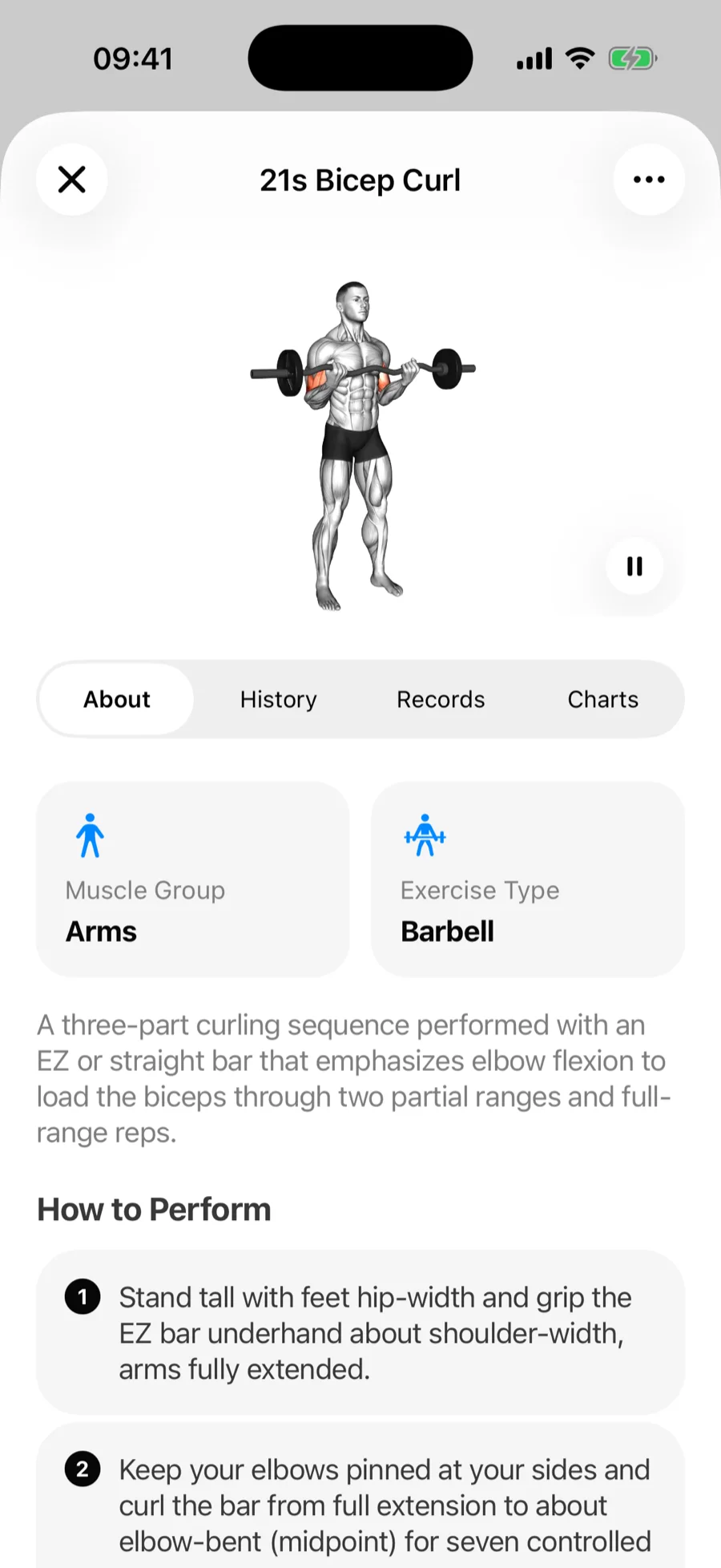
Tap any exercise in the library (or its name during a workout) to open its detail view. It has four tabs: About, History, Records, and Charts.
About#
- The muscle group it targets.
- How to Perform — step-by-step instructions.
- Common Mistakes — what usually goes wrong with the movement.
- A demo video for most built-in exercises.
The description, instructions, and common mistakes follow your app language — switch Gript to Spanish and the bench press explains itself in Spanish.
History#
Every set you have ever logged for this exercise, grouped by workout — the fastest way to answer "what did I squat three weeks ago?" Sets that set a personal record carry a PR tag.
Records#
Your personal records for the exercise, updated automatically as you train. These are the same records as on your Personal Records screen:
- Heaviest Weight — your all-time top weight for a single set. For assisted exercises this is Least Assistance instead: the lightest assistance you have used, since less help means more of your own bodyweight.
- Best 1RM — your best estimated one-rep max.
- Best Set Volume and Best Session Volume — highest weight × reps in one set, and across a whole workout.
- Most Reps and Most Session Reps — best single-set and whole-session rep counts.
- For timed exercises: Longest Duration and Longest Session Duration; for cardio, Longest Distance.
Under each record you can also see the numbers behind it — the weight and reps of the set, or the sets and reps of the record session. Tap a record to see its history: every time it moved, on a chart, with the set behind each entry. For assisted exercises the chart trends up as you use less assistance.
Charts#
Mini progress charts for the exercise. Tap Save to Performance Tab on any of them to pin it to your Performance dashboard.