
MacroFactor Workouts vs Hevy vs Gript: Which Workout Tracker Is Best?
The Stronger By Science logger against the biggest one: RIR, myo-reps, per-side loads, and Smart Progression vs free logging, social, and every platform.
Updated September 27, 2026 · Facts checked September 17, 2026


Comparing MacroFactor Workouts vs Hevy vs Gript
MacroFactor Workouts launched on 12 January 2026 from Stronger By Science Technologies, the team behind the MacroFactor nutrition app. It is a paid, log-first strength tracker with RIR on every set, myo-reps, per-side loads, and a rule-based engine called Smart Progression, with no free tier and no Apple Watch app. Hevy is the largest pure workout logger there is, free and on every platform. Gript is the third column because it is ours, and because it is closest to MacroFactor Workouts in intent. Here is an honest look at all three, with facts taken from each app’s own help center and App Store listing.
What sets MacroFactor Workouts vs Hevy vs Gript apart
MacroFactor Workouts is for people who run a structured hypertrophy or strength program and want the app to manage the loads. Programs are generated per person or built from scratch, with periodization and deload cycles, and Smart Progression pre-fills each set from your logged performance and RIR target. Everything is behind the subscription, and it imports no history.
Hevy is for anyone who wants to log without paying and see what friends are lifting: unlimited free logging, a social feed, 26 built-in programs, and native apps on iPhone, iPad, Apple Watch, Android, Wear OS, and the web. Its Pro tier is the cheapest here, and its progression tool, Hevy Trainer, only works inside Trainer programs.
Gript treats the log as the product and progression as the point, like MacroFactor Workouts, but with a free tier, an Apple Watch app, 19 chart templates, and import from 22 apps. Its suggestions work on any routine and show the reason. It has no per-side loads, myo-reps, or periodization, no social layer, and no web app.
 How MacroFactor Workouts stands out
If you want the deepest log and an engine that runs a periodized program, MacroFactor Workouts provides:
- RIR, myo-reps, partials, and per-side loads. RIR on a 0 to 6 scale with targets built into the program, myo-rep sets, partial reps recorded separately, and an L/R button that splits weight and reps by side. Neither Hevy nor Gript has these.
- Smart Progression. Pre-fills each set from your logged performance, the RIR target, and the rep range, with Expand Rep Range and Weight Match settings and a Fix wand when a constraint blocks a good answer.
- Programs with periodization. Smart Generation builds a program with weekly cycles from your goal, schedule, and gym equipment, or Build From Scratch. Deloads sit on the first or last cycle; purchased Jeff Nippard programs import as .xlsx.
- A gym-aware plate calculator. Gym profiles hold the bars, plates, and stacks where you train, and the generator, warm-ups, and plate calculator use them. 900 or more exercises, over 600 with Jeff Nippard videos.
- No free tier and no Watch app. $11.99 a month, $47.99 per half year, or $71.99 a year after a 7-day trial, or $89.99 a year bundled with MacroFactor nutrition. iPhone, iPad, and Android only.
 How Hevy stands out
If you want to log for free and see what friends are lifting, Hevy provides:
- Unlimited free logging. Warm-up, drop, and failure sets, RPE, supersets, a Live Activity rest timer, widgets, a monthly report, and a plate calculator the other two charge for. Free accounts get 4 routines and 7 custom exercises.
- A social layer. A feed with comments, gym leaderboards, and hundreds of community routines. MacroFactor Workouts shares programs only; Gript shares a link.
- 26 built-in programs. Hevy Trainer (Pro) suggests weights inside those programs; on your own routine you read the previous column and decide.
- Every platform at the lowest price. iPhone, iPad, Apple Watch, Android, Wear OS, and a web logger at hevy.com. $2.99 a month, $23.99 a year, or $74.99 for life, no trial. Three months of charts free; CSV export is Pro.
 How Gript stands out
If you want per-set suggestions with reasons on a routine you already own, Gript provides:
- Progression on any routine. RPE-aware double progression on routines you built or a freestyle workout (Pro), with a badge that shows last performance, estimated 1RM, and the reason for the change. See progression suggestions.
- RPE or RIR in one tap. Your choice of effort scale on a custom workout keyboard, plus a set stopwatch for timed work. No myo-reps, partials, or per-side loads; those are MacroFactor Workouts alone.
- 19 chart templates. Nine per exercise, including working weight range and a weight-versus-reps scatter, plus a body map and balance radar. 12 weeks free; longer ranges are Pro. Body measurements are free. See chart types.
- Import from 22 apps. Hevy and Strong CSV files import directly, and AI import reads any spreadsheet or screenshot, including a MacroFactor Workouts export. Export is free in Gript, Strong, and Hevy formats.
- An Apple Watch app, but no Wear OS. Digital Crown logging, an offline queue, and complications. No Wear OS, web, widgets, or monthly report, and 6 programs to Hevy’s 26. Pro is $4.99 a month or $29.99 a year with a free trial.
Common questions
Is MacroFactor Workouts the same as MacroFactor?
No. MacroFactor is the nutrition app; MacroFactor Workouts is a separate strength app from the same developer, launched in January 2026. They share an account and sync body metrics, weight, and progress photos, but each is its own subscription unless you take the $89.99 a year bundle.
Is MacroFactor Workouts free?
No. There is a 7-day free trial, then $11.99 a month, $47.99 per half year, or $71.99 a year, with no free logging tier and no Apple Watch app on any tier. Hevy and Gript both offer unlimited free logging and both have Watch apps.
Can I import Hevy into MacroFactor Workouts?
No. MacroFactor Workouts does not import training history from other apps; its help center recommends recreating your program and backfilling workouts by hand. It imports programs only in its own .xlsx format. Gript imports Hevy exports directly; see import from Hevy.
Final verdict: which one should you choose?
- Choose MacroFactor Workouts ifMacroFactor Workouts
you run a periodized hypertrophy or strength program, log RIR, use myo-reps or unilateral work, and want the app to manage loads inside that plan, at $71.99 a year.
- Choose Hevy ifHevy
you want free logging, a social feed, Wear OS or the web, and the lowest price, including a lifetime plan.
- Choose Gript ifGript
you want set-level suggestions with reasons on your own routine, the widest set of charts, a Watch app, and a painless move from Hevy.
MacroFactor Workouts and Gript both treat the log as the product: one goes deeper into the set and the program, the other wider with charts, a Watch app, import, and a free tier. Hevy is the free, social, every-platform default. If you are leaving Hevy, the switch guide covers what carries over.
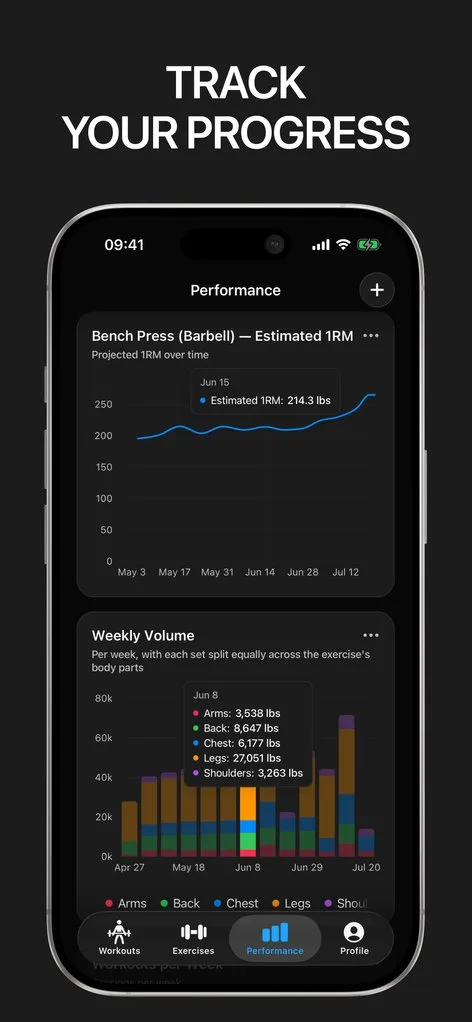
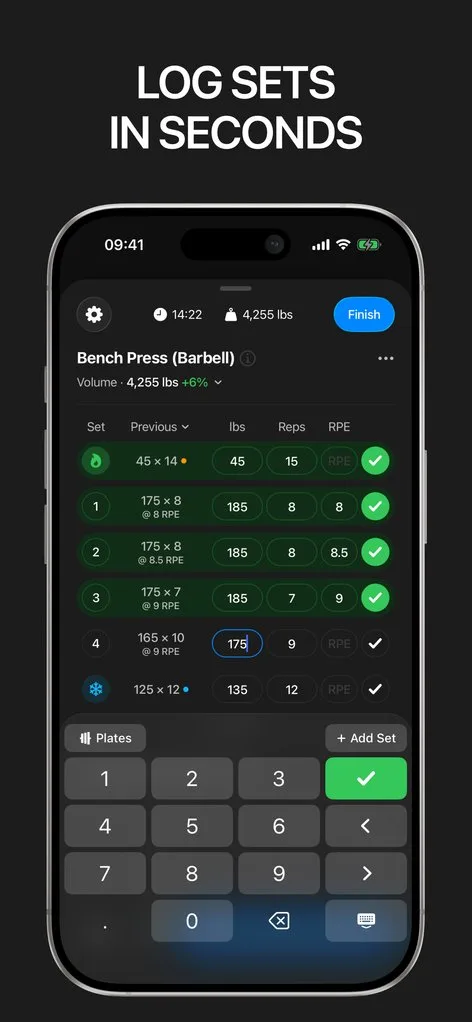
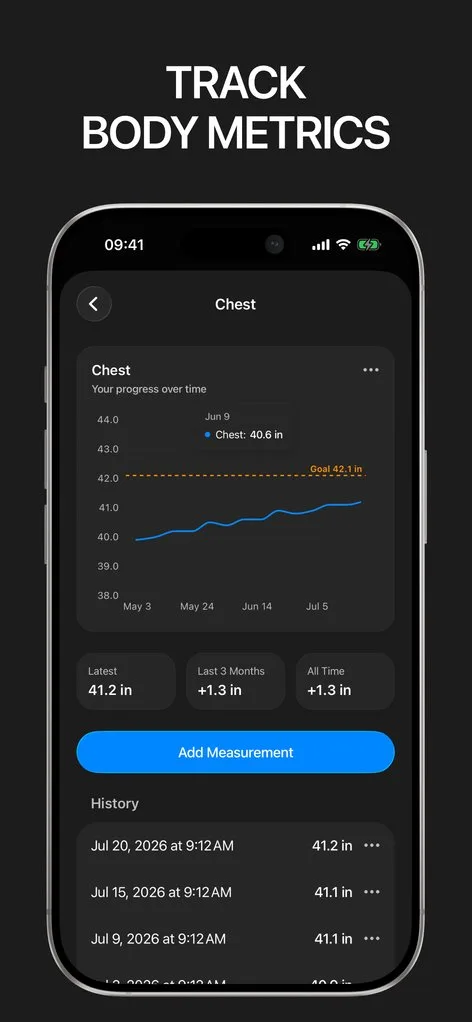
Download Gript free and bring your history with you. If it does not earn its place, your data exports in one tap.
I have tried pretty much every workout tracker out there — Hevy, Strong and many others — and Gript has quickly become my favorite. The UI and overall design are easily the best on the market.
You're already in Gript
Everything on this page is also available inside the app — this article opens from Help, and the calculators live under Tools.
Side by side
| Feature | MacroFactor Workouts | Hevy | Gript |
|---|---|---|---|
| Progress and charts | |||
| Per-exercise charts | Estimated strength, volume, reps per exercise | Volume, best weight, reps, 1RM | 9 chart types |
| Chart history on the free tier | None (no free tier) | 3 months | 12 weeks |
| Muscle balance / body map | Yes | Yes | Yes |
| Body measurements | Yes | Yes | Yes |
| Personal records | Workout summary | Yes | Yes |
| Your data | |||
| Import from other apps | No | Strong CSV | 22 apps |
| CSV export | Yes | Yes | Yes |
| Health sync | Apple Health, Health Connect | Apple Health, Health Connect, Strava | Apple Health, Health Connect |
| Logging | |||
| Unlimited free logging | No | Yes | Yes |
| Set types | Warm-up, drop, failure, myo-reps, partials | Warm-up, drop, failure | Warm-up, drop, failure, cool-down |
| RPE / RIR | RIR | RPE | RPE and RIR |
| Rest timer | Yes | Yes | Yes |
| Lock screen Live Activity | Yes | Yes | Yes |
| Previous sets inline | Yes | Yes | Yes |
| Plate calculator | Yes | Yes | Yes |
| Home screen widgets | Not verified | Yes | Coming soon |
| Programs and coaching | |||
| Routines on the free tier | None (no free tier) | 4 | 3 |
| Program library | None | 26 programs | 6 programs, 24 routines |
| Progression suggestions | Yes | Yes | Yes |
| Workout generator | Yes | Yes | Yes |
| Human coaching | No | No | No |
| Exercise library | 900+ | 400+ | 601 |
| Custom exercises | Yes | 7 free | 10 free |
| Social | |||
| Feed, friends, leaderboards | No | Yes | No |
| Platforms | |||
| Apple Watch | No | Yes | Yes |
| Android | Yes | Yes | Yes |
| iPad | Yes | Yes | Yes |
| Web app | No | Yes | No |
| Price | |||
| Monthly | $11.99 | $2.99 | $4.99 |
| Yearly | $71.99 | $23.99 | $29.99 |
| Lifetime | No | $74.99 | No |
| Free trial | Yes | No | Yes |
Facts checked September 17, 2026. US App Store prices; other countries differ. Something wrong? Let us know.
Related comparisons
From the Help Center
Official links
- MacroFactor WorkoutsWebsiteApp StoreGoogle Play
- HevyWebsiteApp StoreGoogle Play