


Switching from Lyfta? Gript reads Lyfta's CSV export directly, so your lifting history — every workout with its sets, reps, weights, set types, and supersets — transfers in a few minutes.
Step 1: export your data from Lyfta#
- In Lyfta, open Profile → Settings and choose Export Data. You can also sign in at my.lyfta.app and export from there.
- Lyfta generates a single CSV of your training log.
- Save the CSV where your iPhone can reach it, like iCloud Drive or email.
Step 2: import into Gript#
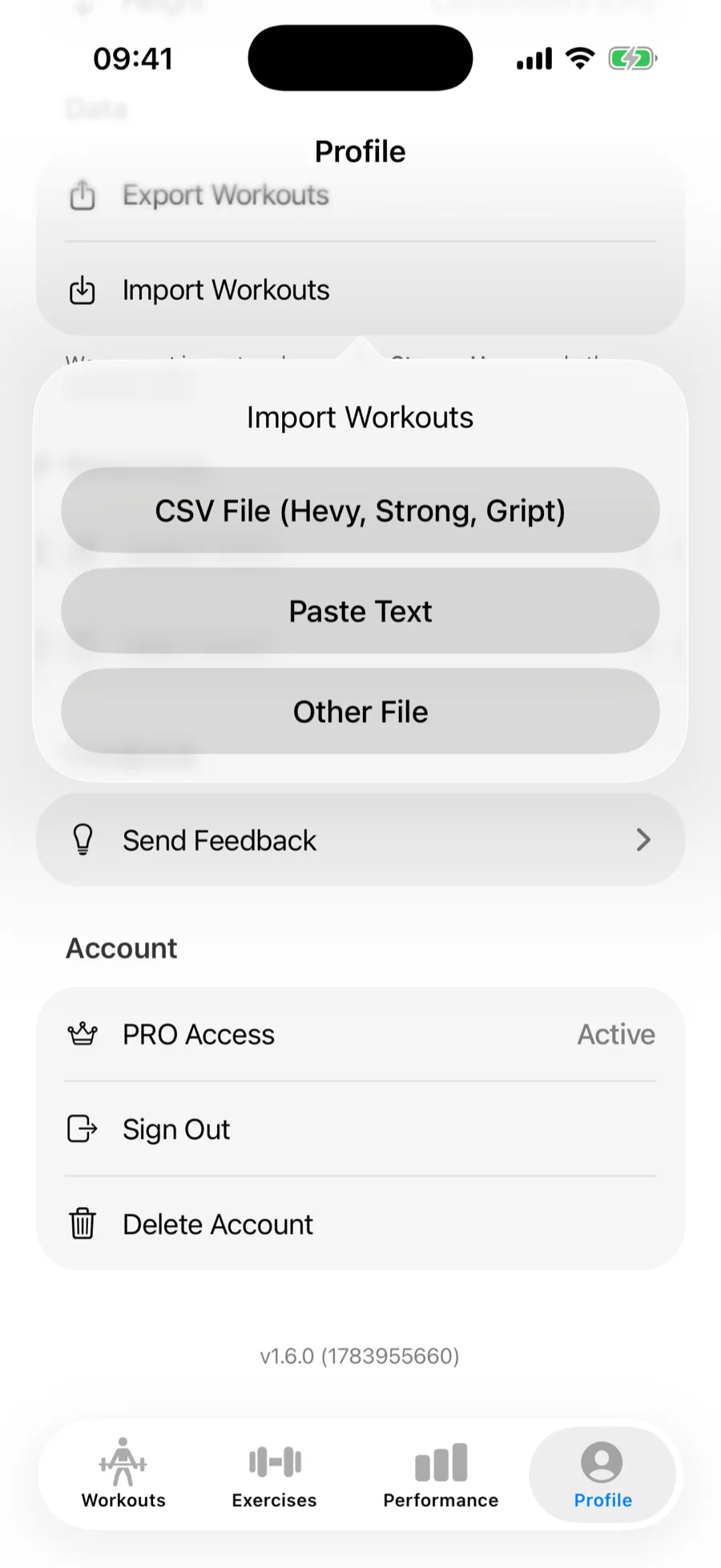
- In Gript, open Profile → Import Workouts.
- Choose CSV File (Hevy, Strong, Gript) and pick the exported file. Lyfta exports are recognized automatically.
Step 3: match exercises and confirm#
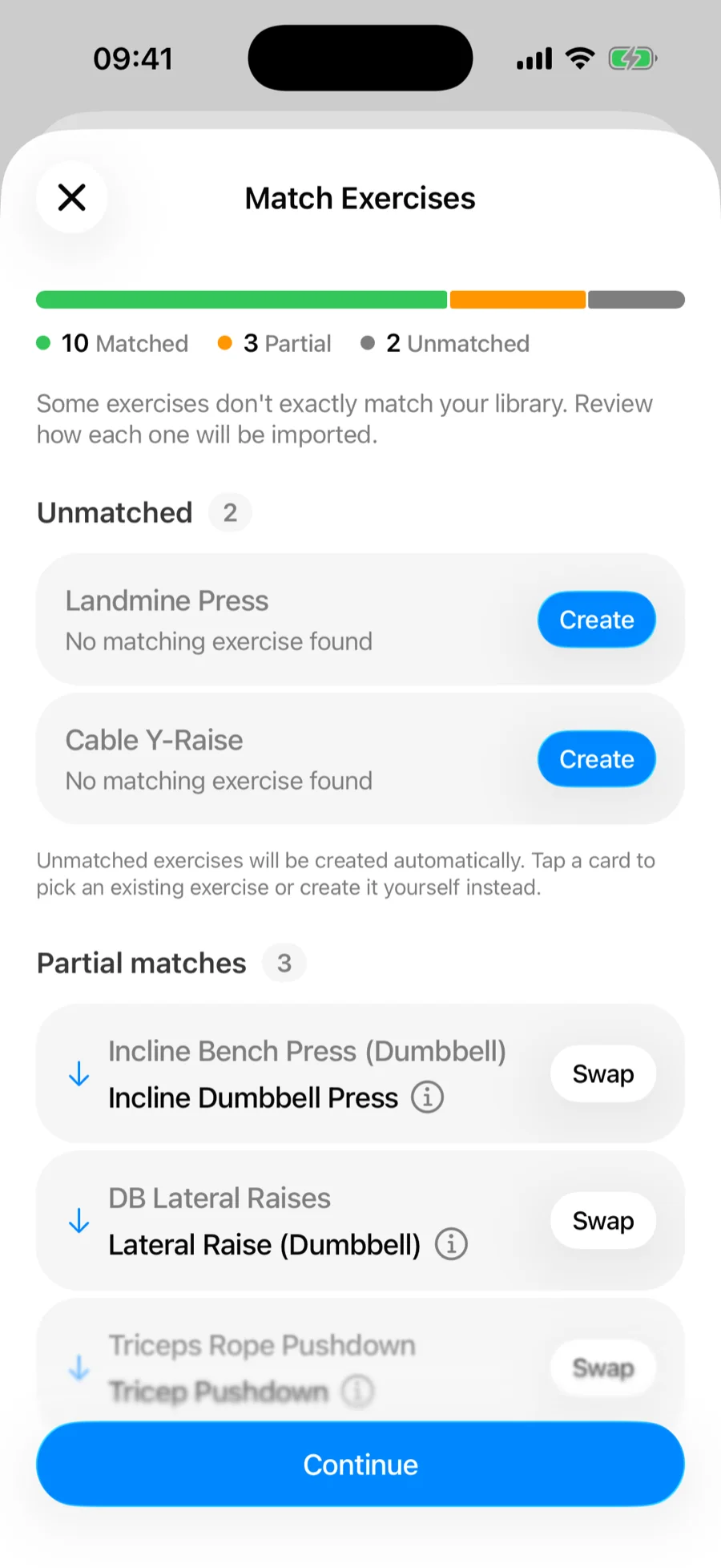
Gript matches Lyfta's exercise names to its own library on the Match Exercises screen — accept the suggested matches, remap anything it got wrong, and let unmatched movements be created as custom exercises. See how import matching works for the full details.
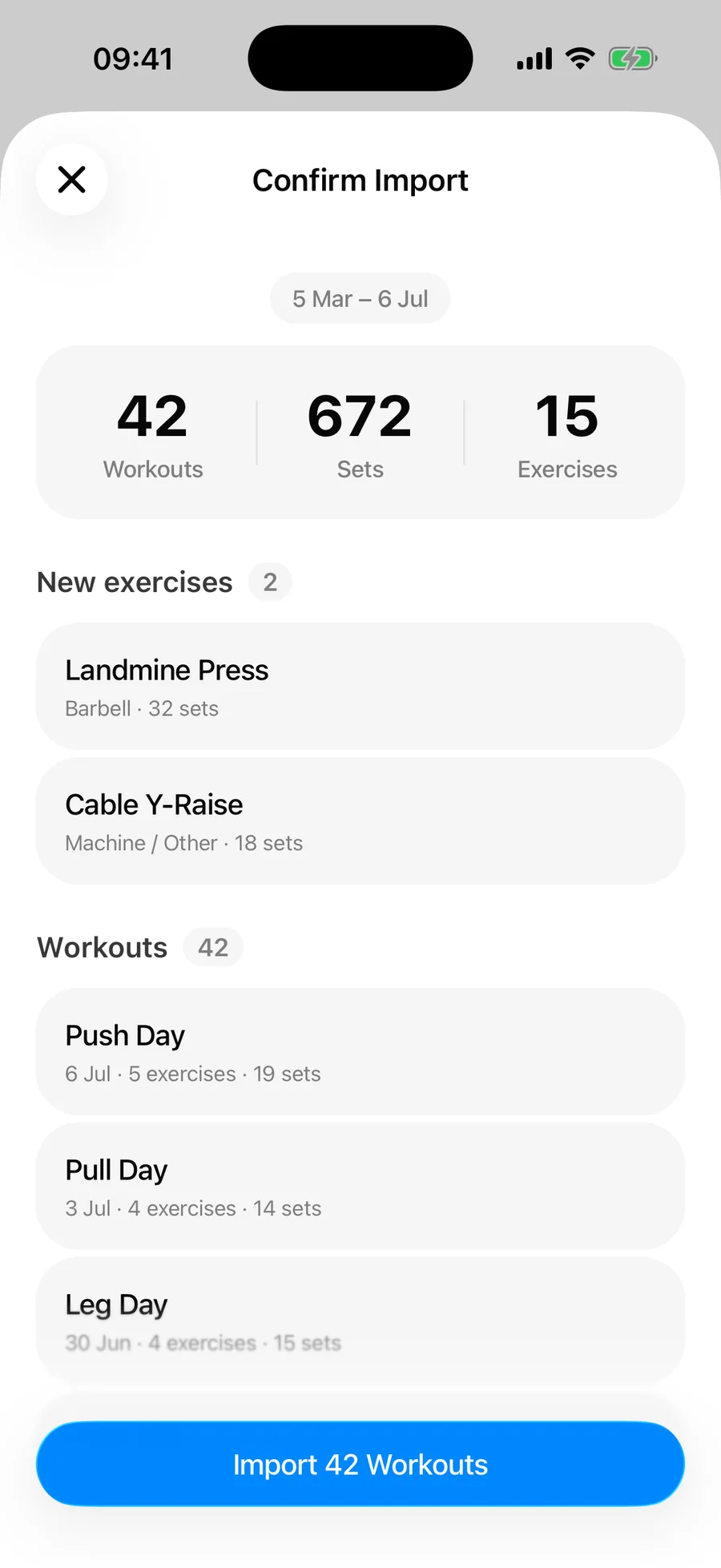
Then review the summary and confirm. Duplicate workouts already in your history are skipped automatically.
What transfers and what doesn't#
- Every workout with its title, date, and duration
- Per-set weights and reps for every exercise
- Distance and time on cardio and timed sets — planks, carries, and runs come across with their values
- Set types — warm-up, drop, and failure sets keep their type instead of flattening into working sets. See set types.
- Supersets — exercises Lyfta grouped by superset id stay grouped. See supersets.
Lyfta's export doesn't include RPE, workout or exercise notes, or body measurements, so those stay behind — the confirmation summary counts any skipped rows. Your charts, records, and history pick up everything else immediately.
Common problems#
Gript doesn't recognise the file#
The format is detected from the file's structure, so a CSV that a spreadsheet app has re-saved may no longer look like a Lyfta export. Import the original file rather than an edited copy.
Some rows didn't import#
The confirmation summary separates skipped duplicates from unreadable rows, so read it before assuming anything was lost — sessions already in your Gript history are skipped deliberately. See how import matching and duplicates work.