
The bodybuilding app that watches your volume
Hypertrophy runs on volume and consistency. Gript tracks both, muscle by muscle.


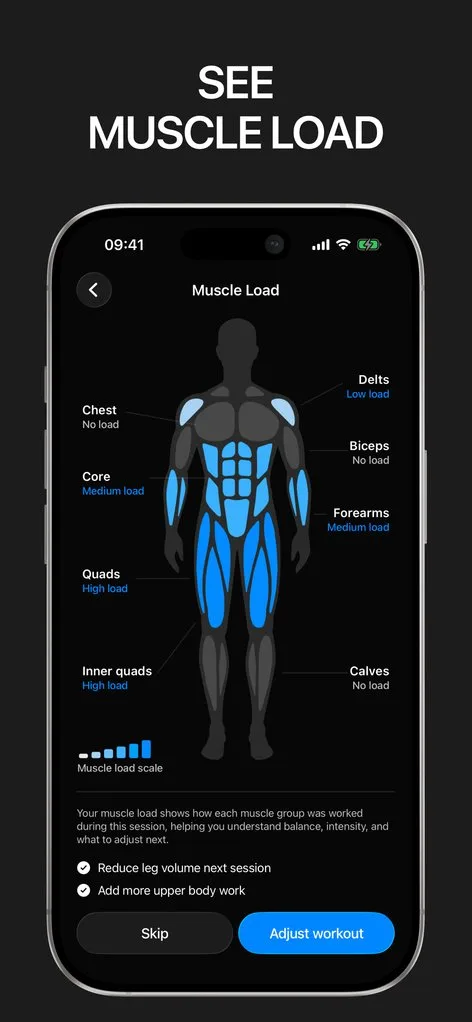
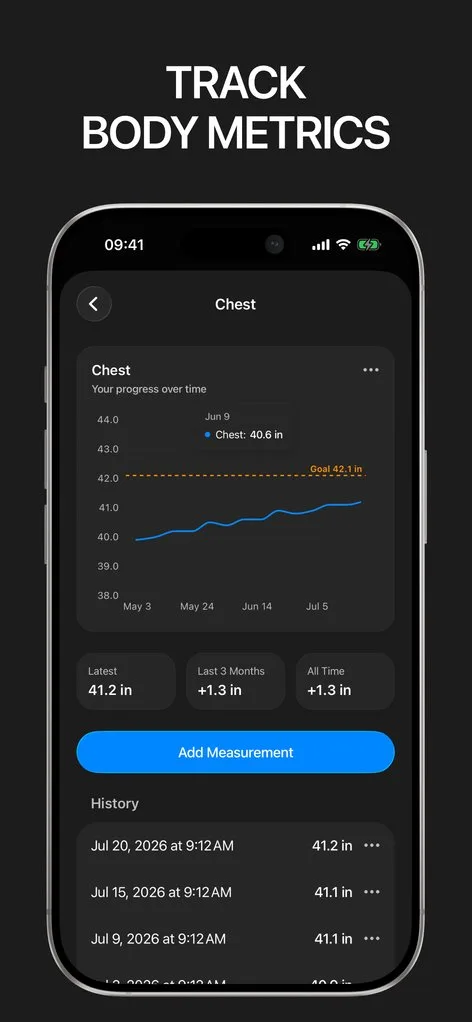
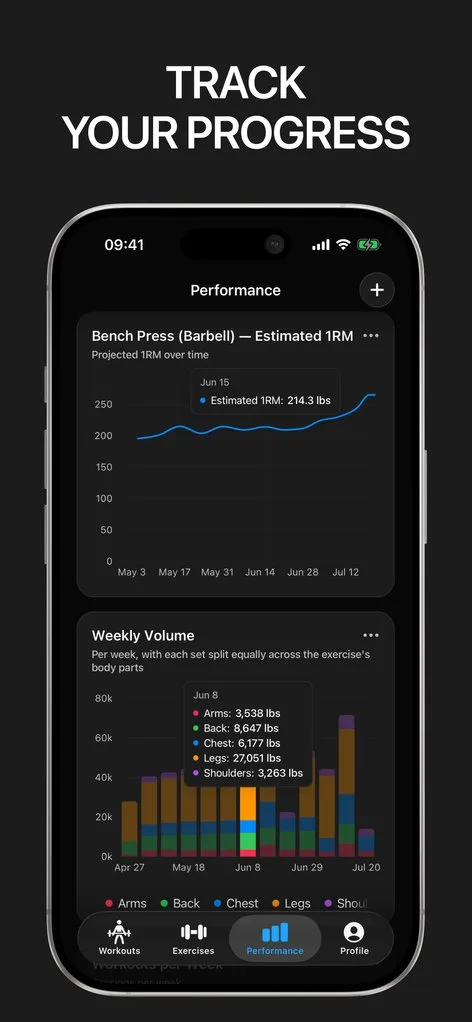
Building muscle is an accounting problem: enough hard sets per muscle per week, progressed over months, with the food to support it. The training side of that ledger is exactly what Gript keeps.
Muscle balance shows your weekly sets per muscle group at a glance — including the ones you keep skipping — and every exercise carries volume and best-set charts so you can verify that more work is turning into more strength.
Logs the way bodybuilders train
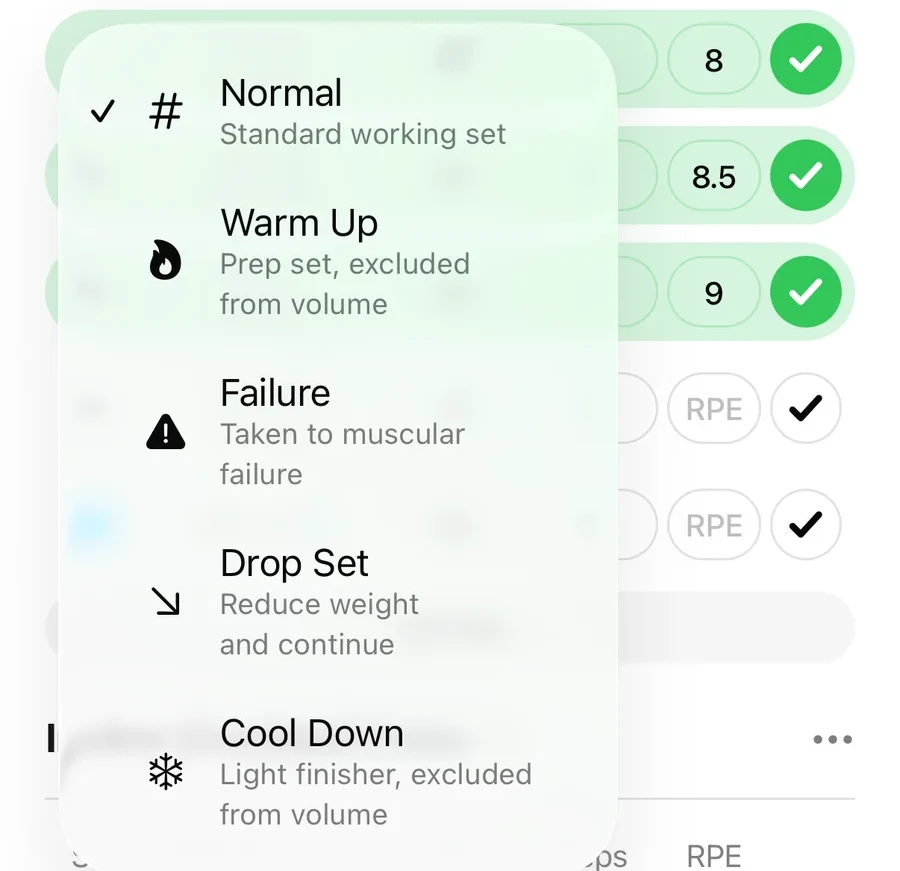
Hypertrophy training is dense: supersets cycle exercises the way you run them, drop sets and failure sets get logged as what they are, timed sets cover isometric holds, and per-exercise rest times keep intensity honest. Exercise notes hold your setup — seat height, cable position — so machine work is reproducible.
The physique, measured
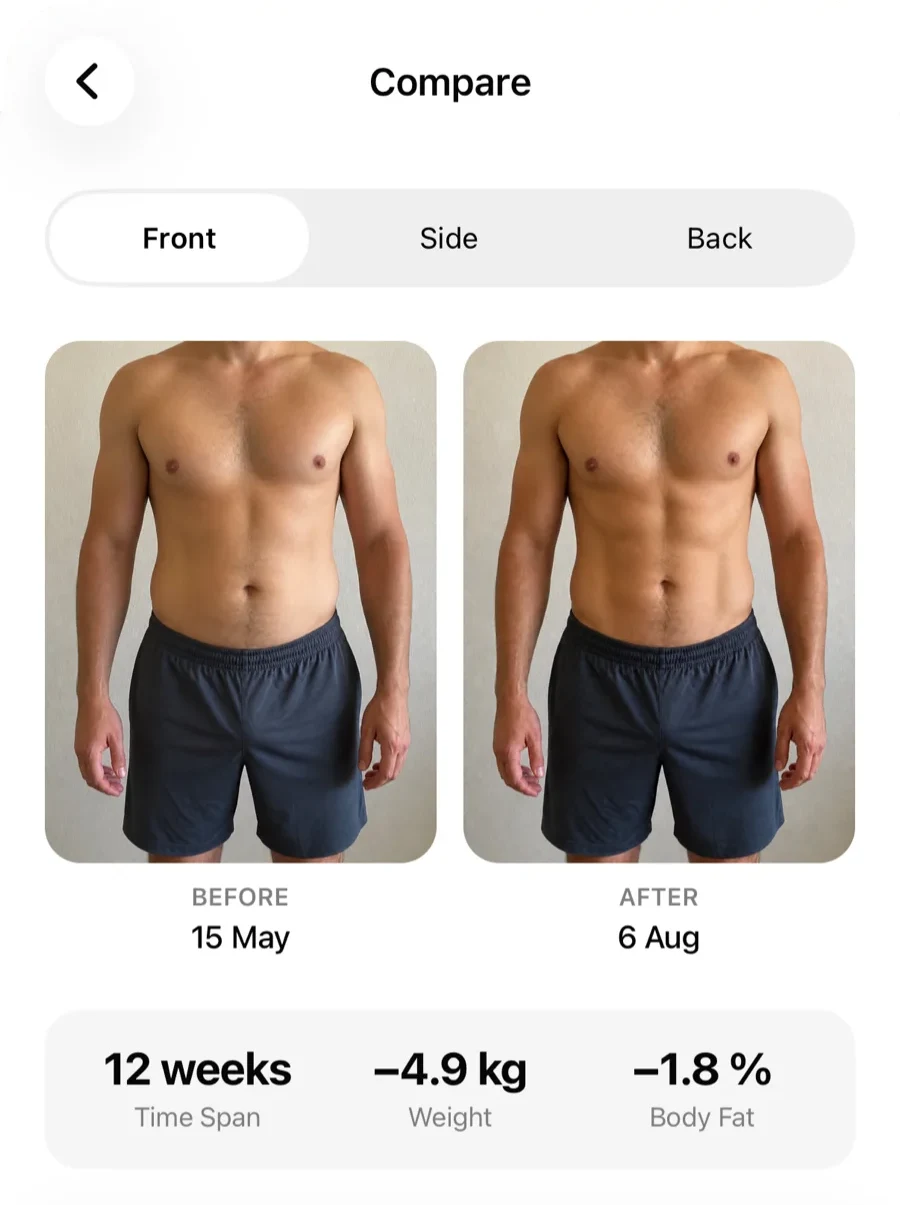
The mirror lies day to day; the tape does not. Gript tracks thirteen body measurements — arms, chest, waist, thighs, and more — with goals and reminders, charts them alongside training, and syncs with Apple Health. Progress photos live next to the numbers, with side-by-side comparisons for the weeks the scale refuses to move.
Fuel it with real numbers
The free protein calculator sets your daily target, the macro calculator splits your calories, and the bulking calculator sizes a surplus that builds muscle instead of just weight. All free, no sign-up, linked from inside the app’s help.
Lifters seem to like it
This app has so far the best interface and experience, everything is so clean and easy to navigate. I like it after trying many other apps.
The charts in this app are insane good!
I feel that every single time I open the app there is a new feature. Thanks for making it better every day.
Real reviews from the App Store.
Common questions
Can Gript show my weekly sets per muscle group?
Yes — muscle balance breaks down your training week by muscle group so you can see whether hamstrings, rear delts, or calves are actually getting the 10–20 weekly sets that drive growth, or quietly getting zero.
Does Gript support supersets and drop sets properly?
Yes. Supersets group any number of exercises and log in the order you actually train them; drop sets and failure sets are dedicated set types, so intensity techniques stay visible in your history instead of flattening into straight sets.
Can I track body measurements and progress photos?
Both. Thirteen body parts plus weight and body fat, with charts, goals, reminders, and Apple Health sync. Progress photos support side-by-side comparison so recomposition shows up even when bodyweight does not change.
Is Gript good for a cut as well as a bulk?
Yes — arguably more useful. On a cut, the goal is keeping strength while the scale drops; Gript charts both so you catch muscle loss early. The free calorie deficit and protein calculators set the nutrition side.
Free tools to go with it
From the Help Center
Download Gript free and log your next workout with it. If it does not earn its place, your data exports in one tap.
You're already in Gript
Everything on this page is also available inside the app — this article opens from Help, and the calculators live under Tools.