


Gript is a workout tracker for iPhone, iPad, and Android built around two ideas: logging should be fast enough that it never interrupts your training, and your progress should be visible at a glance in charts that actually make sense. On iPad it runs full screen, in landscape, or beside another app in Split View, with everything synced through your account.
The four tabs#
- Workouts — three sections you switch between at the top of the screen. Routines holds your saved routines, grouped into folders if you want them organized; History lists every workout you have finished, month by month; and Explore is a library of ready-made programs and routines you can preview and save. The Start Workout button in the corner begins an empty workout whenever you want one.
- Exercises — a searchable library of exercises with instructions, demo videos, your history, and personal records. You can also create your own exercises.
- Performance — a customizable dashboard of progress charts: strength, volume, training frequency, muscle balance, and more.
- Profile — your personal records, settings, units, appearance, integrations, data import and export, and your account.
What logging looks like#
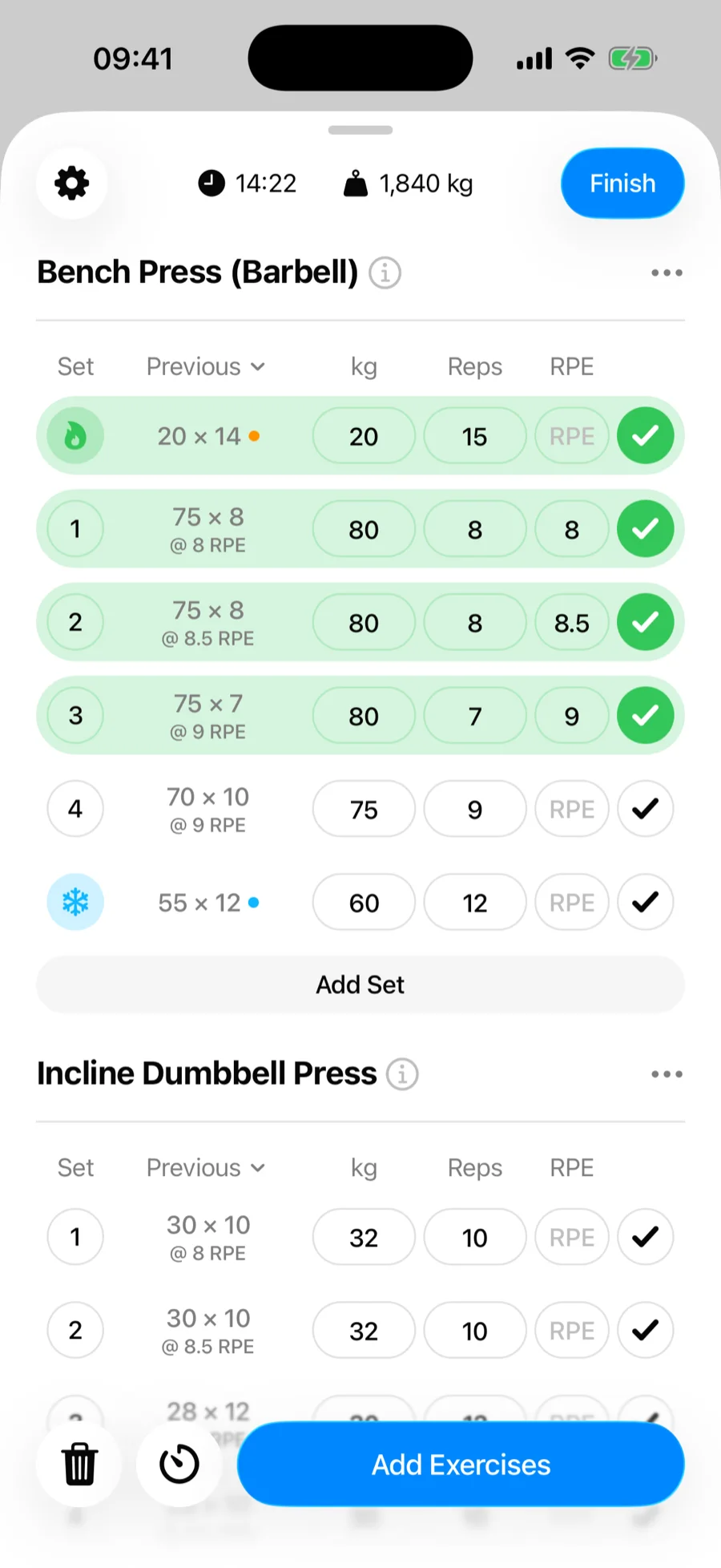
During a workout you log weight and reps per set, mark set types like warm-ups and drop sets, optionally track effort with RPE or RIR, and let the rest timer start automatically after each set. Your previous numbers for every exercise are shown right next to where you type.
Free vs PRO#
The core tracker is free: unlimited workouts, the full exercise library, basic progress charts, and import and export. Gript PRO removes the routine and custom exercise limits and unlocks advanced charts, longer chart history, and the plate and warm-up calculators.
Platforms#
Gript is available for iPhone and iPad on the App Store, with Apple Health syncing, Live Activities on the lock screen and Dynamic Island, and an Apple Watch app. It is also on Android via Google Play, where workouts, weight, and body fat sync to Health Connect.