
StrongLifts alternatives now that the app needs a subscription
The free tier is gone from StrongLifts. Your history is not: export it once, import it into Gript, and keep running 5×5 for free.


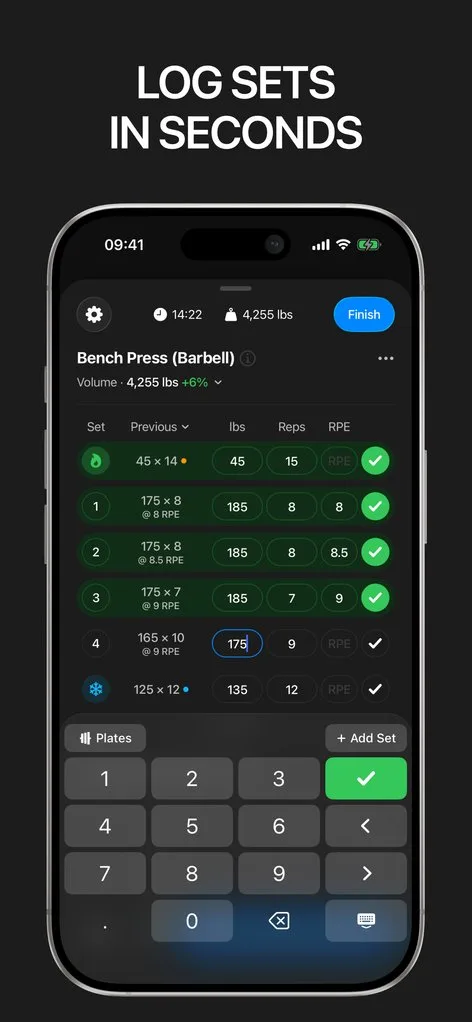
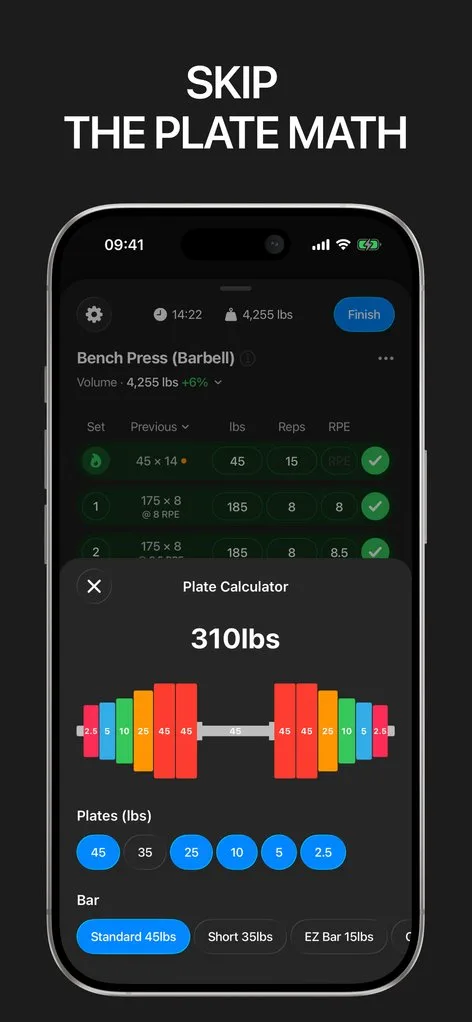
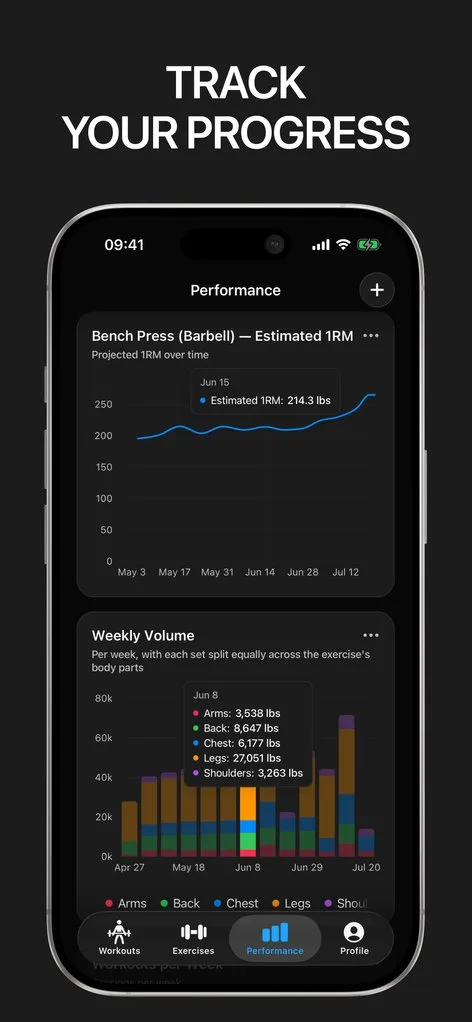
StrongLifts has been the app for 5×5 for a long time, and for most of that time the core program was free: the two workouts, the weight increments, the deloads, all without paying. As of mid-2026 that tier is gone. Both store listings now describe the app as free to download but requiring a subscription to use.
If you only wanted to log 5×5 and have years of squat sessions in the app, the question is what to do with that history before it sits behind a paywall you do not want. The short version: export it, import it into Gript, and keep running 5×5 for free. If Gript does not earn its place, your data exports again in one tap.
What changed in StrongLifts
The subscription is StrongLifts Pro, and the prices are $4.99 a week, $11.99 a month, $29.99 a quarter, $59.99 a year, and five-year plans from $199.99 to $239.99. A seven-day free trial exists, but only on the yearly plan. Legacy Pro Lifetime purchases made between 2020 and 2025 are still honoured, so if you bought one, the app keeps working as it did.
Pro covers the whole catalogue: the StrongLifts 5×5 variants (Basic, Plus, Lite, Mini, Ultra, and Ultra Max), 5×5 Intermediate, four Madcow 5×5 templates, custom programs, assistance work, more than a hundred technique videos, the warm-up and plate calculators, Apple Watch logging, and charts. The change is that there is no longer a way to use just the logbook without it.
StrongLifts runs on iPhone, iPad, Mac with Apple silicon, Apple Vision, Apple Watch, and Android, with no Wear OS app and no web version. None of that has changed. What changed is the price of entry.
Step 1: export your StrongLifts data as CSV
In StrongLifts, open Settings, choose Export Data, and pick CSV. The app writes a spreadsheet of your whole workout history and hands it to the share sheet. Choose Save to Files so you can reach it again from Gript, or share it straight to Gript.
The export is free. Even with the paywall in front of the program, the Settings menu stays reachable, and Export Data does not require a subscription. Exporting changes nothing in the app. One thing worth knowing: StrongLifts cannot read that file back in. Its CSV is a one-way export, so the history you are saving is for another app, not for a future reinstall of StrongLifts.
Step 2: import the file into Gript
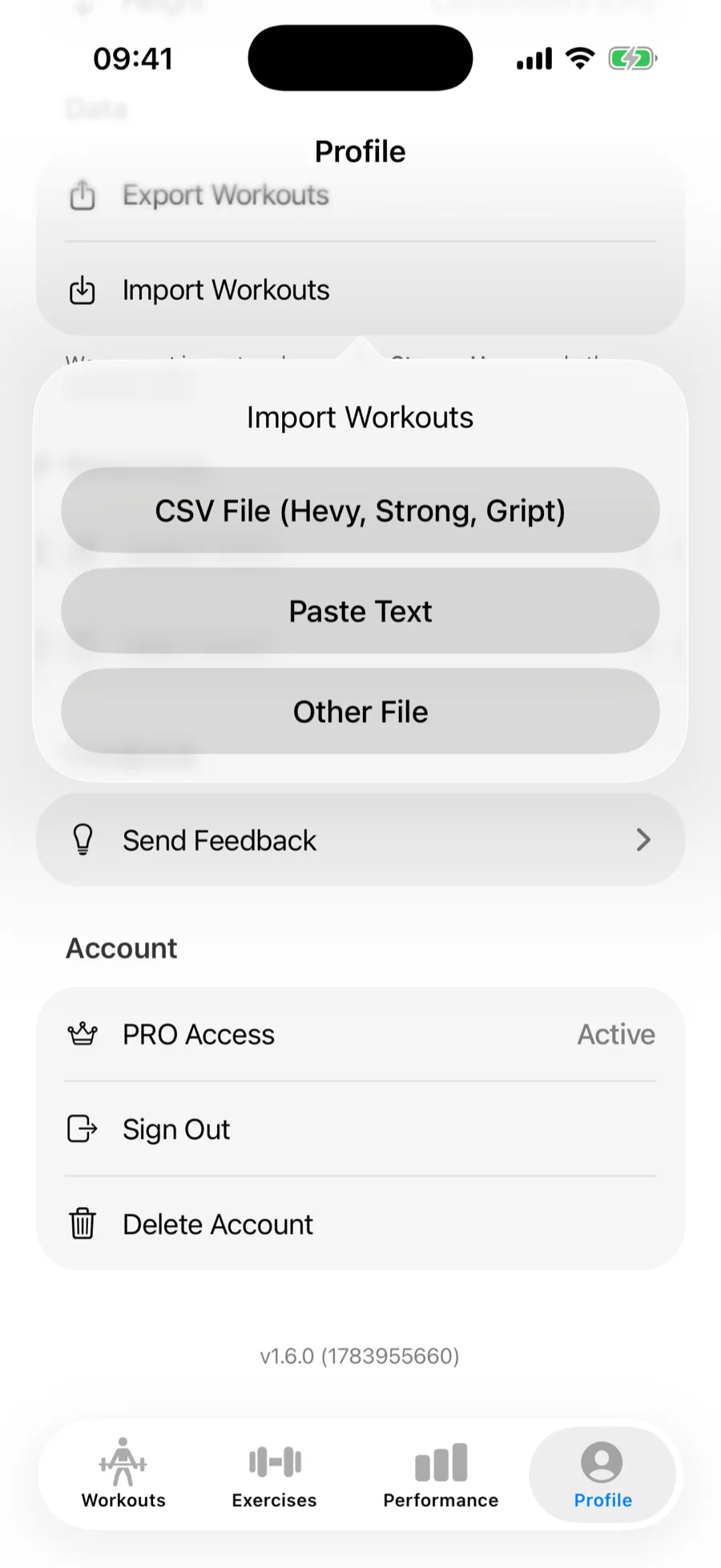
In Gript, go to Profile → Import Workouts and choose CSV File (Hevy, Strong, Gript), then pick the file you saved. Gript recognises the StrongLifts format from the header row, so there is nothing to configure. Both the kilogram and the pound variants are read.
StrongLifts stores each exercise as a single row with Set 1, Set 2, Set 3, and so on across the columns. Gript pivots those into individual sets under the exercise, so a 5×5 squat row becomes five logged sets with their own weight and reps and a 1×5 deadlift becomes one. Workout names such as Workout A and Workout B, the program name, your notes, and the start and end times all come across.
Exercise names are matched against Gript’s library. StrongLifts uses stock names for the main lifts, so squat, bench press, barbell row, overhead press, and deadlift match on their own, and any assistance exercise with an unusual name can be remapped or created as a custom exercise. Nothing is saved until you confirm the summary, and duplicate workouts are skipped.
Running 5×5 in Gript
Gript does not have a StrongLifts mode; it has routines, and 5×5 is two of them. Build Workout A (squat, bench press, barbell row) and Workout B (squat, overhead press, deadlift) with five sets of five each, or start from the programs library, which includes a 5×5-style template among its six programs. More on the 5×5 app page.
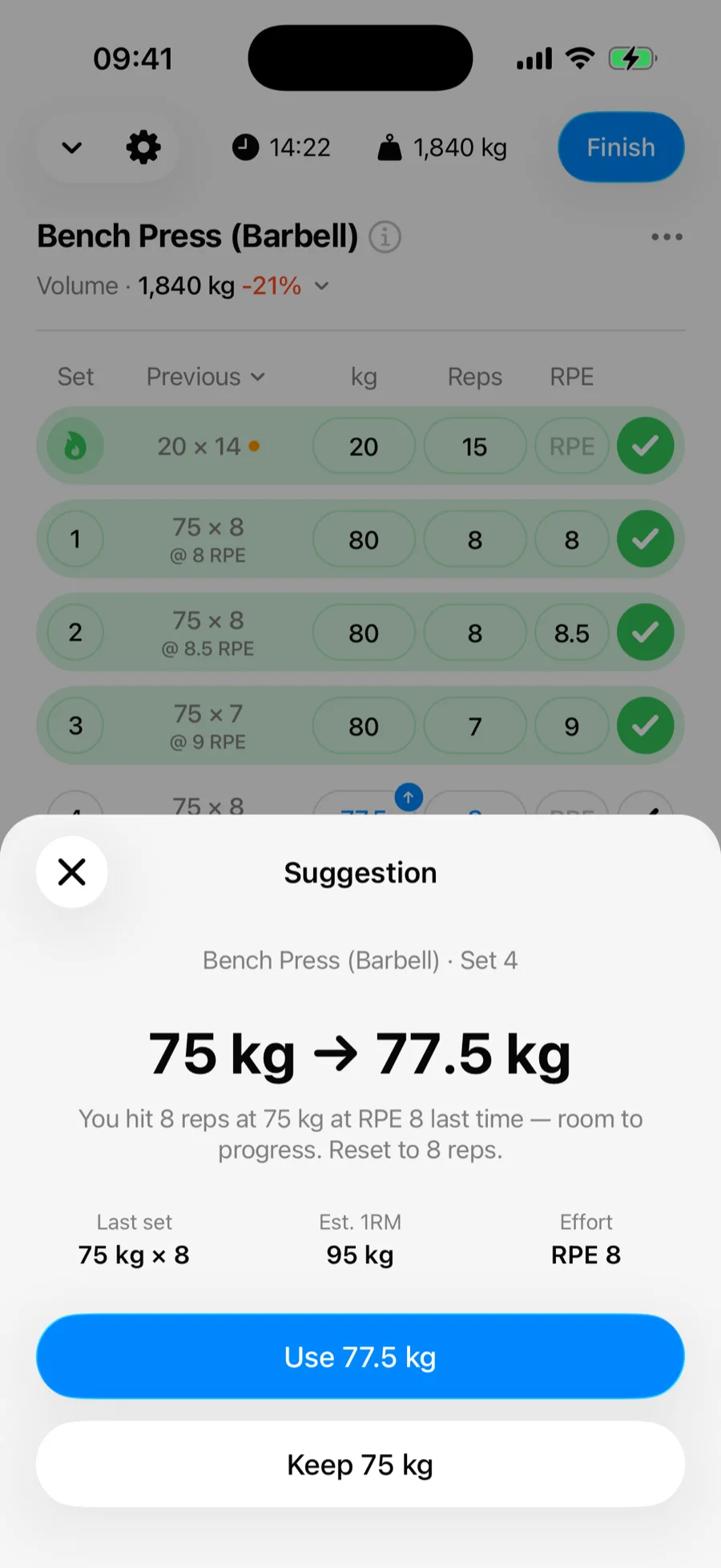
Progression works differently, and it is worth being clear about how. StrongLifts decides the next weight for you and deloads automatically after repeated failed sessions. Gript shows your previous sets next to every set you fill in and offers progression suggestions that read your last sessions and show the reason behind each recommended weight. You confirm the jump. The first five suggestions are free; after that they are part of Pro.
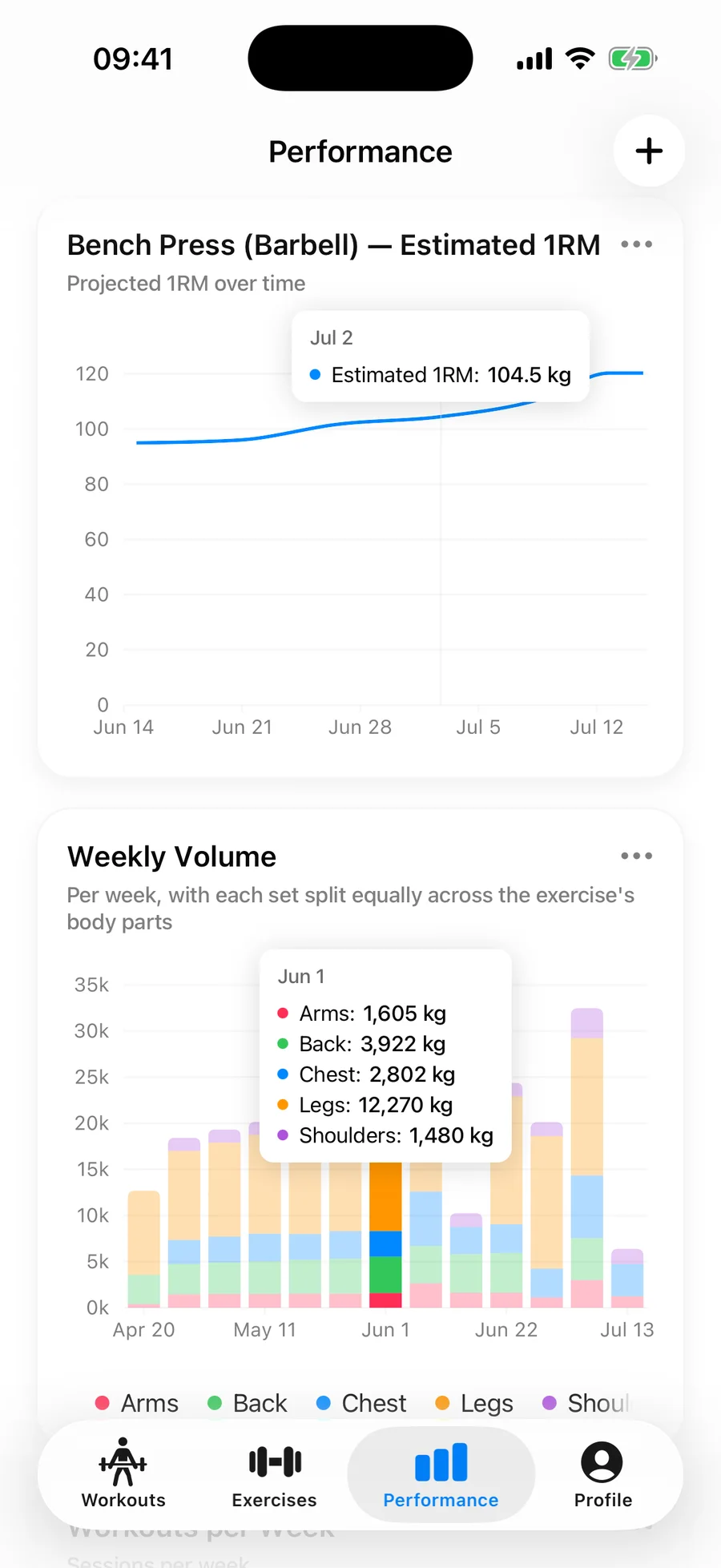
There is no automatic deload rule. When a lift stalls, Gript’s max weight chart and RPE history make the stall obvious and the routine editor lets you drop the weight in a few taps, but the ten-percent reset is your decision rather than the app’s.
What you give up and what you gain
What you give up is the program engine. StrongLifts runs its 5×5 variants, Intermediate, and the Madcow templates as fixed sequences with the weights, warm-ups, and deloads worked out for you. Gript has none of that as a locked-in system: routines are yours to build and edit, and progression is suggested rather than imposed. You also lose the Mac and Apple Vision apps, since Gript runs on iPhone, iPad, Apple Watch, and Android only.
What you gain is everything 5×5 was never going to be forever. The same log that runs Workout A and B carries your accessories, a switch to 3×5 or an upper/lower split, and whatever program comes after. Progress charts (estimated 1RM, volume, muscle balance) show whether the lifts are moving, body measurements are free rather than a Pro feature, and history from Strong, Hevy, FitNotes, and other trackers imports into the same account.
On price: Gript’s free tier is unlimited logging, three routines, twelve weeks of charts, body measurements, and CSV import and export. Pro is $4.99 a month or $29.99 a year and adds unlimited routines, progression suggestions beyond the first five, full chart history, and the plate and warm-up calculators.
Lifters seem to like it
This app has so far the best interface and experience, everything is so clean and easy to navigate. I like it after trying many other apps.
The charts in this app are insane good!
I feel that every single time I open the app there is a new feature. Thanks for making it better every day.
Real reviews from the App Store.
Common questions
Is StrongLifts still free?
No. Since mid-2026 both store listings describe StrongLifts as free to download but requiring a subscription to use. Pro runs from $4.99 a week to $59.99 a year, with five-year plans up to $239.99 and a seven-day trial on the yearly plan only. Legacy Pro Lifetime purchases from 2020 to 2025 are still honoured.
Can I export my StrongLifts data without paying?
Yes. Settings → Export Data → CSV is free and stays reachable behind the paywall. StrongLifts cannot re-import it, but Gript reads it directly.
What transfers from the StrongLifts CSV?
Every set with its weight and reps, pivoted from the per-set columns into individual sets; workout names such as Workout A and Workout B; the program name; your notes; and start and end times. Both kg and lb exports are read. The program templates and progression rules are not in the file, so you set up the routines in Gript yourself.
Does Gript do 5×5 automatically?
Not the way StrongLifts does. You build Workout A and B as routines, or start from the 5×5-style template in the programs library, and Gript shows your previous sets and suggests the next weight with the reason behind it; you confirm each jump. There is no automatic deload rule, so when a lift stalls the charts show it and you decide when to reset.
Can I bring Madcow or my custom StrongLifts programs?
The workout history from those programs imports with its program name attached, but the templates themselves do not travel in the CSV. Madcow’s ramped sets and any custom program can be rebuilt as routines in Gript with rep ranges and effort targets per set; the weekly percentage jumps are yours to apply rather than automatic.
Is Gript free?
Yes. Logging is unlimited and free, with three routines, twelve weeks of charts, body measurements, and CSV import and export included. Gript Pro is $4.99 a month or $29.99 a year and adds unlimited routines, progression suggestions beyond the first five, full chart history, and the plate and warm-up calculators. A two-routine 5×5 fits inside the free tier.
Free tools to go with it
From the Help Center
Download Gript free and log your next workout with it. If it does not earn its place, your data exports in one tap.
I have tried pretty much every workout tracker out there — Hevy, Strong and many others — and Gript has quickly become my favorite. The UI and overall design are easily the best on the market.
You're already in Gript
Everything on this page is also available inside the app — this article opens from Help, and the calculators live under Tools.